Cloned Form Failed
Status: Closed · Asked by Jay Schwartz on · 0 views
Hello Jay,
Thank you for bringing this to our attention and sharing the detailed context along with the previous thread links.
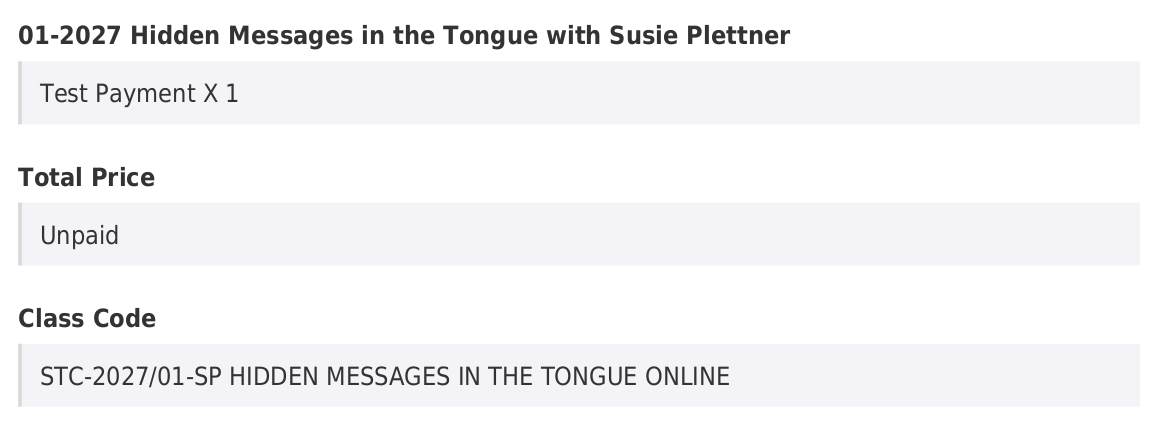
We understand that even after creating a new form, cloning it, and setting up the Payment Module, the cloned form is still taking customers to the PayPal page with the "Complete Purchase" button instead of the "Review Order" flow, causing payment notifications and form submissions to fail (showing as "Unpaid").
We have re-escalated this issue directly to our technical team along with your form details:
Cloned Form: Sign-up 01-2027 Online STC Hidden Messages in the Tongue with Susie Plettner
Source Form: Template - 2027 STC
We will keep you updated on this ticket as soon as we receive a resolution from our technical team.
Hi Jay,
Our technical team has identified the cause of the PayPal redirection issue in your cloned form.
1. Affected form
In Sign-up 01-2027 Online STC Hidden Messages in the Tongue with Susie Plettner, the PayPal Client ID and Secret are entered in each other’s fields. This causes PayPal to reject the credentials and fall back to its standard checkout page with the “Complete Purchase” button. Payments made through this flow are not reported back to Pabbly Form Builder, which is why the submission remains marked as Unpaid.
To resolve this:
Open the affected form and navigate to the payment field’s PayPal settings.
Correct the Client ID and Secret fields by placing each value in its respective field.
Save the changes and test the payment flow again.
2. Source template for future clones
We also found that Template - 2027 STC does not have the PayPal email, Client ID, or Secret saved. Therefore, forms cloned from this template will not inherit valid PayPal payment details.
Please add the correct PayPal details to the source template as well, so future cloned forms can be configured correctly.
The $1 test payment was processed through PayPal’s standard checkout and was not linked to the Pabbly Form Builder submission.
Please correct the settings and test the affected form again. Let us know the result so we can verify whether the payment redirection and notification flow are working as expected.
Hello,
Just following up on our previous email to check if you need any further assistance from our end.
Please feel free to let us know if you have any questions or concerns. We’ll be happy to assist you.
Hello!
It seems that the matter has been resolved, as we haven’t received any further queries from you.
If there are any other concerns, please do let us know. We will be happy to assist you.