Connect Pabbly COnnect With Wordpress And Learndash
Status: Closed · Asked by vaforpts1 on · 0 views
Here's what I want to do:
Have a user fill out a google form.
Connect it with Pabbly to create them an account in Wordpress.
Then connect it with Pabbly and add the user to a Learndash course.
Then send an email to them with their Learndash email address and password.
How do I do this?
Thank you!
Hey @vaforpts1
You can create a workflow by following the below steps:-
1. Fill out a Google Form.
2. Add number formatter - use spreadsheet formula and use the formula as RANDBETWEEN(10000, 99999). So that it will generate a random number.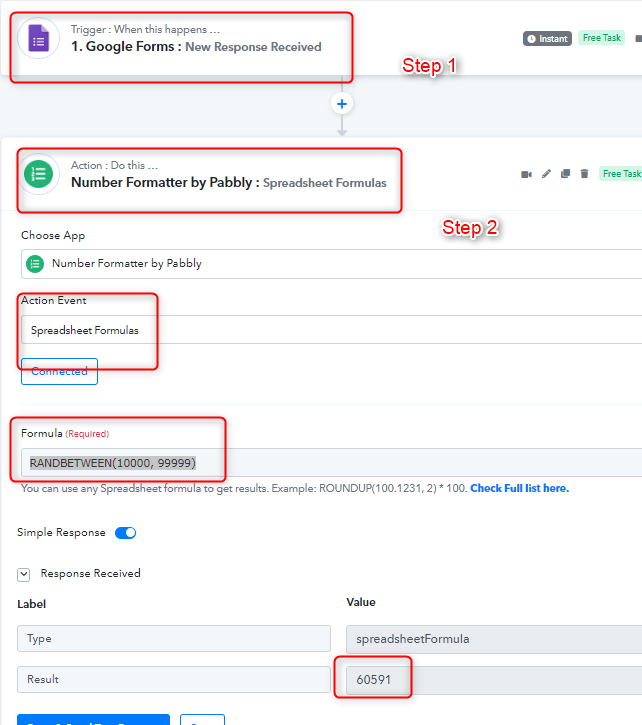
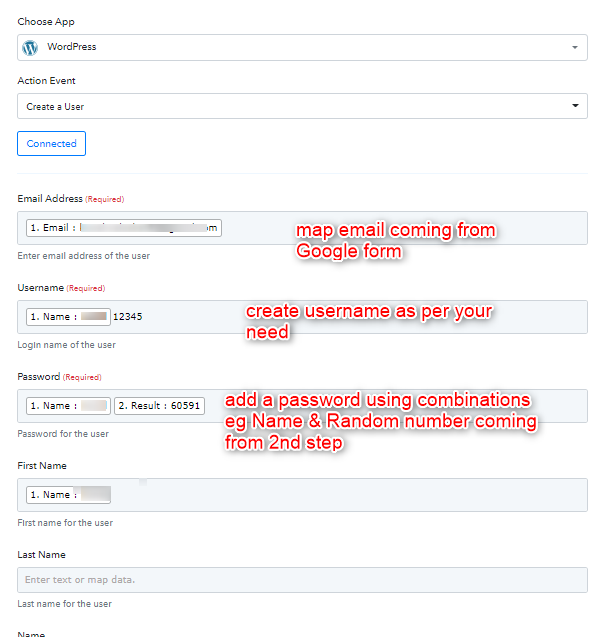
3. After that use the wordpress account and use the action Create a user in it and add the details as showing in the below screen shot:-
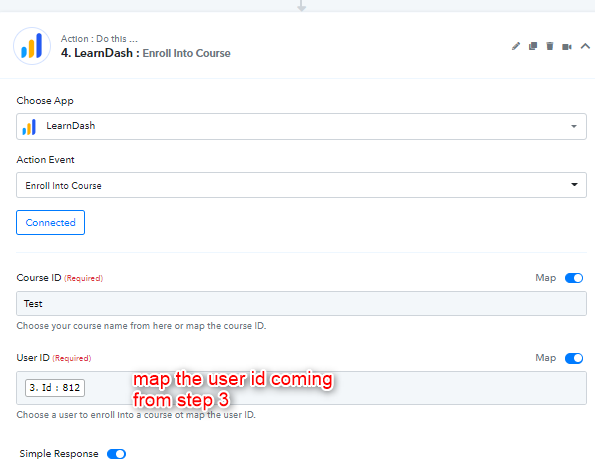
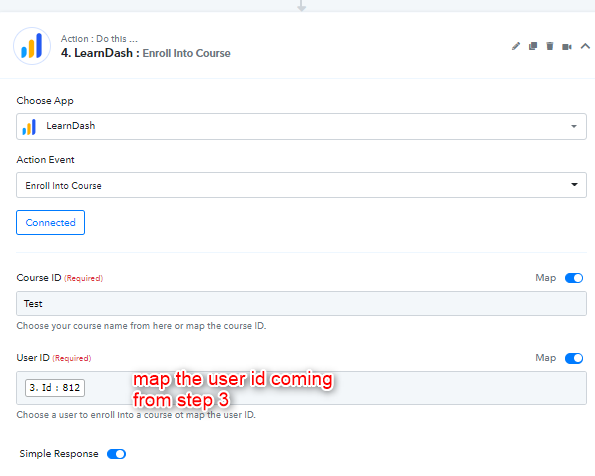
4 Then use the Learndash app and enroll into course and use the following actions as showing in the screenshot:-
5. For sending username and password to the users you can use Gmail app in the following way:-
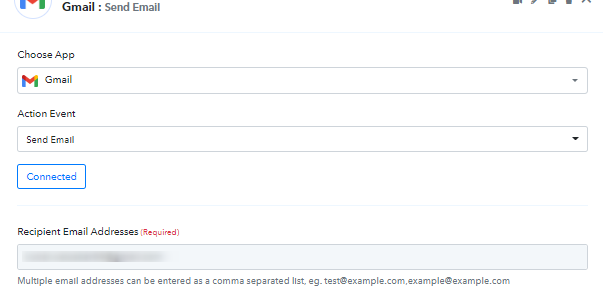
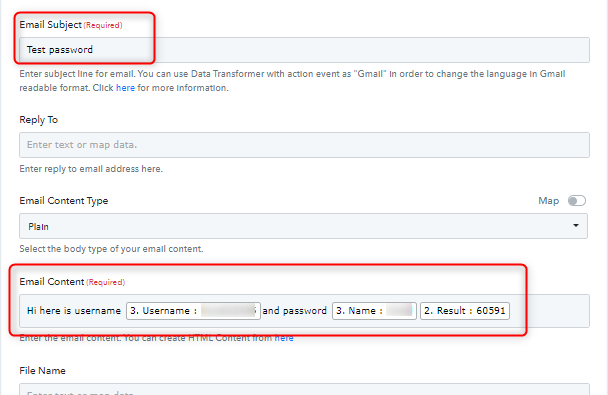
Kindly test the scenario and let us know if yo have any questions or comments.
Attachments