Convert /n (or symbols?) in Enter

ichilddev

Member
Your Workflow URL
https://connect.pabbly.com/workflow/share/CUEDMVIFAGNfFVA6VjMAJw8bUVUCWwJhUktWRFJdAXkHXVM4DUwBaw5CV3UFRgVkXhdXPVUKB2cIHAUBVwEJegAZUn5VVlAqVRhSKQxJDzwJVwMrUjM#
Consent to Access & Modify
I authorize Pabbly Support to log in to my account and make changes to the specified workflow for troubleshooting.
Dear Support

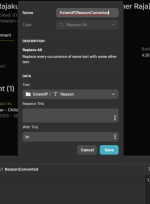
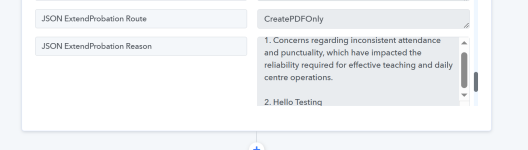
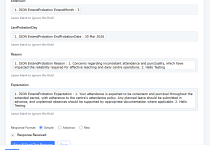
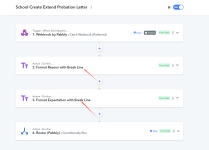
We have embedded /n into our JSON and would like to convert into [Enter] i.e <br> .
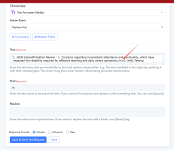
Right now we have the Pabbly Text Formatter - Replace All

Kindly advise the correct way of doing this.

Work Flow: School Create Extend Probation Letter

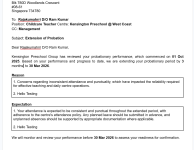
See Final Effect in attached.
 

Attachments

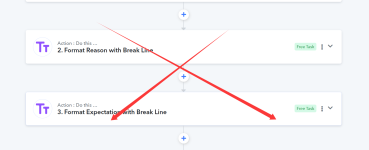
  • Steps that need to format into Break Line.png
    Steps that need to format into Break Line.png
    152.2 KB · Views: 3
  • Replace.png
    Replace.png
    142 KB · Views: 3
  • Final Effect.png
    Final Effect.png
    134.5 KB · Views: 3
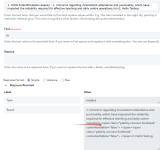
  • Error.png
    Error.png
    162.7 KB · Views: 4

Preeti Paryani

Well-known member
Staff member
Hi @ichilddev,

Upon checking your workflow, we can see that you are currently replacing /n with a custom <span> line-break element.

Please confirm whether this is working correctly on your end, or if the issue still persists.

If you are sending the content to Google Docs/Word, we recommend replacing \n (backslash + n) directly with the standard HTML break tag:

Find: \n
Replace with: <br>

Using <br> is more compatible when rendering content in Google Docs/Word integrations.

Kindly test this once and let us know the result.

1771927905253.png
 

ichilddev

Member
Once i have used \n (backslash + n), Pabbly Webhook actually dissect accordingly. Now we don't need to use the Text Format.
 

Attachments

  • Glide Compute Column.png
    Glide Compute Column.png
    69.5 KB · Views: 1
  • Pabbly Webook Dissect.png
    Pabbly Webook Dissect.png
    47.5 KB · Views: 1
  • No Need Anymore.png
    No Need Anymore.png
    86.8 KB · Views: 1
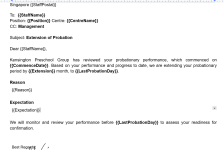
  • Directly to Create Doc.png
    Directly to Create Doc.png
    137 KB · Views: 1

Preeti Paryani

Well-known member
Staff member
Hi @ichilddev,

Thank you for the update.

As per your latest message, since using \n is now being properly dissected by the Pabbly Webhook and you are able to pass the data directly to the Create Document step without using the Text Formatter, it appears the issue has been resolved.

Please confirm once whether everything is now working as expected on your end. If anything is still not rendering correctly in Google Docs, we’ll be happy to assist further.
 
Top