Custom Fields not importing to Google Sheets

Roxy85

Member
Hey all,
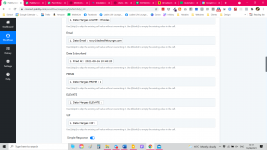
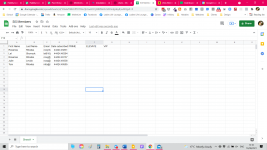
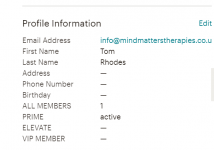
I'm new to Pabbly but I have a problem. I have some custom fields on MailChimp that aren't importing to Sheets. I've attached some screenshots but I'm hoping it's self-explanatory. The "active" or "1" that shows in the PRIME, ELEVATE, or VIP column is not being pulled in Google Sheets - and therefore not into Mailerlite!
Is there anything I'm missing here?
Thanks so much!
Roxy
 

Attachments

  • Mailerlite member.png
    Mailerlite member.png
    13.4 KB · Views: 131
  • Pabbly.png
    Pabbly.png
    192.6 KB · Views: 133
  • Sheets.png
    Sheets.png
    205 KB · Views: 134
P

Pabblymember11

Guest
Hey @Roxy85

We looked into your workflow and its history logs. It seems like the PRIME, ELEVATE and VIP fields are not coming directly from your Mailchimp/ the subscribers are not filling it out.

Hence, the Google Sheets is not getting your custom fields.

2021-08-16_17h55_32.png
 

Roxy85

Member
Hey @Roxy85

We looked into your workflow and its history logs. It seems like the PRIME, ELEVATE and VIP fields are not coming directly from your Mailchimp/ the subscribers are not filling it out.

Hence, the Google Sheets is not getting your custom fields.

View attachment 2930

Thanks for your reply @Supreme Verma !

You're correct - they're not - they get filled in automatically through MemberPress to specify which membership people are on. Pabbly doesn't integrate with MemberPress yet, so do you have a workaround suggestion please? Thanks so much!
 
Last edited:
P

Pabblymember11

Guest
Hey @Roxy85

You can use Mailchimp's Find Member action event to get the members' details such as PRIME, ELEVATE and VIP fields. Further, you can map its response on your Google Sheets's desired fields.


2021-08-16_18h35_54.png
 
Top