Error when submitting a template
Status: Closed · Asked by Miriam Zoghbi on · 0 views
I need to send this template to my clients the soonest possible.
thank you
Hello Miriam,
Thank you for reaching out!
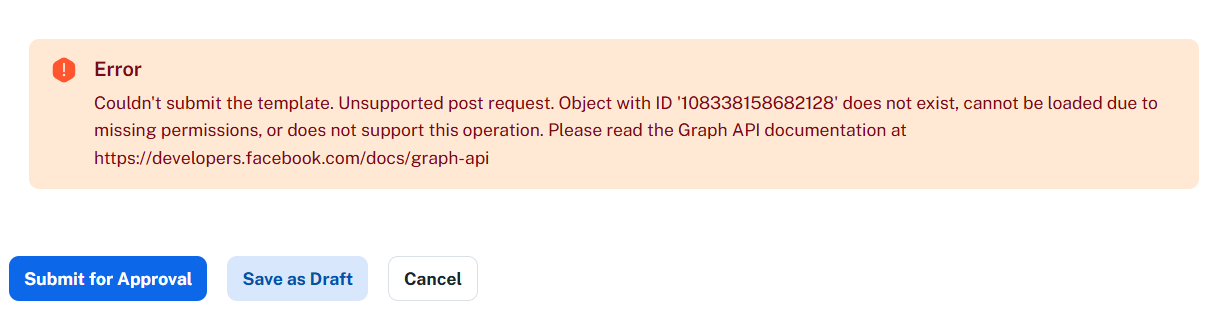
We observed a Graph API error while attempting to submit the WhatsApp template and sync the number: +961 81140431. We also reproduced the same issue during our testing.
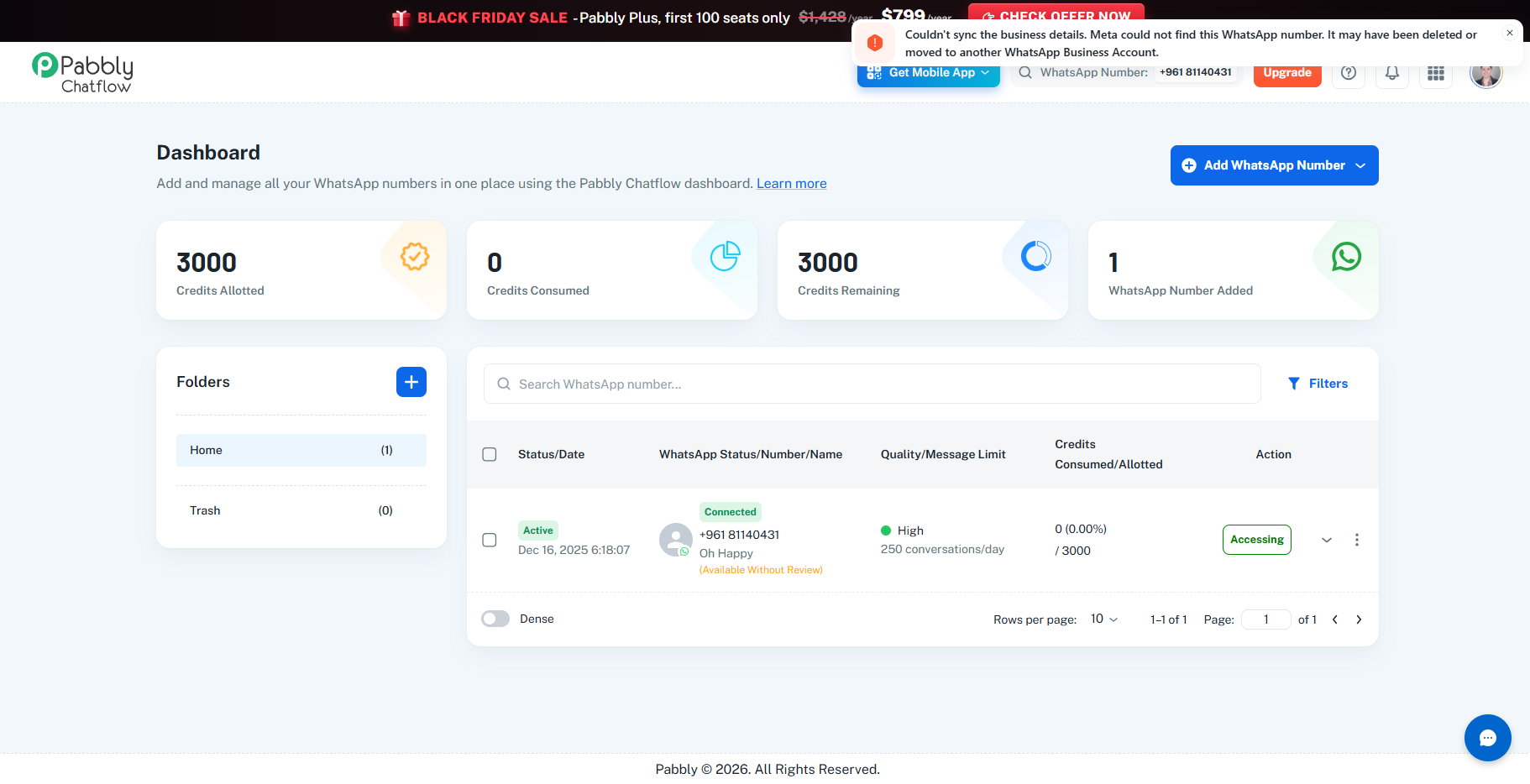
This error may be related to a connectivity, authorization, or synchronization discrepancy between your WhatsApp number and Meta. Since template submission and approval are handled through Meta's services, we recommend refreshing the existing WhatsApp number connection to restore the authorization and synchronization.
To proceed, kindly follow these steps:
Log in to your Pabbly Chatflow Dashboard.
Click Add WhatsApp Number. Please do not delete your existing WhatsApp number or its configuration.
Proceed through the WhatsApp connection flow using your existing Meta account.
Click Next through the authorization prompts, ensure all requested permissions are granted, and complete the connection process.
Once the connection is completed, please try submitting the template again and let us know whether the issue is resolved.
Thanks & Regards,
Shekh Dilshekh
Customer Support Specialist
🎉Black Friday Early Access
It worked. Thank you.
I sent a broadcast to these contacts 5 hours ago. Why does it still seem to be pending?

Hello Miriam,
We're glad to hear that the WhatsApp template creation issue has been resolved.
Regarding the pending broadcast, we investigated your account and checked the relevant contacts in your inbox. We found that the messages had not been sent successfully and were still showing a pending status.
To address this, we performed the following steps:
Opened your connected WhatsApp number from the dashboard and accessed the three-dot menu.
Executed both the Sync and Subscribe options, which completed successfully.
Tested the template by sending it to an existing inbox contact, Pabbly Test, and confirmed that the message was delivered successfully.
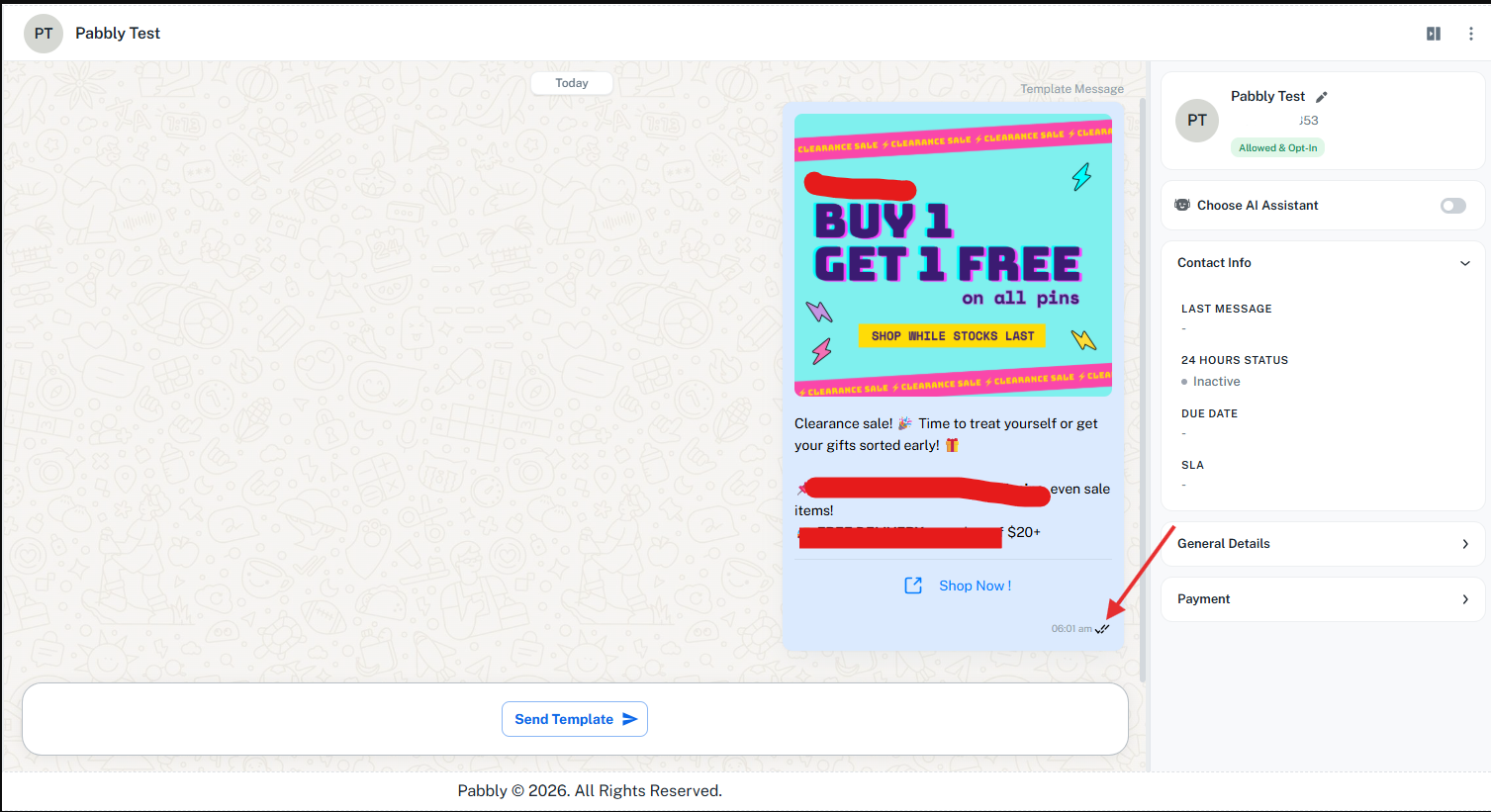
We request you to re-run the pending broadcast and check whether it is processed successfully.
Regarding the Template Quality Status:
We also checked the template in your Pabbly Chatflow dashboard and found that its quality status is currently showing as Pending and is under review.
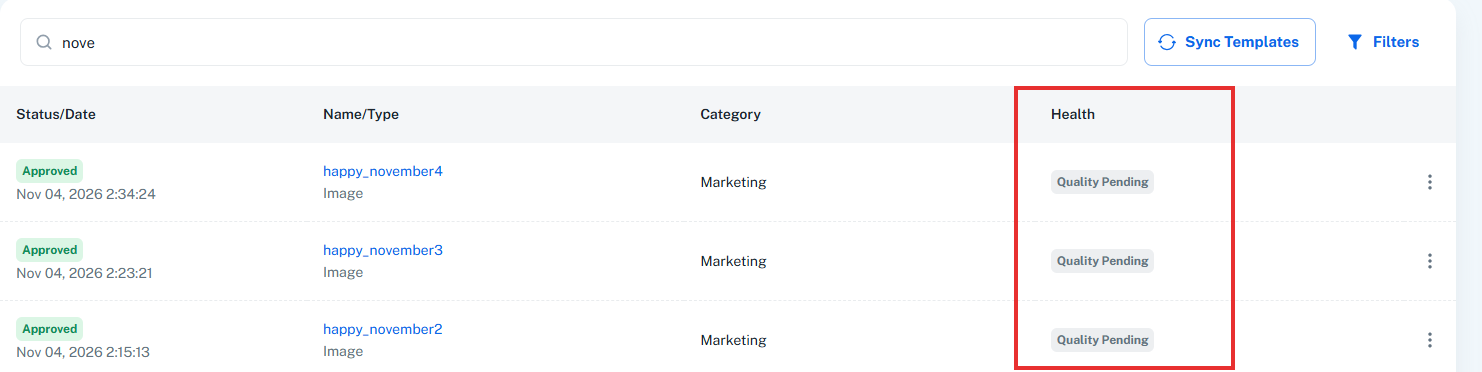
Please note that template quality checks are managed entirely by Meta, and Pabbly cannot intervene in this process. We request you to verify the status directly in Meta Business Suite.
If the template shows as approved in Meta Business Suite but still appears as Pending in Pabbly Chatflow, please share a screenshot so we can investigate further.
Additionally, please send any future correspondence or sensitive information to support@pabbly.com. Since this is a public community forum, sharing private credentials or secure data here is not recommended for your security.
Thanks & Regards,
Shekh Dilshekh
Customer Support Specialist
🎉Black Friday Early AccessHello Miriam,
Thanks for following up, and no problem regarding the forum post.
When a broadcast shows as Sent/Pending in Pabbly Chatflow but recipients have already received the messages on WhatsApp, it generally indicates that the messages were dispatched successfully, but the delivery status confirmation from WhatsApp/Meta is still pending, and sometimes, the status takes time to reflect correctly on the dashboard because of that only.
To refresh the connection, please follow these steps:
Log in to your Pabbly account using the registered email address.
Click the three-dot menu next to your connected WhatsApp number.
Run both the Sync and Subscribe options.
Send a test message to an existing contact to verify delivery.
Before resending the broadcast, we recommend checking its individual contact statuses to avoid duplicate messages. You can do this by opening the broadcast and clicking View Stats. This section also allows you to export the broadcast report as a CSV file or spreadsheet, where you can review each recipient's status and the corresponding failure reason.
If only certain messages failed, you can use the Resend Failed option to create a child broadcast containing only those recipients.
Please let us know if you need any further assistance. We'll be happy to help.
Thanks & Regards,
Shekh Dilshekh
Customer Support Specialist
Hello Miriam,
I am following up on my previous email to check if the steps provided helped resolve the broadcast status issue or if you have any further questions. Please let us know if you need additional assistance, and we will be happy to help.
Thanks & Regards,
Shekh Dilshekh
Customer Support Specialist
Hello,
We noticed that we haven’t received a response regarding your query.
As there has been no update, we are closing this support ticket for now. If you still need assistance, please feel free to open a new ticket, and we’ll be happy to help.
We would also greatly appreciate it if you could share your feedback on your support experience using the following link: https://www.trustpilot.com/review/www.pabbly.com.
Thank you for choosing Pabbly!
Thanks & Regards,
Shekh Dilshekh
Customer Support Specialist