• Instructions to Ask a Question

    For any assistance, please click the "Ask a Question" button and select the Pabbly product for which you require support.

    We offer seven comprehensive applications designed to help you efficiently manage and grow your business:

    Our support team endeavors to respond within 24 business hours (Monday to Friday, 10:00 AM to 6:00 PM IST). We appreciate your understanding and patience.

  • Due to Holi celebrations, our team will have limited availability. While we’ll continue to monitor threads, responses may be slightly delayed. Normal operations will resume on Thursday, 5th March 2026.

Everything is connected but there is a fault

roni

Member
Your Workflow URL
https://connect.pabbly.com/workflow/mapping/IjU3NjUwNTZjMDYzNzA0MzA1MjZiNTUzNjUxMzUi_pc
Your Task History ID
IjU3NjAwNTY0MDYzMzA0MzM1MjZiNTUzNzUxMzM1MTY0NTQzMCI_3D_pc
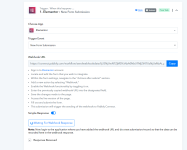
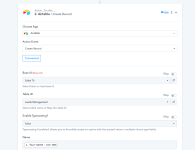
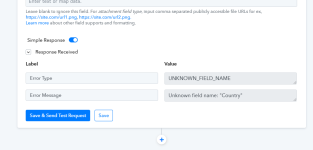
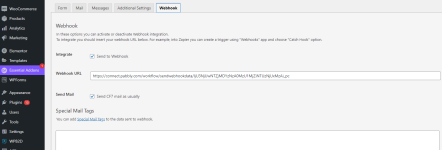
Hi, I did everything according to the tutorial video. We connected through contact form 7. We connected the webhook. You connected to airtable and the test is not accepted because there is an error in the name and country fields. can you help?
 

Attachments

  • 01.png
    01.png
    42.5 KB · Views: 83
  • 02.png
    02.png
    54.3 KB · Views: 102
  • 03.png
    03.png
    37.6 KB · Views: 78
  • 04.png
    04.png
    25.7 KB · Views: 80
P

Pabblymember11

Guest
Hey @roni

Kindly make the Country Field type a text type field and let us know what is the field type in you have selected in your Airtable.
 
Top