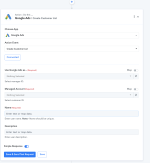
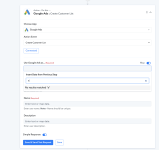
But I’ts my ad’s account. I’m the only one who has access. So I should be manager no?
An owner cannot make the connection to get the Google Ad to work, so you need to create a role of Manager then it will manage the connection of Google Ads.
And to create a manager in Google Ads, follow these steps:
- Sign in to Google Ads: Go to the Google Ads website (ads.google.com) and sign in to your Google Ads account.
- Access Account Settings: Once you're logged in, click on the wrench icon (Settings) located in the top right corner of the screen.
- Account Access: Under the "Setup" section, select "Account access."
- Invite Users: In the "Users" section, click the blue plus button (+) to invite a new user.
- Enter User's Email: Enter the email address of the person you want to grant manager access to.
- Select User's Access Level: Choose the access level you want to grant to the user. To give them manager access, select "Standard access" or "Admin access."
- Standard access: This level allows the user to view and make changes to the account, but they won't have administrative control.
- Admin access: This level grants full control over the account, including the ability to invite and manage users.
- Choose Notifications: Configure the notification settings for the user, deciding whether they should receive email notifications about account activity.
- Send Invitation: Click the "Send invitation" button to send an email invitation to the user.
- User Accepts Invitation: The user will receive an email invitation to access the Google Ads account. They need to accept the invitation by clicking the link provided in the email.
- Access Confirmation: Once the user accepts the invitation, they will gain access to the account as a manager with the specified level of access.
It's important to note that you should only grant access to individuals you trust and who have a legitimate need to manage your Google Ads account. Be cautious when assigning admin access, as this level of control can potentially impact your advertising campaigns significantly.