satishchandra
Member
- Your Workflow URL
- https://connect.pabbly.com/workflow/mapping/IjU3NjUwNTZjMDYzMTA0MzE1MjY4NTUzMTUxMzQi_pc
- Your Task History ID
- IjU3NjEwNTZmMDYzNzA0MzU1MjZkNTUzNzUxMzU1MTY2NTQzNSI_3D_pc
Hi Team,
my objective is to create a new issue in 'Jira software'(cloud version) whenever I create a new issue in GitHub.
While creating a new Pabbly workflow to connect GitHub and Jira. However, I get the below error. How to fix it?
Steps I followed.
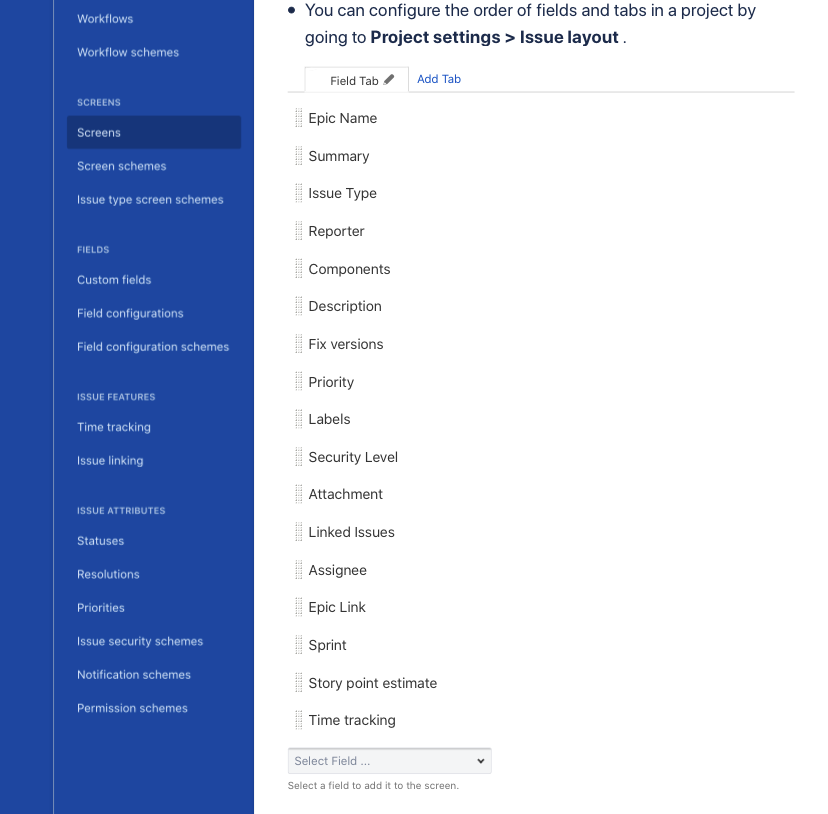
"errors > timetracking": "Field \u0027timetracking\u0027 cannot be set. It is not on the appropriate screen, or unknown."
}
Can you help me with the solution?
Thanks,
- satish
my objective is to create a new issue in 'Jira software'(cloud version) whenever I create a new issue in GitHub.
While creating a new Pabbly workflow to connect GitHub and Jira. However, I get the below error. How to fix it?
Steps I followed.
- Created a new Workflow to connect GitHub and Jira. I chose the trigger as 'Creating new issues in GitHub'.
- Created a new connection to GitHub successfully.
- created a new connection to Jira.
- When I do 'Test and save' the connection, I get the below error.
"errors > timetracking": "Field \u0027timetracking\u0027 cannot be set. It is not on the appropriate screen, or unknown."
}
Can you help me with the solution?
Thanks,
- satish