• Instructions to Ask a Question

    For any assistance, please click the "Ask a Question" button and select the Pabbly product for which you require support.

    We offer seven comprehensive applications designed to help you efficiently manage and grow your business:

    Our support team endeavors to respond within 24 business hours (Monday to Friday, 10:00 AM to 6:00 PM IST). We appreciate your understanding and patience.

  • Due to Holi celebrations, our team will have limited availability. While we’ll continue to monitor threads, responses may be slightly delayed.

Google Blogger ID not appear

kanna

Member
Your Workflow URL
https://connect.pabbly.com/workflow/mapping/IjU3NmMwNTZiMDYzNDA0MzQ1MjZlNTUzNyI_3D_pc
Your Task History ID
IjU3NmMwNTZiMDYzNDA0MzQ1MjZlNTUzNyI_3D_pc
Google Blogger ID not appear to create WordPress to Blogger post
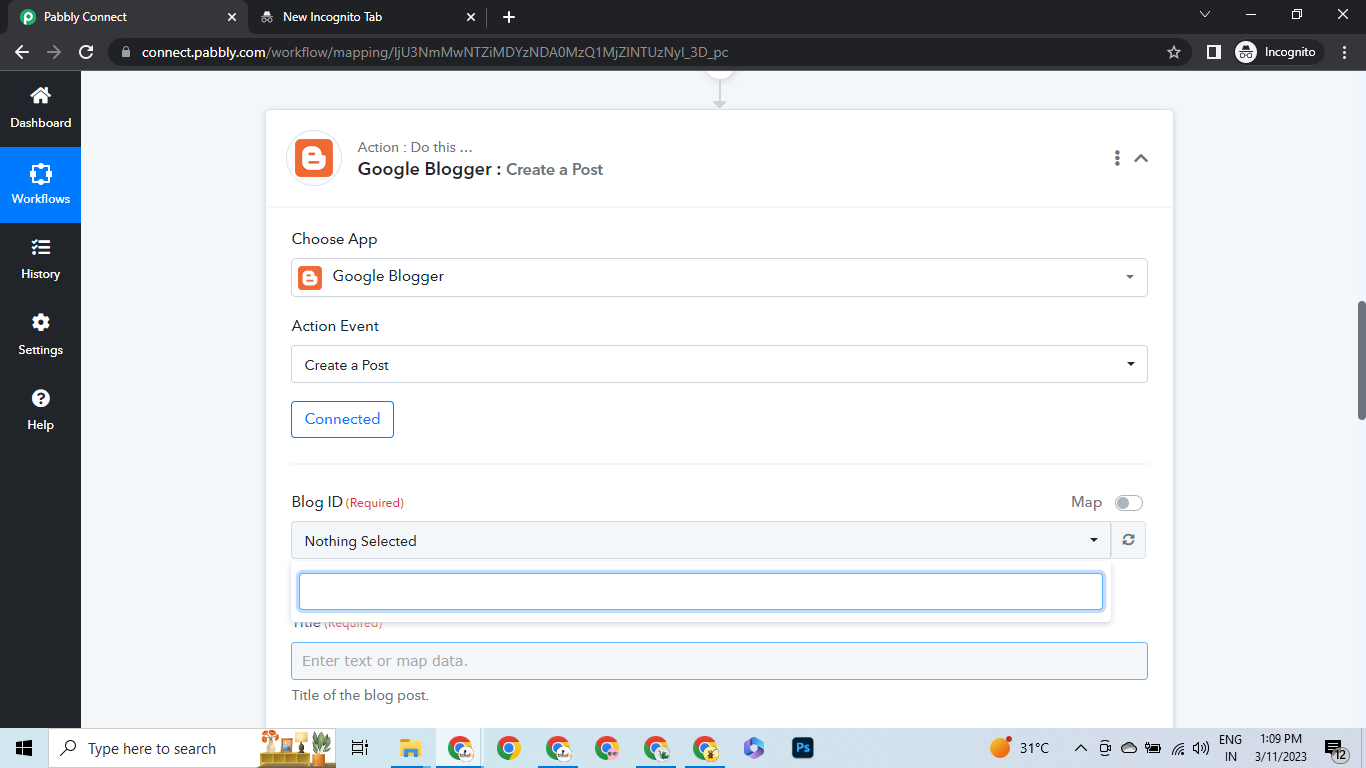

1678520362650.png
 
A

Arshita

Guest
Hey @kanna

As we can see that the name of the blogs is showing now. Please make sure that you have made the correct connection with the correct Blogger account.

2023-03-11_17h15_52.png
2023-03-11_17h19_13.png
 
Last edited by a moderator:
A

Arshita

Guest
As we can check, it appears that the name of the blogs is displaying correctly from our side.

However, if you are still unable to see the name, we suggest you try to make the new connection in incognito mode.

2023-03-14_13h26_23.png
2023-03-14_13h26_13.png
 
Top
