

alexco888
Member
Hi!
I made all the posible changes on the Stripe popup (on the blocks section). But I do not know how to change the words that still appear in English.
Can somebody here help me with that?
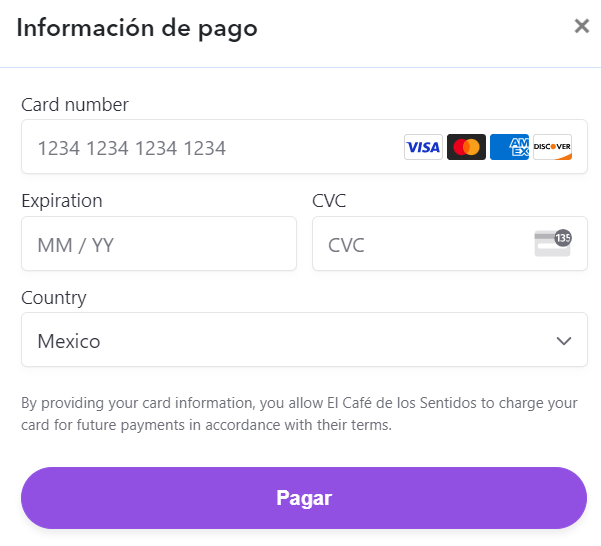
I attach an image (the words: card number, expiration, country + "By providing your card information, you allow El Café de los Sentidos..." are not in spanish .)
I made all the posible changes on the Stripe popup (on the blocks section). But I do not know how to change the words that still appear in English.
Can somebody here help me with that?
I attach an image (the words: card number, expiration, country + "By providing your card information, you allow El Café de los Sentidos..." are not in spanish .)

