
A timezone is a region of the Earth that has the same standard time. Setting the correct timezone in your account ensures that all your activities like workflows, automations, and reports run at the right local time.
Follow these steps to set your account’s timezone inside Pabbly Chatflow to ensure accurate timing for workflows, automations, and reporting.


Your timezone setting will immediately take effect for:
Setting the correct timezone ensures that all scheduled events, workflows, and reports are triggered and recorded accurately according to your local business hours.
Follow these steps to set your account’s timezone inside Pabbly Chatflow to ensure accurate timing for workflows, automations, and reporting.
Step 1: Log in to Your Pabbly Chatflow Account
Access your Pabbly Chatflow dashboard by signing in with your credentials.Step 2: Navigate to Timezone Settings
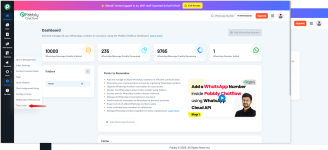
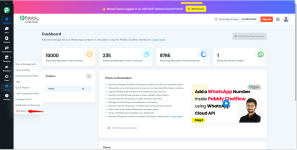
- Go to the Settings module.
- In the navigation panel, click on Timezone.
Step 3: Select Your Preferred Timezone
- You will see a list of timezones displayed in the dropdown.
- Search or scroll to find your preferred timezone based on your location or business operation region.
- Select the correct timezone that you want to apply across your Chatflow account.
Step 4: Save Your Timezone Settings
Once the correct timezone is selected:- Click the Save button to apply the changes.
Your timezone setting will immediately take effect for:
- Scheduled broadcast
- Automation triggers
- Reports and activity logs
Setting the correct timezone ensures that all scheduled events, workflows, and reports are triggered and recorded accurately according to your local business hours.
Attachments
Last edited:


