• Instructions to Ask a Question

    For any assistance, please click the "Ask a Question" button and select the Pabbly product for which you require support.

    We offer seven comprehensive applications designed to help you efficiently manage and grow your business:

    Our support team endeavors to respond within 24 business hours (Monday to Friday, 10:00 AM to 6:00 PM IST). We appreciate your understanding and patience.

  • Due to Holi celebrations, our team will have limited availability. While we’ll continue to monitor threads, responses may be slightly delayed. Normal operations will resume on Thursday, 5th March 2026.

How to connect pabbly with wati

1707477847017.png

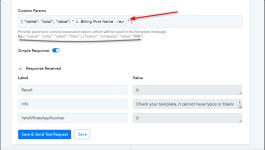
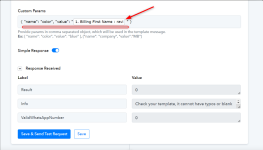
Can you please explain me this issue
 
D

Deleted member 15445

Guest
Hey @ravidigitechniks

As these are key-value pairs, you will have to map the correct fields with the data you want for your template. For example, you want the name to be 'ravi', so your input should be like -

{ "name": "ravi", "color": "blue" }

2024-02-09_17h44_55.png


Refer to this video for more instructions -


Attachments

  • 2024-02-09_17h21_13.png
    2024-02-09_17h21_13.png
    82 KB · Views: 106
  • 2024-02-09_17h30_59.png
    2024-02-09_17h30_59.png
    77.9 KB · Views: 109
D

Deleted member 15445

Guest
Can you connect with me I have tried it but not working
Kindly clarify a bit more on what issues are you facing while setting up the connection. It would be very convenient if you could make a video about you issue so that we can look into it and assist you accordingly.
 
Top