

How to connect wocommerce with zoho invoice

sunshoppers

Member
Your Workflow URL
https://connect.pabbly.com/v2/app/workflow/share/C0NVZ1QDBGcETlU_DmtXcA0ZUFQFXARmARhWRAEOXSVSH1YtDUwAal8TUnBWDQhpAEkJY1ENBjoOGgYCBlBUJ1JLAj4BAgV_VhsHfAFEXG8LVVV9VDU#
Consent to Access & Modify
I authorize Pabbly Support to log in to my account and make changes to the specified workflow for troubleshooting.
hi, i've created a flow using pabbly's youtube video(video link:
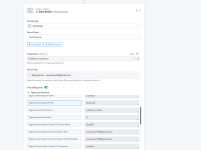
) and on second step i am getting very different result which was in the video and i am unable to setup it on the last step. I've attached the screenshot kindly check and give me the solution on this
 

Attachments

  • Screenshot 2025-12-20 232133.png
    Screenshot 2025-12-20 232133.png
    56.3 KB · Views: 7

ArshilAhmad

Well-known member
Staff member
Hi @sunshoppers,

It’s because the contact you were attempting to search did not exist in your Zoho Books account. We have added that contact to Zoho Books, and it is now returning the correct result.
1766255855745.png


We have also added a Router to your workflow, which will allow you to create contacts in Zoho Books if they don’t already exist and then create invoices for those customers.

If the contact already exists, an invoice will be created for them.

Thanks & Regards,
Arshil Ahmad
Customer Support Associate
🌐 Pabbly.com
👉Rate your support
 
Top