

This documentation provides a comprehensive, step-by-step guide to understanding the OAuth 1.0 setup process. For example purposes, we have chosen "Moosend" as our focus application.
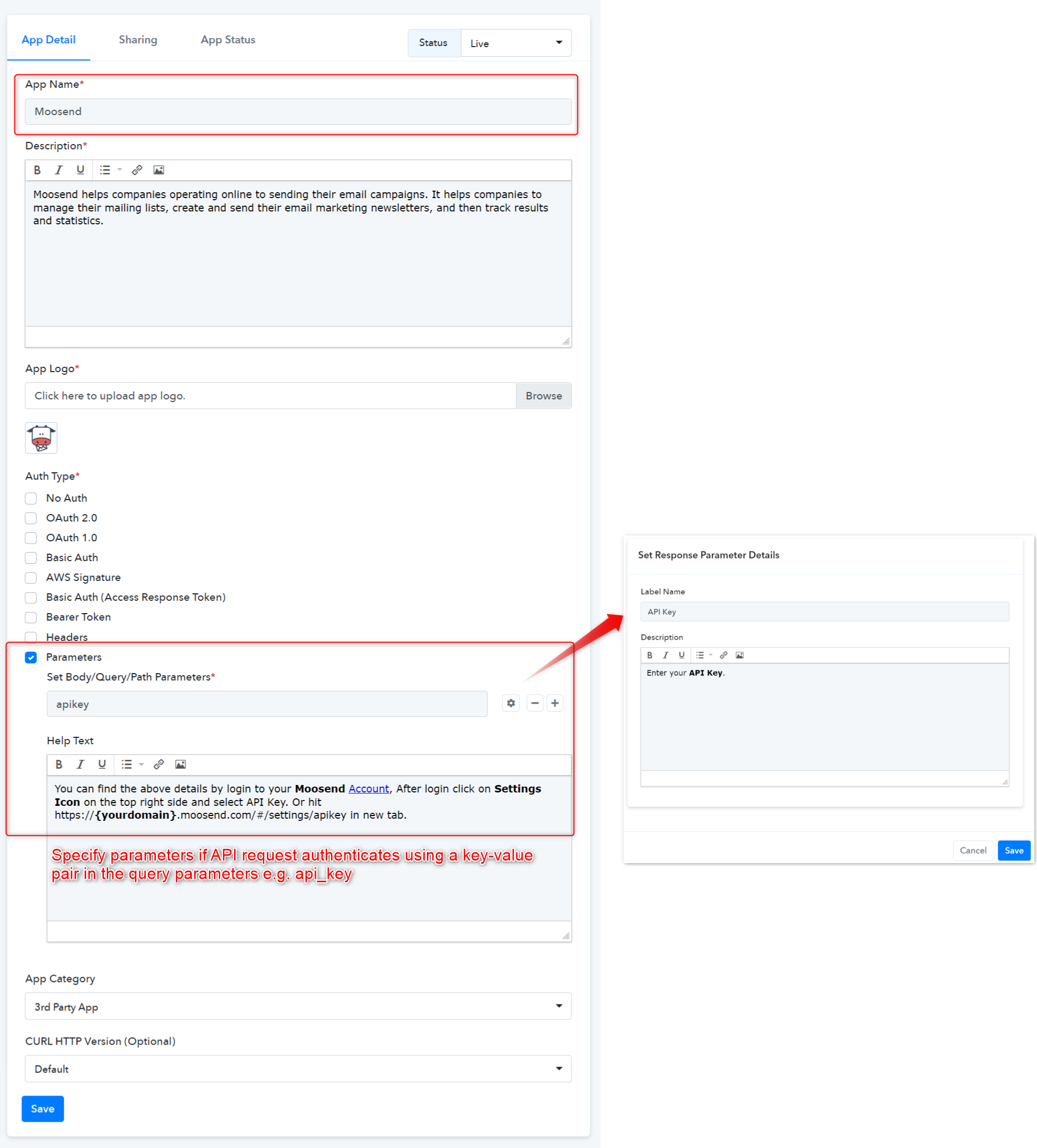
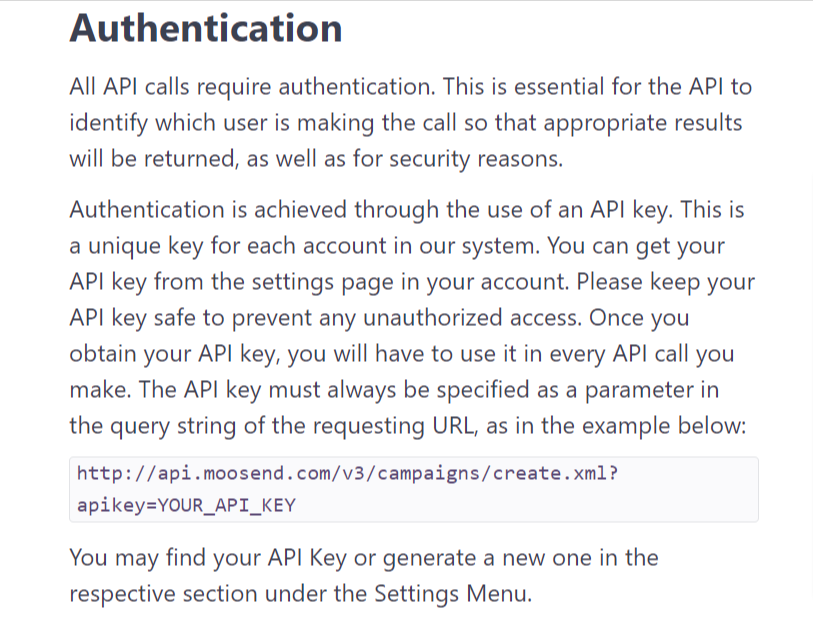
 We followed the Moosend API docs for selecting the Auth type as API Key using the key-value pair in the query parameter. Learn more
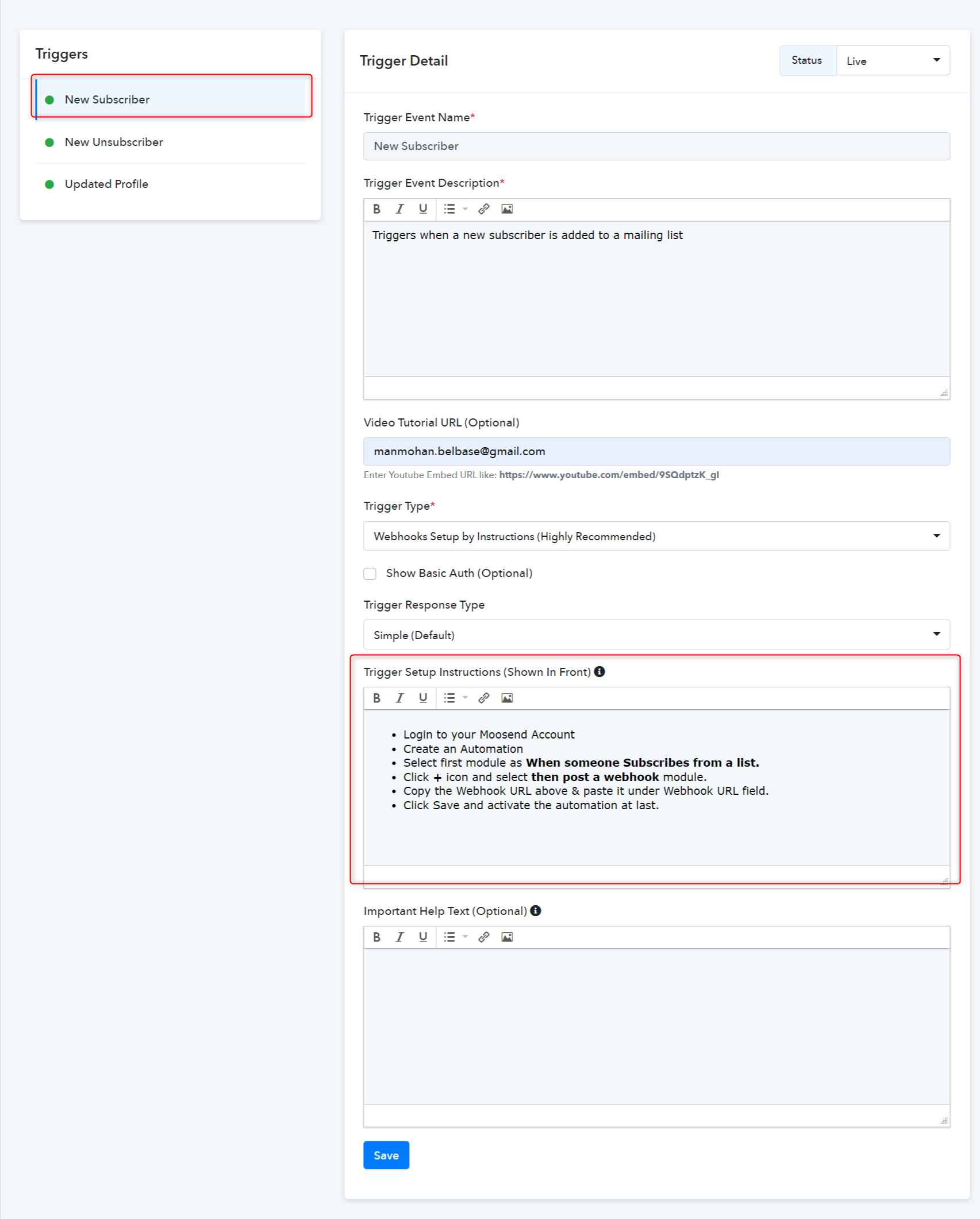
Type - Setup by Instruction
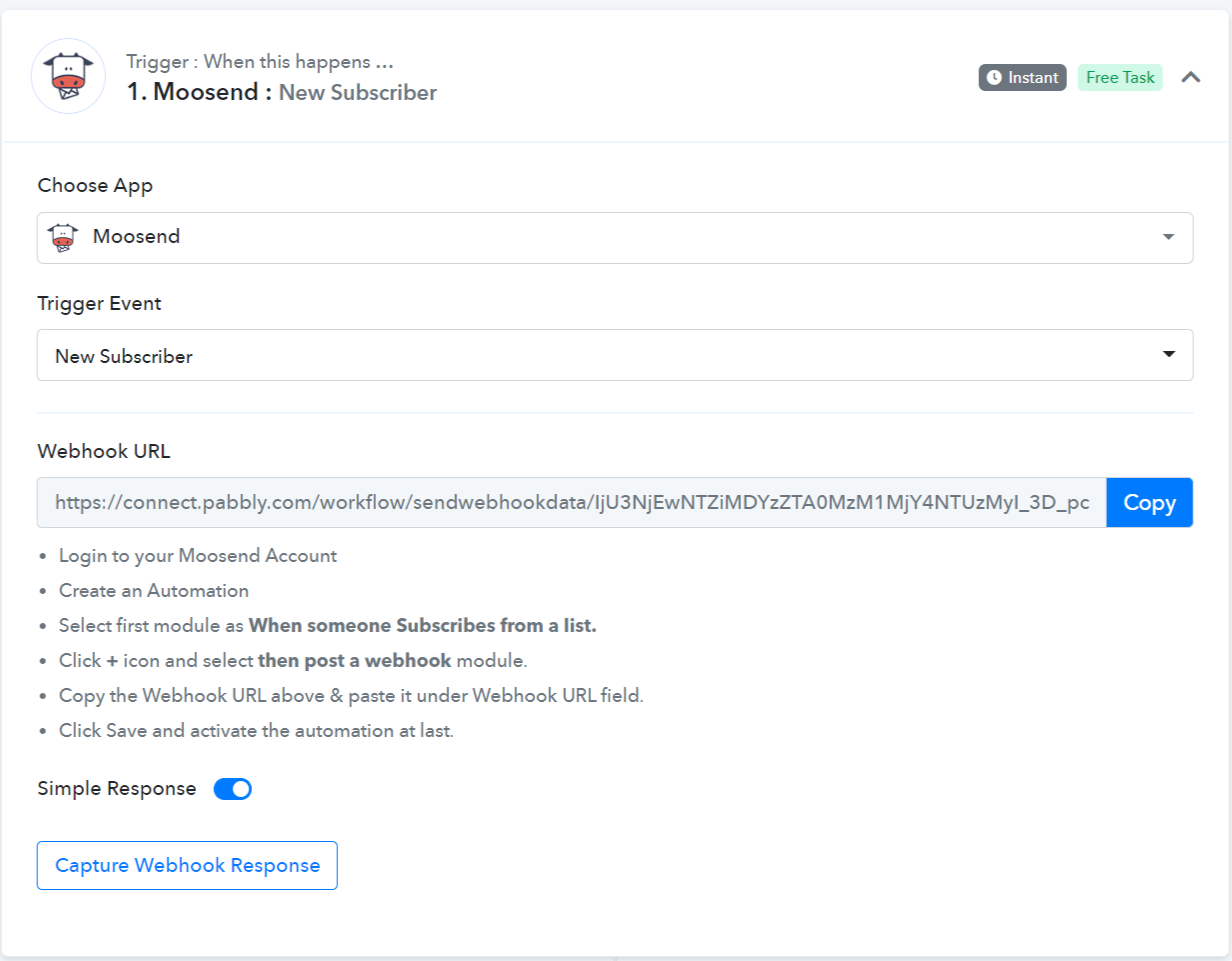
Trigger Frontend View:
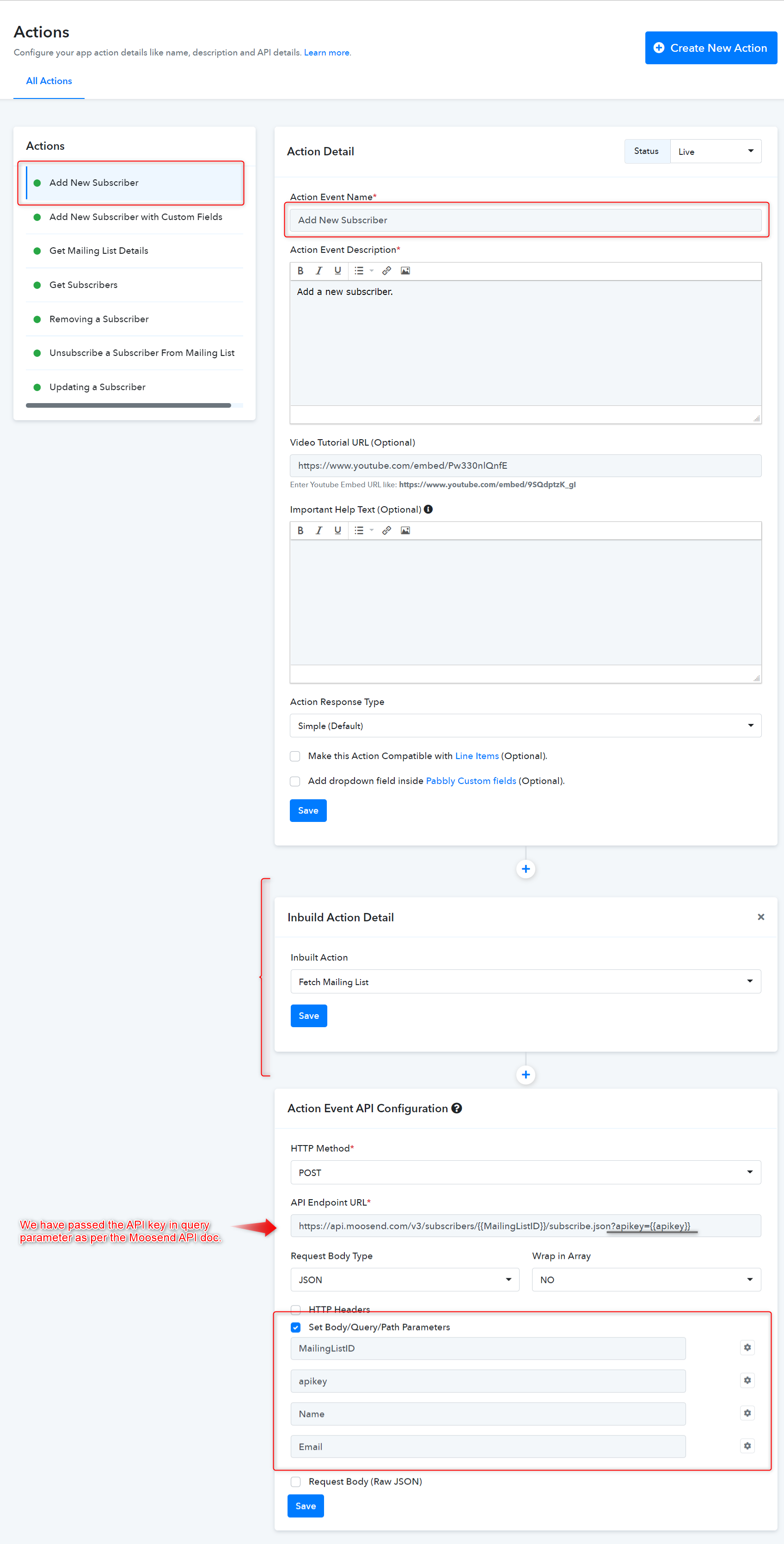
Configured the API key Parameter.
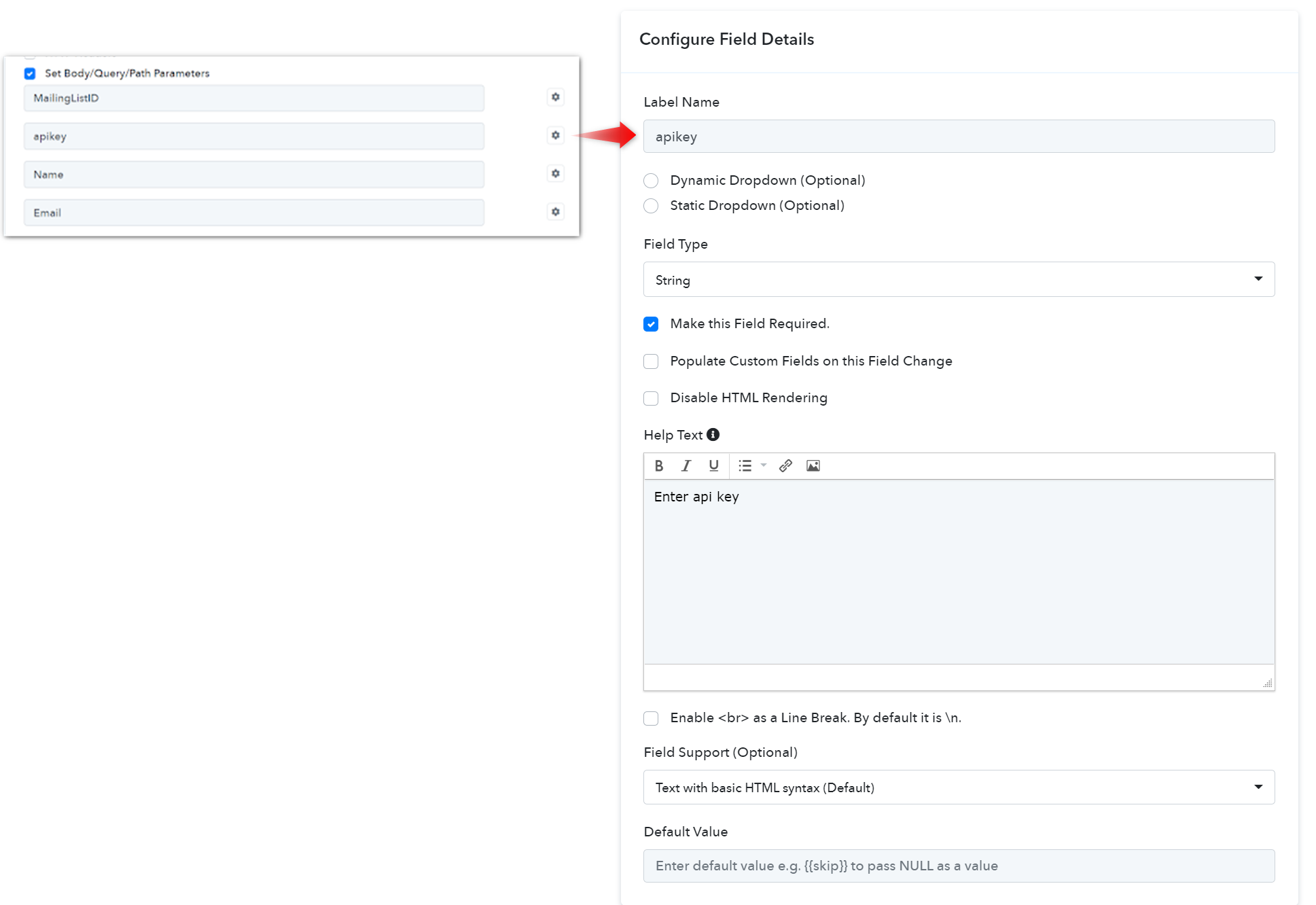
Note: To configure the field details click on the gear button respective to the specific parameter.
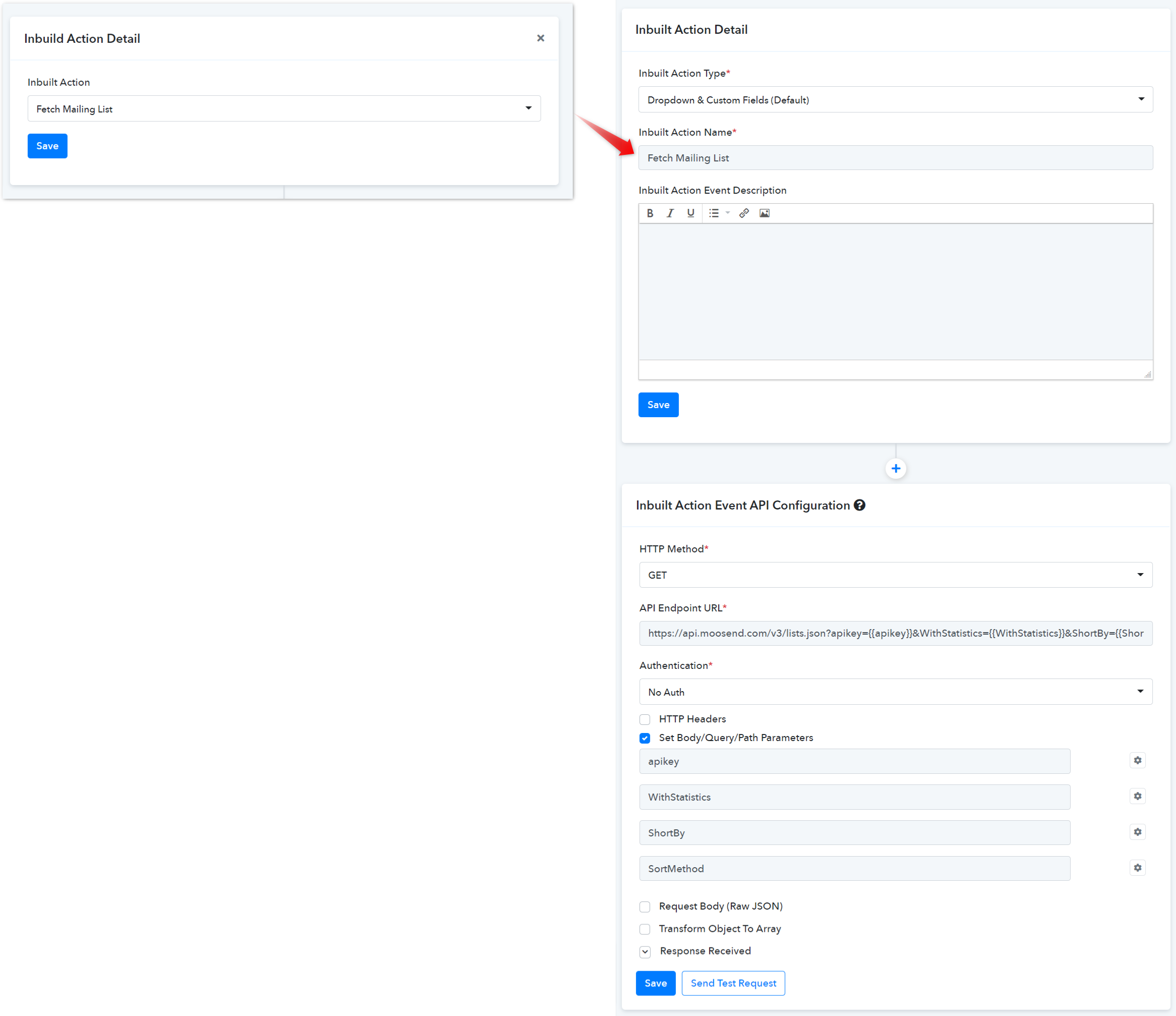
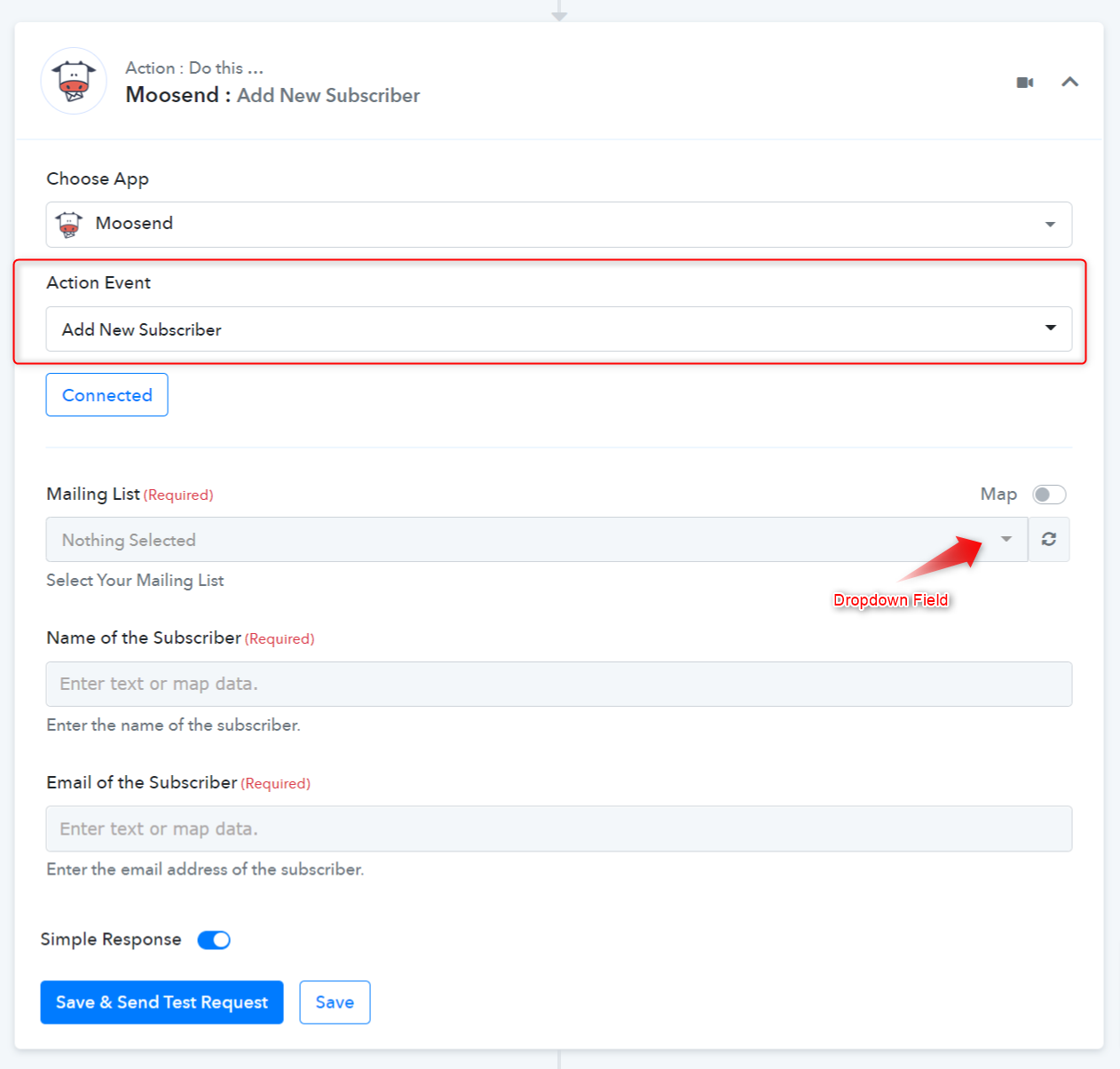
Now, select the available inbuilt action events from the dropdown field as shown below.
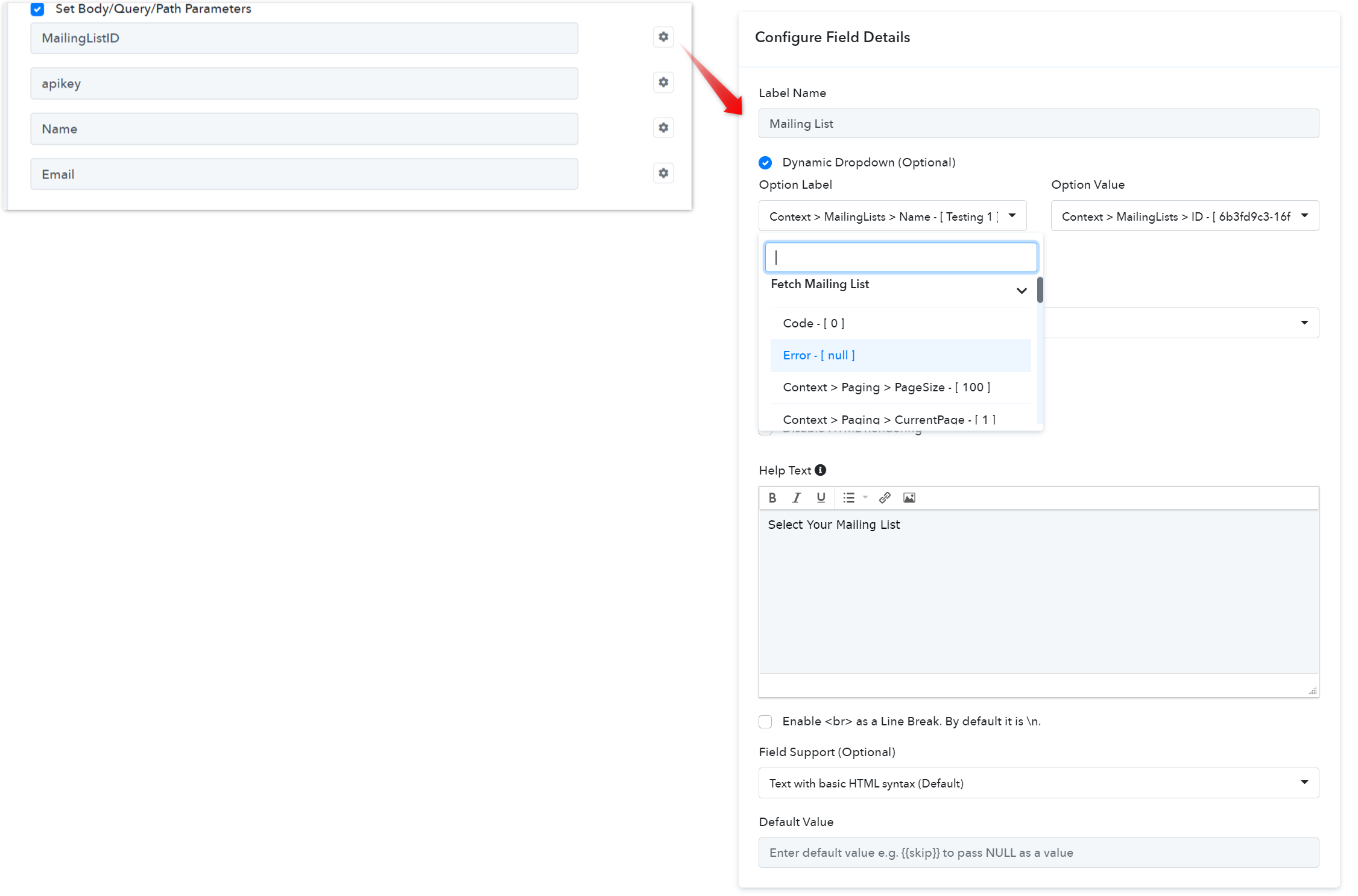
Action Forntend View:
For further details, refer to this guide for creating new actions and triggers in your application. Learn more
Refer to the video below for instructions on creating your app with a similar authentication type: Learn more
- App Details and Auth Configuration:
We followed the Moosend API docs for selecting the Auth type as API Key using the key-value pair in the query parameter. Learn more- How to Configure Triggers Event:
Type - Setup by Instruction
- Webhooks Setup by Instructions (Highly Recommended): If your app provides an option to add a webhook URL in the app dashboard itself, you can configure this type of Triggers for your app. It is a description-based trigger event. It triggers an instant notification to the Pabbly Connect workflow’s webhook URL when a trigger event occurs in the app.
Trigger Frontend View:
- How to Configure Action Event:
Configured the API key Parameter.
Note: To configure the field details click on the gear button respective to the specific parameter.
- How to set up Inbuilt Action:
Now, select the available inbuilt action events from the dropdown field as shown below.Action Forntend View:
For further details, refer to this guide for creating new actions and triggers in your application. Learn moreRefer to the video below for instructions on creating your app with a similar authentication type: Learn moreAttachments
Last edited by a moderator:
