If - Then - Else with an action in between

Private Comment
This field is visible only to staff members and is for their reference only.

ArshilAhmad

Well-known member
Staff member
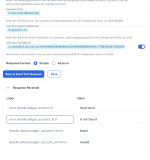
The Line Itemizer takes an item array as input and returns comma-separated line items in the response. The Advanced Response is used to capture the response in array format, so itโ€™s counterintuitive to capture the response in Advanced format.

Thanks & Regards,
Arshil Ahmad
Customer Support Associate
๐ŸŒ Pabbly.com
๐Ÿ‘‰Rate your support
 
I run into a problem. I have created everything. And i am almost done. But now i need to create a sales invoice payment. It is a different action in the moneybird action. I need to get the invoice id. I think i should get it from the create sales invoice step. but i only get errors because the ledger account id is not there. But an invoice is created so everything is good when creating the invoice. but i see errors as result. what is wrong?
 

ArshilAhmad

Well-known member
Staff member
I run into a problem. I have created everything. And i am almost done. But now i need to create a sales invoice payment. It is a different action in the moneybird action. I need to get the invoice id. I think i should get it from the create sales invoice step. but i only get errors because the ledger account id is not there. But an invoice is created so everything is good when creating the invoice. but i see errors as result. what is wrong?
Could you please share a screenshot showing exactly where you are encountering this error? If it is in your Task History, please share the Task History ID as well.

Thanks & Regards,
Arshil Ahmad
Customer Support Associate
๐ŸŒ Pabbly.com
๐Ÿ‘‰Rate your support
 
The task history id is: IjU3NjUwNTY0MDYzMDA0MzY1MjZhNTUzNzUxM2E1MTY0NTQzNDBmMzki_pc
I added the result, as seen in the action step. I do not know where that comes from.

When I look into the history data out there, there is information that I need to create the next step. When there are errors that is the only info i see like in the screenshot below.
 

Attachments

  • Screenshot 2026-03-08 at 19.13.40.png
    Screenshot 2026-03-08 at 19.13.40.png
    239.1 KB · Views: 15
Last edited:
It works now, thank you! I still have some steps to figure out. And when finished, it saved me a lot of time. I have another question. How can I add extra lines to the order lines in the data transformer line itemiser? I have a shipping cost that I need to add, and per VAT rate, a discount line with a minus ( - ) amount. Is that even possible? The data is available in a separate line that WooCommerce provides. But it needs to be added to the product line.
 
I removed all these; if you look now, they are gone. This did not work.

For Moneybird, I can only add a discount percentage. So that does not work. So I need to add separate order lines for the discount lines with the specific tax classes and shipping costs. That is also the case if I were to make an invoice by hand.
 

ArshilAhmad

Well-known member
Staff member
I removed all these; if you look now, they are gone. This did not work.
Not sure what you mean by this. Could you please elaborate?

For Moneybird, I can only add a discount percentage. So that does not work. So I need to add separate order lines for the discount lines with the specific tax classes and shipping costs. That is also the case if I were to make an invoice by hand.
As per Moneybird's API documentation, you can only pass the discount as a percentage.
https://developer.moneybird.com/api/sales-invoices#create-a-sales-invoice

You can try using a Number Formatter or add Code to your workflow to convert the discount amount to a percentage and then pass it to Moneybird.

1773514602005.png


So I need to add separate order lines for the discount lines with the specific tax classes and shipping costs. That is also the case if I were to make an invoice by hand.
You can try adding it to the Line Items as we showed in the previous response, but the - sign might create some issues. You can remove the - sign using a Text Formatter and then pass it to Moneybird.

Thanks & Regards,
Arshil Ahmad
Customer Support Associate
๐ŸŒ Pabbly.com
๐Ÿ‘‰Rate your support
 
Top