

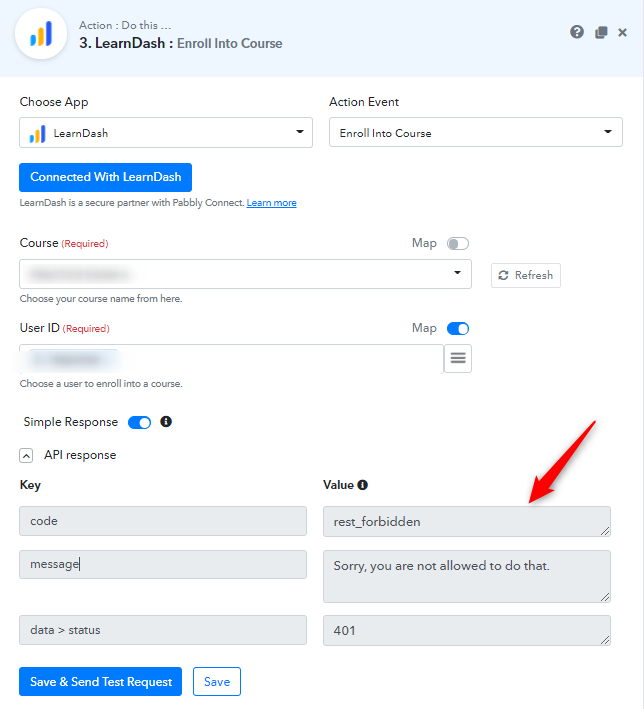
You might get the following permission error while working on LearnDash integration -
In order to fix this issue, please follow the below steps -
Step 1.
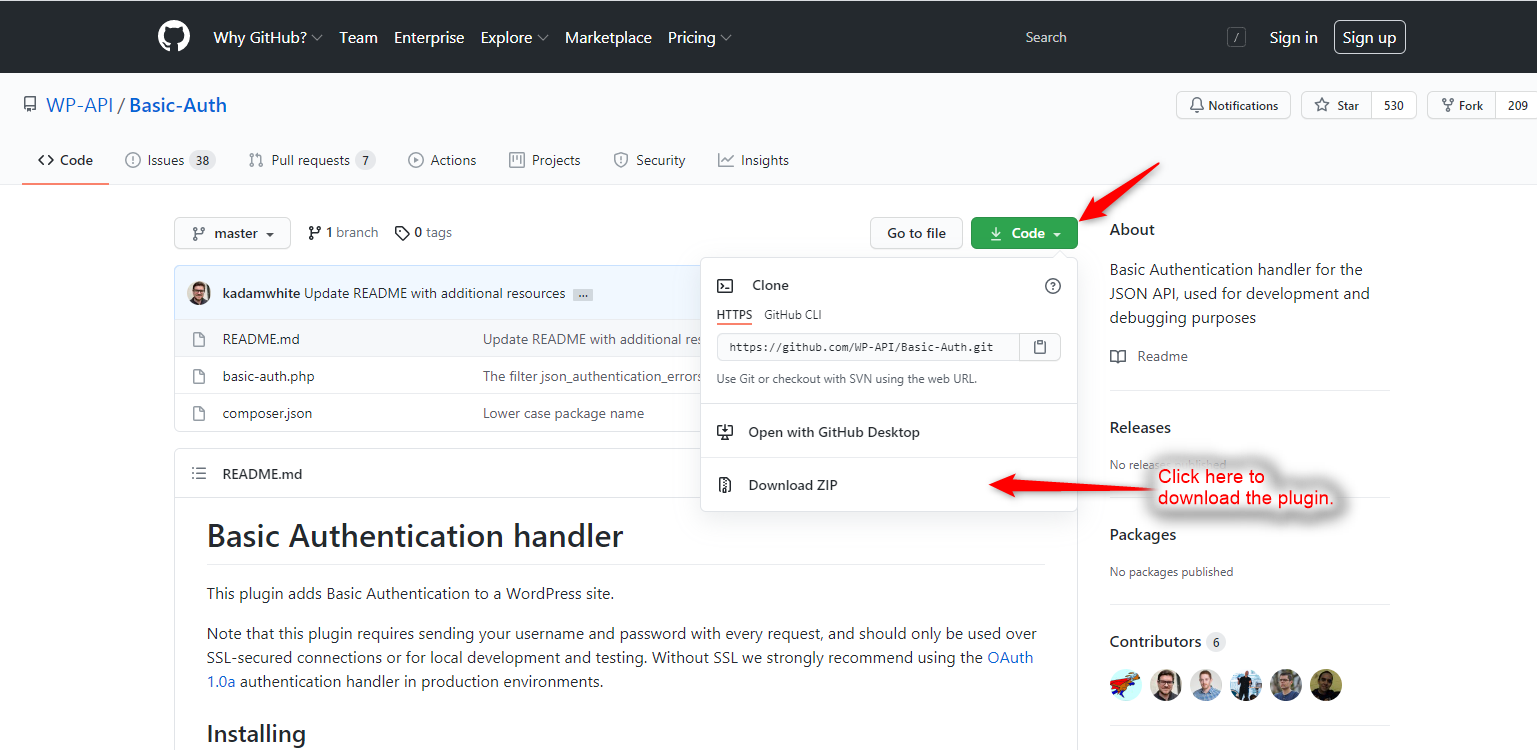
Download Basic Authentication handler plugin from here https://github.com/WP-API/Basic-Auth
Step 2.
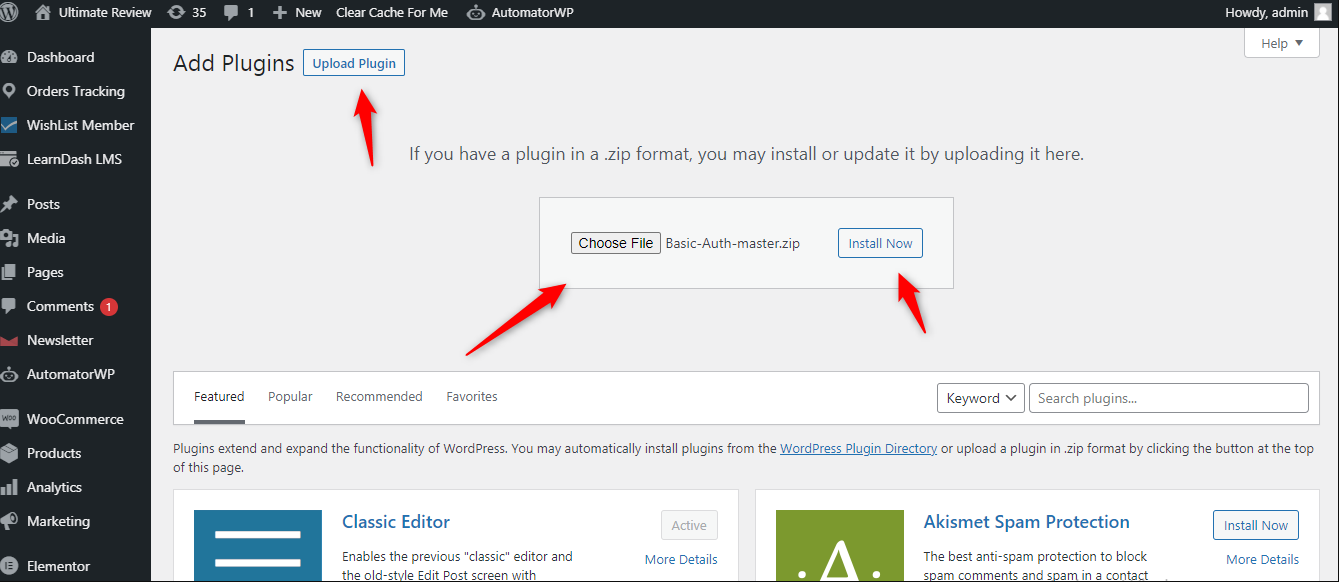
Upload Basic-Auth-master.zip in the WordPress site where you have installed LearnDash.
Step 3
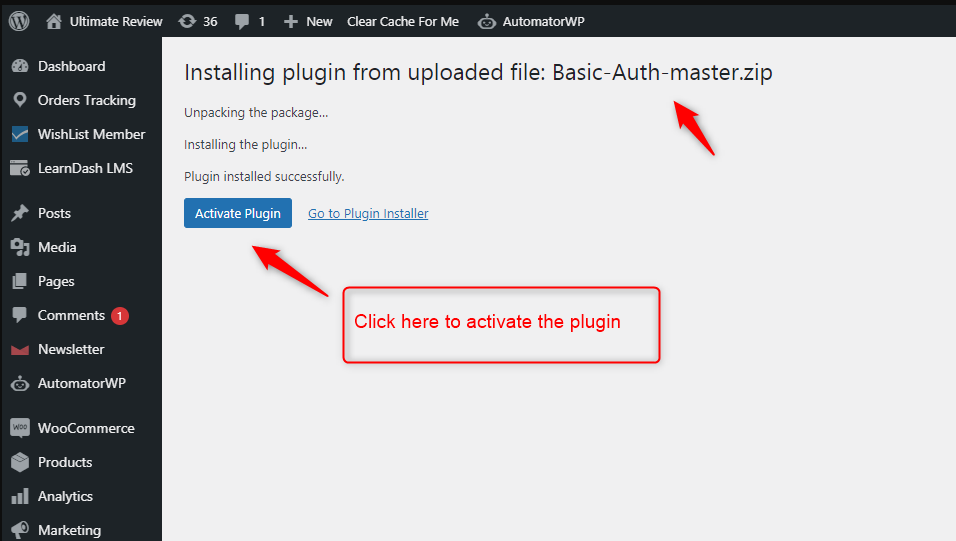
Activate the plugin, and then click on re-authenticate the LearnDash integration In Pabbly Connect. It should work fine.
Here's the complete video guide as well. Please go through it once so that you can know how to fix this issue -
 drive.google.com
In order to fix this issue, please follow the below steps -
Step 1.
Download Basic Authentication handler plugin from here https://github.com/WP-API/Basic-Auth
Step 2.
Upload Basic-Auth-master.zip in the WordPress site where you have installed LearnDash.
Step 3
Activate the plugin, and then click on re-authenticate the LearnDash integration In Pabbly Connect. It should work fine.
Here's the complete video guide as well. Please go through it once so that you can know how to fix this issue -
2021-04-06_11h33_22.mp4
drive.google.com
Last edited: