LinkedIn Leadgen Form - New Update - Not Working

raamanand

Member
Hi,

Got the deprecation email for the existing LinkedIn Leadgen forms.
As per the instructions, working on recreating the connection.

Workflow URL: https://connect.pabbly.com/workflow/mapping/IjU3NjYwNTZhMDYzNzA0MzA1MjZmNTUzMzUxMzci_pc

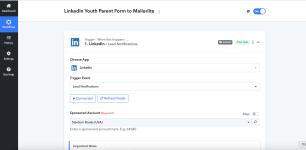
First of all, I don't see the form ID or form name to choose (I have multiple leadgen forms on LinkedIn). I have submitted TEST LEAD multiple times.

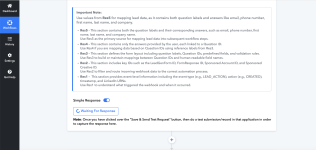
And, it also looks like I am stuck here (I don;t see the form to select):
Screenshot 2025-07-17 at 3.31.38 PM.png
Screenshot 2025-07-17 at 3.31.43 PM.png
 

Preeti Paryani

Well-known member
Staff member
Hello @raamanand and @geertjan,

Could you please try setting up a new workflow and add a test lead to check if the response is successfully captured under the return step?

Kindly ensure you record your screen while performing the test. If the issue persists, please share the recording with us so we can escalate the concern to the relevant team, if necessary.

Looking forward to your response.
 

raamanand

Member
Well... I tried both -- edit existing workflow and create a new workflow -- same result. It's stuck at waiting for the form submission.

Also, how do I choose which form to use? In the earlier workflow, there was a form dropdown. I don't see that in the new workflow. I use multiple forms and want to process each form submit differently.
 

raamanand

Member

Also, again, note that I am NOT getting any option/dropdown to select the correct leadgen form from LinkedIn to process:
I have multiple leadgen forms on LinkedIn and I need to choose and map the response to each LinkedIn form.
 

Attachments

  • Screenshot 2025-07-18 at 6.57.17 AM.png
    Screenshot 2025-07-18 at 6.57.17 AM.png
    432.1 KB · Views: 64
  • Screenshot 2025-07-18 at 6.57.04 AM.png
    Screenshot 2025-07-18 at 6.57.04 AM.png
    292.9 KB · Views: 73

Soumya Tripathi

Member
Staff member
Hello @raamanand
Please note that in the trigger application "LinkedIn: Lead Notifications," there is no option to select a specific LeadGenForm. It will fetch responses from all LeadGen Forms associated with the selected Sponsored Account.

If you want the workflow to proceed only for a specific LeadGen Form, you can add an action step using "Filter (Pabbly): Filter Values" and apply a condition to filter based on the specific LeadGenForm ID.

Please refer to the image:

1752826309613.png
 
Hello @raamanand
Please note that in the trigger application "LinkedIn: Lead Notifications," there is no option to select a specific LeadGenForm. It will fetch responses from all LeadGen Forms associated with the selected Sponsored Account.

If you want the workflow to proceed only for a specific LeadGen Form, you can add an action step using "Filter (Pabbly): Filter Values" and apply a condition to filter based on the specific LeadGenForm ID.

Please refer to the image:

View attachment 58716
In this case, for us who have more that one form, the best option is to use the router option? Am I correct?
 
Yes, that is correct. You will need to add a Router to your workflow with different routes. Each route should have a different filter condition based on the LeadGenForm ID.
Brilliant! The ideal cenario is to be albe to select the forms as we had before this Pabbly LI update. I hope you guys bring the option to select the form. All other tools like Zapier, Make, Integratelly, etc.. allow us to select the forms. Thank you for your reply.
 
Top