Live runs send unfilled {{pabbly_custom_key}} / {{pabbly_custom_value}} in “Messages” for ChatGPT (Structured AI Output)
Status: Open · Asked by Anneline Breetzke on · 0 views
Summary
In my workflow “Slack Shortcut to Plutio”, the OpenAI step fails on every live run with an OpenAI 400 error. The request OpenAI receives contains unfilled Pabbly template placeholders in place of my messages. The same step succeeds when I test it in the editor with the same settings.
Step affected
Step 4: OpenAI (ChatGPT, DALL-E, Whisper), action “ChatGPT (Structured AI Output)”. Steps before it (Webhook by Pabbly, Lookup Table, Text Formatter: Truncate) run green.
Live runs affected
Both times (Toronto time, UTC-4), the live run failed at this step:
- Oct 13, 2026 12:45:21
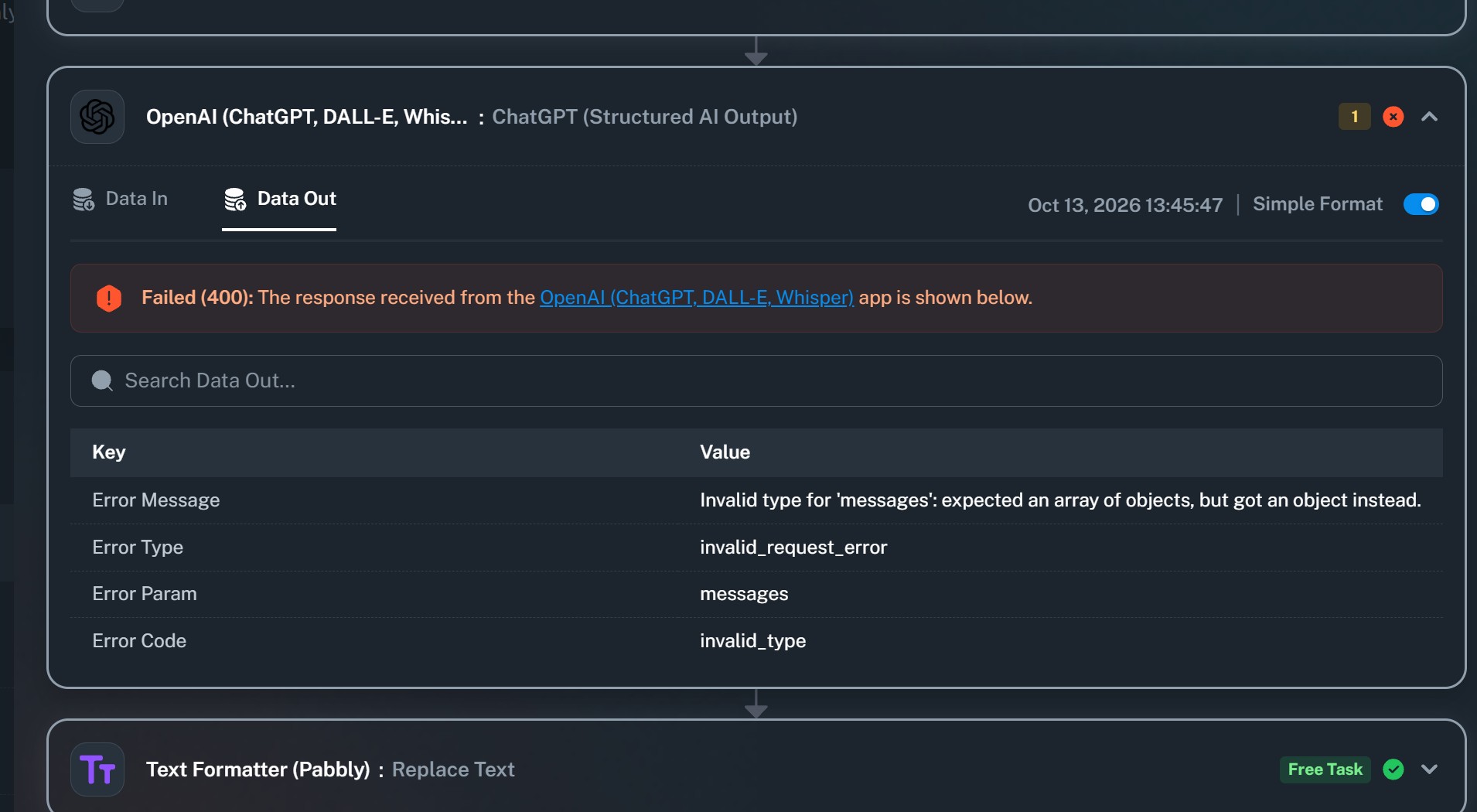
- Oct 13, 2026 13:45:48. Task History ID: [paste from the copy icon at the top of that run]
Error returned (Data Out)
Failed (400): Invalid type for ‘messages’: expected an array of objects, but got an object instead.
Error Type invalid_request_error, Param messages, Code invalid_type.
What the failed live run actually sent (Data In)
The model, response_format (json_schema, strict true) and schema all look correct. The only messages rows are:
Messages Pabbly_custom_fields 0 Role={{pabbly_custom_key}}Messages Pabbly_custom_fields 0 Content={{pabbly_custom_value}}
No role or content from my configuration appears anywhere in the request.
What the editor shows for the same step
- Select AI Model:
gpt-4o-mini(map toggle off) - Role(s):
user(map toggle off) - Content User: my prompt text plus one mapped token from step 1 (the webhook)
- Response Format: a
json_schemawrapper withstrict: true
What works
Running “Save & Send Test Request” on this step in the editor succeeds and returns valid structured output with this same configuration. Only live executions fail.
What I’ve tried
Re-selected Role, saved and reloaded the page, switched the workflow off and on, rebuilt the step. Same error.
Questions
- For this step, what is stored in the live workflow definition for the Messages field, compared with what the editor shows?
- Why would a live execution send
{{pabbly_custom_key}}and{{pabbly_custom_value}}unreplaced? - Is there a known issue with the Messages (custom fields) list for the Structured AI Output action?
- Is there a workaround, or a setting I’m missing?
Impact
This is a production workflow my team uses. Each failed run also shows Slack users an error.

Hello Anneline,
Thanks for contacting us.
After reviewing the workflow and task history based on the details you have provided. I am escalating the concern to the Technical Team for further investigation. We will get back to you as soon as we hear from the Technical Team. It may take up to 48 hours to get back to you.