Meta Form not connecting to Pabbly
Status: Open · Asked by Anjali Gupta on · 0 views

It keeps saying 'Waiting for Webhook' and nothing is happening
Hello Anjali,
Thank you for reaching out.
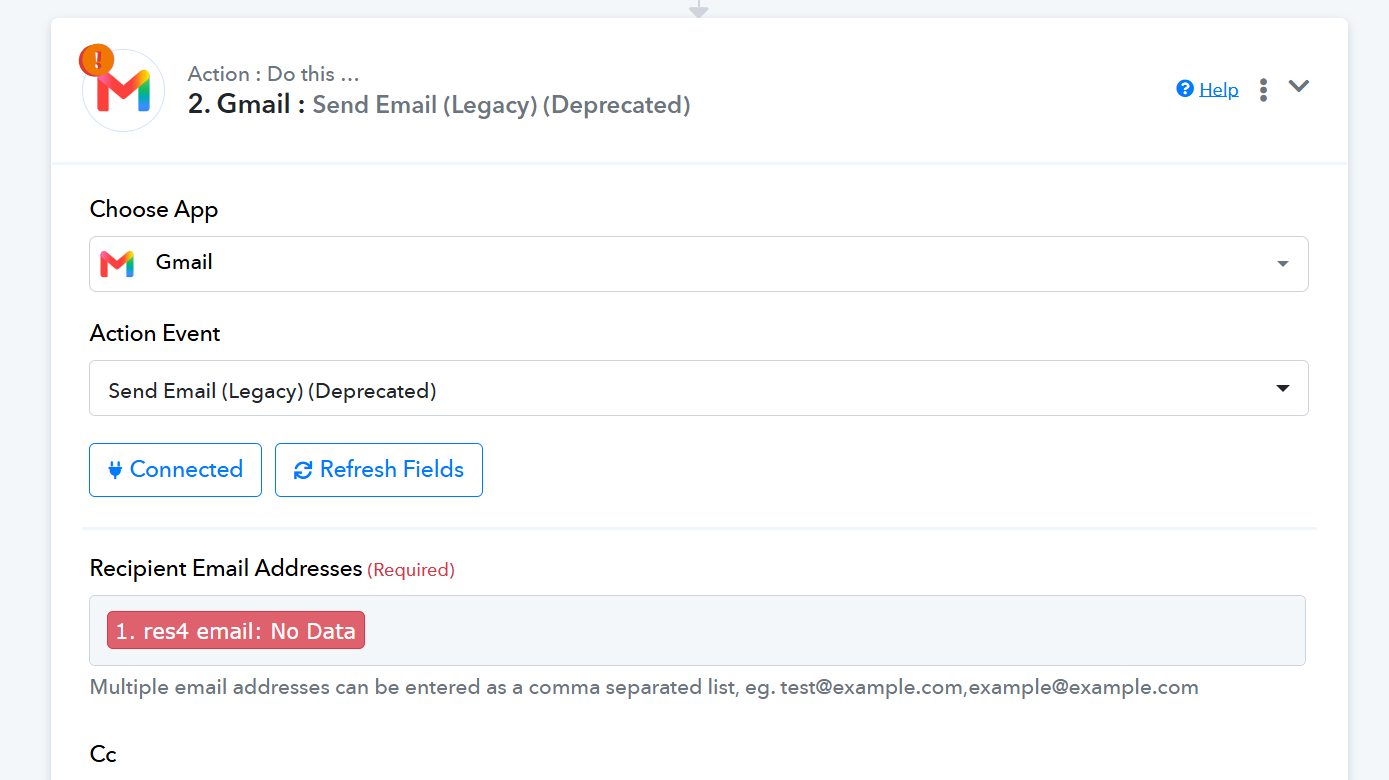
Looking at your screenshot, there are two key adjustments needed to get your workflow running properly:
Deprecated Action Step: You are currently using Gmail : Send Email (Legacy) (Deprecated). Deprecated steps may encounter connection or delivery issues. Please delete or update this step to the latest Gmail : Send Email action.
Capturing Lead Data: The Meta Lead Ads trigger is currently stuck on "Waiting for Webhook Response". Standard lead form submissions do not automatically push test data into Pabbly Connect unless triggered via Meta's developer tools.
To resolve this:
Open the Facebook Lead Ads Testing Tool.
Select your Facebook Page and Lead Form.
Click Delete Lead (if a previous test exists), then click Create Lead while your Pabbly workflow is actively in the "Waiting for Webhook Response" state.
Ensure your Facebook account has Admin / Lead Access permissions for the page and form in Meta Business Manager.
Once the test lead is captured, you will be able to map the lead details correctly into the updated Gmail action step.
Please give this a try and let us know if you run into any issues!
Thanks & Regards,
Hrishabh
Customer Support Associate
🌐 Pabbly.com
👉 Rate your support