How can we process more than 500 records in a single Pabbly Connect workflow?
Status: Closed · Asked by WellnessVibe LLP on · 0 views
Hi Pabbly Team,
We have a Pabbly Connect workflow that processes workshop/customer records from Google Sheets and sends WhatsApp and Gmail notifications for each applicable record.
Our workflow is structured as follows:
- 1.Schedule (Pabbly) – Schedule Workflow
- 2.DateTime Formatter (Pabbly) – Current Date
- 3.DateTime Formatter – Workshop Date
- 4.Google Sheets – Get Row(s)
- 5.Code (Pabbly) – Run JavaScript
- 6.Iterator (Pabbly) – Process Arrays
- 7.JSON Extractor (Pabbly) – Extract JSON Data
- 8.Iterator (Pabbly) – Process Arrays
- 9.WhatsApp API – Send Notification
- 10.Gmail – Send Email
- 11.Code (Pabbly) – Run JavaScript
- 12.Google Sheets – Add New Row(logs)
Our requirement
The Google Sheets step can return a large number of records, and we need to process more than 500 records automatically.
For example, if there are:
- -500 records → workflow processes them
- -1,000 records → we need all 1,000 processed
- -2,000+ records → we need all applicable records processed
At the moment, we are facing a limitation when trying to process more than approximately 500 records.
What we want to know
Could you please clarify:
- 1.Is there a 500-record/iteration limit in Pabbly Connect for Google Sheets → Get Row(s), Iterator, or workflow execution?
- 2.If there is a limit, which specific step is responsible for it?
3.Is there a recommended way to implement pagination or batch processing so that the workflow can process records in batches of 500 and then continue with the next batch automatically?
4.Can the Google Sheets Get Row(s) action retrieve records using a starting row/offset so that we can process:- -Rows 1–500
- -Rows 501–1,000
- -Rows 1,001–1,500
- etc.
5.Is there a recommended Pabbly-native approach for processing 1,000–5,000+ records in this type of workflow?
6.Since we have two Iterator steps, is there any additional limitation caused by nested/multiple iterations?
7.If this is a task-limit issue rather than a record-limit issue, what would be the recommended architecture to handle this efficiently?
We are looking for a reliable way to process the complete dataset automatically without manually creating separate workflows for every 500 records.
Please let us know the recommended Pabbly Connect architecture for this use case.
Thank you.
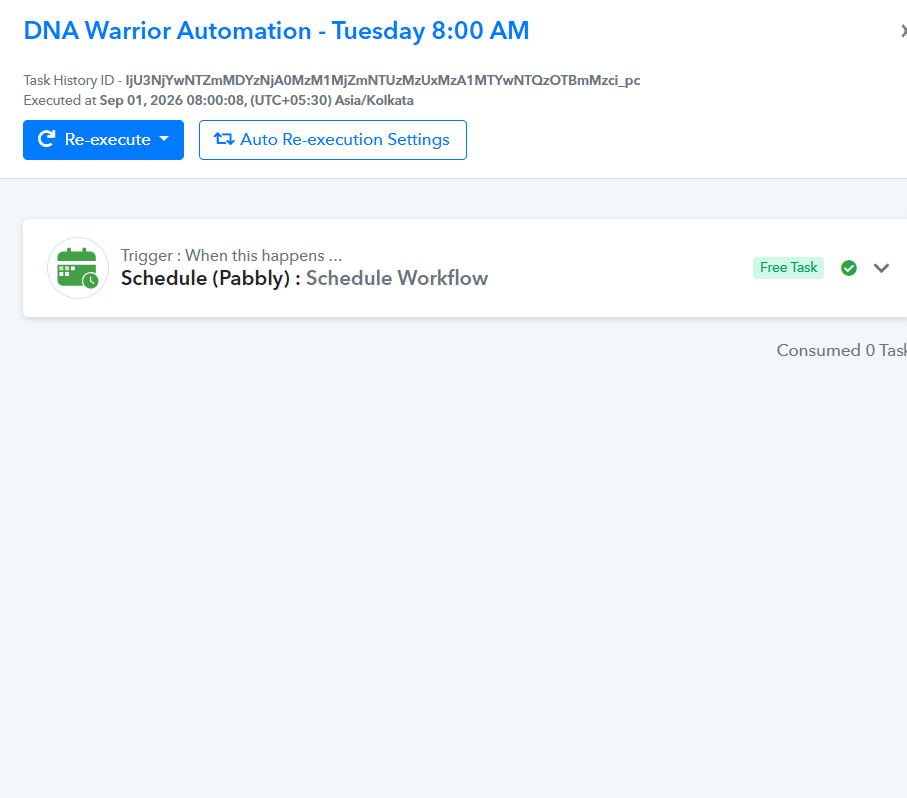
Hi Pabbly Team,
I wanted to follow up on this issue, as it is currently impacting our business operations.
Since this is affecting an active workflow and we need to process more than 500 records, could we please have a quick discussion over a Google Meet or phone call to resolve this?
A live discussion would help us explain our current workflow and requirements more clearly and understand the best possible solution from your side.
Please let us know if someone from your team is available for a quick call.
Thank you.
Hello,
Thank you for your patience while we reviewed your workflow requirements.
While an Iterator processes up to 1,000 array items per run, processing large datasets (500–5,000+ records) efficiently without hitting execution or memory bottlenecks can be handled using a Chunking / Range Iterator Architecture directly within a single workflow.
Recommended Workaround Architecture (Interval Iterator)
Instead of pulling all 2,000+ rows into a single Iterator at once, you can divide the total dataset into manageable batch intervals using a Code (Pabbly) step and iterate over those range intervals first.
Step-by-Step Setup:
Code (Pabbly) – Generate Interval Batches:
Use a custom JavaScript step to divide your total row count into range intervals of 500 rows.
Note: Ensure Simple Response toggle is switched OFF (Advanced Format) in the Code step so it outputs a structured JSON array of ranges (e.g.,
1-500,501-1000).Iterator (Pabbly) – Range Loop:
Pass the generated array of ranges into an Iterator by Pabbly. This will iterate through each 500-row interval chunk (
1-500,501-1000,1001-1500, etc.) sequentially.Google Sheets – Get Row(s):
Inside the loop, use Get Row(s) mapped with the dynamic range values from the Iterator (
startRowtoendRow).Subsequent Actions (WhatsApp API / Gmail):
Process the retrieved batch of records for WhatsApp and Gmail notifications.
Please try setting up this interval chunking approach in your workflow, and let us know if you run into any issues during execution!
Thanks & Regards,
Hrishabh
Customer Support Associate
🌐 Pabbly.com
👉 Rate your support
Hi Hrishabh,
Thank you for the detailed explanation.
Could you please advise us on the exact changes we should make to our existing workflow to implement the Chunking / Range Iterator Architecture?
Please provide step-by-step guidance on the following:
Where exactly should we add the Code (Pabbly) step that generates 500-row intervals?
What JavaScript code should we use in that step?
How should we configure the Iterator to process the generated intervals?
How should we configure Google Sheets – Get Row(s) to dynamically fetch each range, such as 1–500, 501–1000, 1001–1500, and so on?
Which of our existing Iterator and JSON Extractor steps should be modified, retained, or removed?
How should the existing WhatsApp API, Gmail, and Google Sheets steps be connected after implementing the chunking logic?
Where should the existing business logic be placed so that it runs for each row retrieved from every chunk?
Our current workflow already contains multiple steps and two Iterators. Therefore, we want to ensure that the new architecture is implemented correctly without disrupting the existing workflow or business logic.
If possible, please provide the exact step-by-step configuration based on our current workflow rather than a general example.
Thank you.
WellnessVibe LLP:
Hi Hrishabh,Thank you for the detailed explanation.Could you please advise us on the exact changes we should make to our existing workflow to implement the Chunking / Range Iterator Architecture?Please provide step-by-step guidance on the following:Where exactly should we add the Code (Pabbly) step
Pabbly Support:
Hello,Thank you for your patience while we reviewed your workflow requirements.While an Iterator processes up to 1,000 array items per run, processing large datasets (500–5,000+ records) efficiently without hitting execution or memory bottlenecks can be handled using a Chunking / Range Iterator Arch
One important concern: We previously implemented a similar chunking approach, but it resulted in duplicate and multiple messages being sent.
For example, instead of processing:
Batch 1 → 1–500
Batch 2 → 501–1000
Batch 3 → 1001–1500
the workflow behaved more like:
Batch 1 → processed
Batch 1 → processed again + Batch 2
Batch 1 + Batch 2 → processed again + Batch 3
This caused the same customers to receive duplicate/multiple WhatsApp messages and emails.
Therefore, we need to make sure that the new architecture processes each batch exactly once and does not restart or reprocess previously completed batches when moving to the next interval.
Could you please specifically advise how to prevent this duplicate execution/reprocessing issue with the Range Iterator approach?
Thank you.
Hello,
Thank you for bringing your specific setup requirements and duplicate execution concerns to our attention.
To ensure your existing workflow remains completely unaffected and to properly structure the range iteration without duplicate executions, we would be happy to build this for you directly in your account.
If you grant us permission, we will log into your Pabbly Connect account, create a cloned copy of your current workflow, and configure the complete Chunking / Range Iterator Architecture on the cloned version.
This will allow you to test and review the step-by-step setup—including the dynamic range configuration and batch isolation.
Please let us know if we have your authorization to proceed with configuring this clone!
Thanks & Regards,
Hrishabh
Customer Support Associate
🌐 Pabbly.com
👉 Rate your support
Hello Hrishabh,
Yes, you have my authorization to proceed.
Please log into my Pabbly Connect account, access the folder containing all DNA Warrior and E-Bhaav automations, and create a cloned copy of the current workflow. Configure the complete Chunking / Range Iterator Architecture on the cloned version.
Please ensure that the existing workflow and all other automations in the folder remain completely unaffected. Once the configuration is complete, I will review and test the cloned workflow.
Thank you for your support.
Regards,
Wellness Vibe
WellnessVibe LLP:
Hello Hrishabh,Yes, you have my authorization to proceed.Please log into my Pabbly Connect account, access the folder containing all DNA Warrior and E-Bhaav automations, and create a cloned copy of the current workflow. Configure the complete Chunking / Range Iterator Architecture on the cloned vers
Hello Hrishabh,
Just following up on my previous message regarding the authorization to configure the cloned workflow.
Could you please let me know if the setup has been initiated and share an update on the progress? Please also confirm once the cloned workflow with the Chunking / Range Iterator Architecture is ready for review and testing.
Thank you for your support.
Regards,
Wellness Vibe
Hello,
Thank you for confirming and granting authorization.
Upon reviewing your account, we noticed that a workflow implementing this range iteration architecture was previously set up under the name DNA Warrior Automations (Tuesday) Updated.
Could you please let us know what specific issue or error you experienced while using or testing this existing workflow?
Understanding the exact problem you faced with this version will help us ensure we resolve it completely in the updated configuration.
Looking forward to your response!
Thanks & Regards,
Hrishabh
Customer Support Associate
🌐 Pabbly.com
👉 Rate your support
Pabbly Support:
Hello,Thank you for confirming and granting authorization.Upon reviewing your account, we noticed that a workflow implementing this range iteration architecture was previously set up under the name DNA Warrior Automations (Tuesday) Updated.Could you please let us know what specific issue or error yo
Hello Hrishabh,
Thank you for checking the existing workflow.
We previously implemented a similar Chunking / Range Iterator approach, but we experienced an issue where the workflow repeatedly reprocessed previously completed batches, resulting in duplicate and multiple messages being sent.
For example, instead of processing the batches sequentially as:
Batch 1: Rows 1–500
Batch 2: Rows 501–1000
Batch 3: Rows 1001–1500
the workflow behaved more like:
Batch 1: Processed
Batch 1 + Batch 2: Batch 1 was processed again along with Batch 2
Batch 1 + Batch 2 + Batch 3: Previous batches were processed again along with Batch 3
As a result, the same customers received duplicate WhatsApp messages and emails.
Our main requirement is that each batch must be processed exactly once. Once Batch 1 (rows 1–500) has completed, the workflow should move to Batch 2 (rows 501–1000) without restarting or reprocessing Batch 1. The same principle should apply to all subsequent batches.
Could you please specifically advise us on how to structure the Range Iterator / Chunking architecture to prevent this duplicate execution and reprocessing issue?
If there is a recommended configuration, trigger structure, or mechanism required to maintain the correct batch state/offset between executions, please implement it in the cloned workflow and explain how it prevents previously completed batches from running again.
This is particularly important because the workflow sends customer-facing WhatsApp messages and emails, so duplicate execution can result in customers receiving multiple messages.
Thank you for your assistance. We look forward to your guidance and the updated configuration.
Regards,
Wellness Vibe
Hello,
Thank you for clarifying the duplicate batch issue you experienced previously.
Upon inspecting your shared task history for the workflow DNA Warrior Automations (Tuesday) Updated, we noticed that its last execution was on Aug 18, 2026 at 12:13:34, and the execution halted/stopped at the Delay step.
Could you please try running/triggering this workflow again on your end? Once you execute a fresh run, we will immediately inspect the complete step-by-step task execution history to pinpoint exactly why the batch interval looped or halted, and adjust the setup to ensure each batch runs strictly once.
Looking forward to your update!
Thanks & Regards,
Hrishabh
Customer Support Associate
🌐 Pabbly.com
👉 Rate your support
Pabbly Support:
Hello,Thank you for clarifying the duplicate batch issue you experienced previously.Upon inspecting your shared task history for the workflow DNA Warrior Automations (Tuesday) Updated, we noticed that its last execution was on Aug 18, 2026 at 12:13:34, and the execution halted/stopped at the Delay s
Hello Hrishabh,
Thank you for the update.
However, we are not comfortable re-executing the existing workflow at this stage. Since this workflow sends WhatsApp messages and emails to customers, triggering it again could result in incorrect or duplicate messages being sent to all customers, which could create significant confusion and chaos.
We would therefore prefer not to run the workflow until the issue has been reviewed and we are confident that the duplicate execution problem has been resolved.
Could we please schedule a Google Meet on September 4, 2026, so that we can review the workflow and the Range Iterator/Chunking architecture together? We can explain the exact requirement and demonstrate the issue, and your team can guide us on the correct configuration without risking any customer-facing messages.
Please let us know a convenient time on September 4th and share the Google Meet link.
Thank you for your understanding and support.
Regards,
Wellness Vibe
Hello,
Thank you for your response and for sharing your concerns regarding live execution.
To identify the root cause of the duplicate/overlapping batch issue, inspecting a fresh execution log in your task history is essential.
If you cannot risk sending actual messages to your customers during testing, we recommend temporarily disabling or removing the final messaging actions (WhatsApp API and Gmail) from the workflow—or replacing them with a dummy test action (such as a temporary Google Sheet log or Delay step).
This will allow you to safely execute the Range Iterator workflow without sending any real messages or emails to your customers. Once the test run completes, we can inspect the exact task logs to verify that each interval (1–500, 501–1000, etc.) runs strictly once without reprocessing previous batches.
Please let us know once you have removed/disabled the messaging steps and triggered a test run so we can review the logs for you!
Thanks & Regards,
Hrishabh
Customer Support Associate
🌐 Pabbly.com
👉 Rate your support