New Xero (Dev) Integration 404 (2x)
Status: Closed ยท Asked by Dean Blackbeard on ยท 0 views

Hello Dean,
Thank you for following up, and apologies for the confusion here.
To clarify our earlier guidance: following the deprecation of the old Xero integration, if you encounter a 404 or a connection error while setting up Xero (Developer), the recommended step is to select the standard Xero app instead of Xero (Developer). Set up the connection there and then try again.
We understand this appears to conflict with the instructions in the email you received from Pabbly. So that we can reconcile this properly and investigate the 404 you are seeing, could you please share:
1. The full text of the email from Pabbly that instructs you to use Xero (Developer), or a screenshot of it.
2. The workflow URL from your Pabbly Connect account where the 404 occurs.
3. The exact step where the 404 appears.
With these details, our team can inspect the setup directly and give you a clear, consistent path forward. We look forward to your response.
Thanks & Regards,
Hrishabh
Customer Support Associate
๐ Pabbly.com
๐ Rate your support
Hi Dean,
Thank you for sending the screenshot and bringing this to our attention.
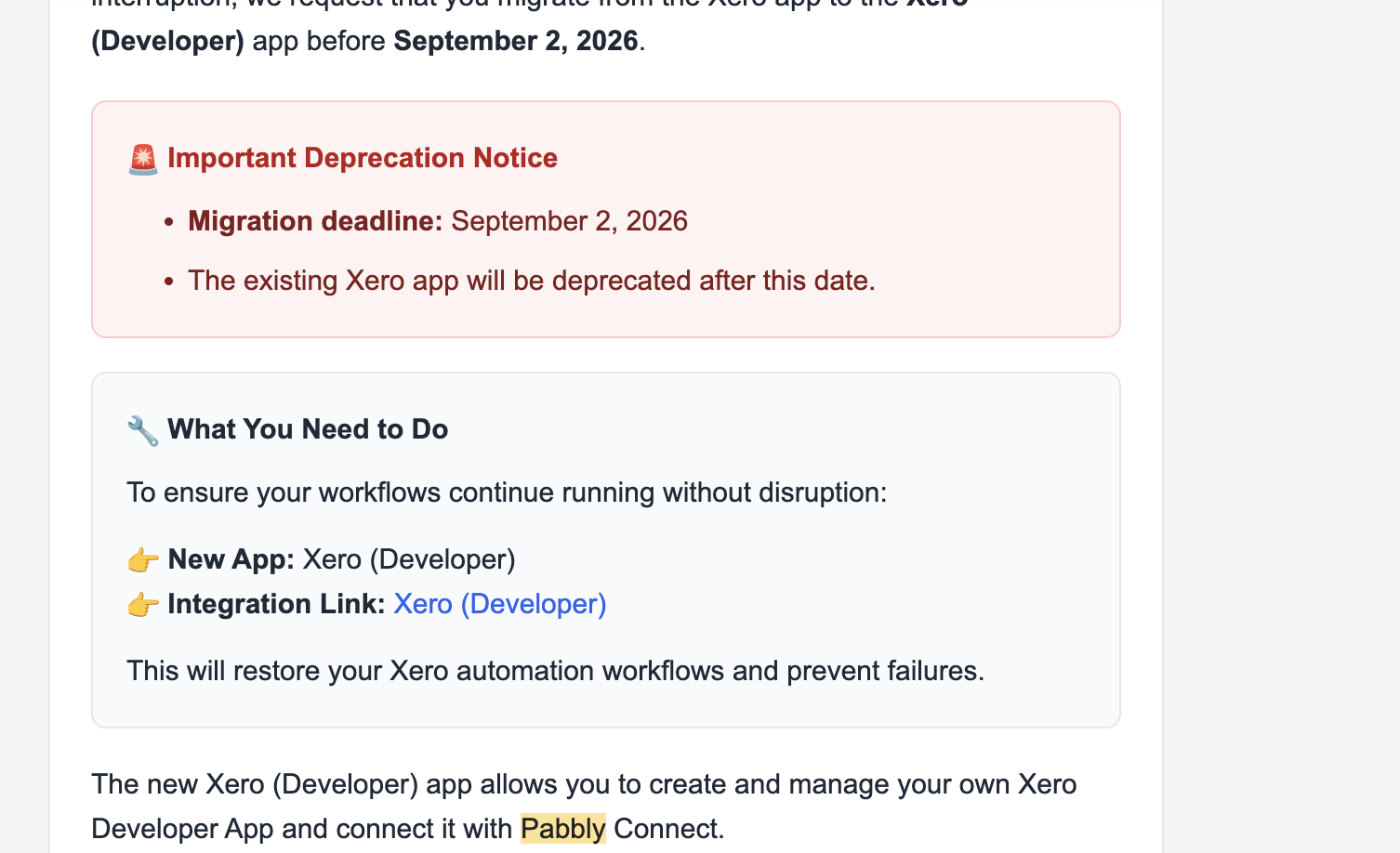
To clear up the confusion: Xero (Developer) is indeed the correct integration to use going forward, as stated in the email notification. Our earlier advice was outdated, and we apologize for the mixed signals.
To help us resolve the 404 error with your Xero (Developer) setup, could you please share:
Workflow URL: The link to your affected Pabbly Connect workflow.
Action Step: The exact step where the 404 error occurs.
Once we have the workflow link, we will inspect the configuration and resolve this for you.
Thanks & Regards,
Hrishabh
Customer Support Associate
๐ Pabbly.com
๐ Rate your support
Hi
Workflow URL: IjU3NjcwNTZlMDYzZTA0Mzc1MjZiNTUzMjUxM2Ii_pc
Action Step: Xero. If I try connect Xero with the client ID and secret it leads to a 404
Thanks,
Hi Dean,
Thank you for providing the workflow link!
We checked your task history and can see that recent workflow executions for Hospitals Order Form completed successfully.
Because task history shows existing executions working, could you clarify a few details to help us pin down the exact authorization step causing the 404?
Target Account / Organization: Are you connecting the same Xero organization/account that is currently active, or are you connecting a different Xero account/sandbox?
Authorization Trigger: Does the 404 error appear on the Xero login/consent popup screen immediately after clicking Connect with Xero (Developer), or after pasting the Client ID and Client Secret in Pabbly Connect?
Once you let us know at which point the 404 pops up, we can get this resolved for you right away.
Thanks & Regards,
Hrishabh
Customer Support Associate
๐ Pabbly.com
๐ Rate your support
Hi,
Answers below:
I'm connecting the same organisation
It appears after inputting the client secret and client id

Hello Dean,
Thank you for sharing the screenshot.
The error Error: invalid_request - Invalid redirect_uri occurs when the Callback URL configured inside your Xero Developer Portal app does not match the exact URL required by Pabbly Connect.
Could you please confirm if you have followed our exact setup guide for creating the connection?
Please double-check step 7 in your Xero Developer App settings under OAuth 2.0 redirect URI and ensure it is set to: [https://connect.pabbly.com/callback-url]
Once updated and saved in Xero, try connecting again using your Client ID and Client Secret. Let us know if you still face any issues!
Thanks & Regards,
Hrishabh
Customer Support Associate
๐ Pabbly.com
๐ Rate your support