My Number is still under Pending Status?
Status: Open · Asked by Mustafa Gandhi on · 0 views
Hello Mustafa,
Thanks for reaching out and for the detailed explanation.
A number stuck in Pending status is almost always controlled by Meta rather than Pabbly. Since you've already added your payment method, please also check the following on the Meta side:
1. Confirm the number is actually approved (not just verified) for WhatsApp Cloud API use in your WhatsApp Manager, and that its status shows Active there.
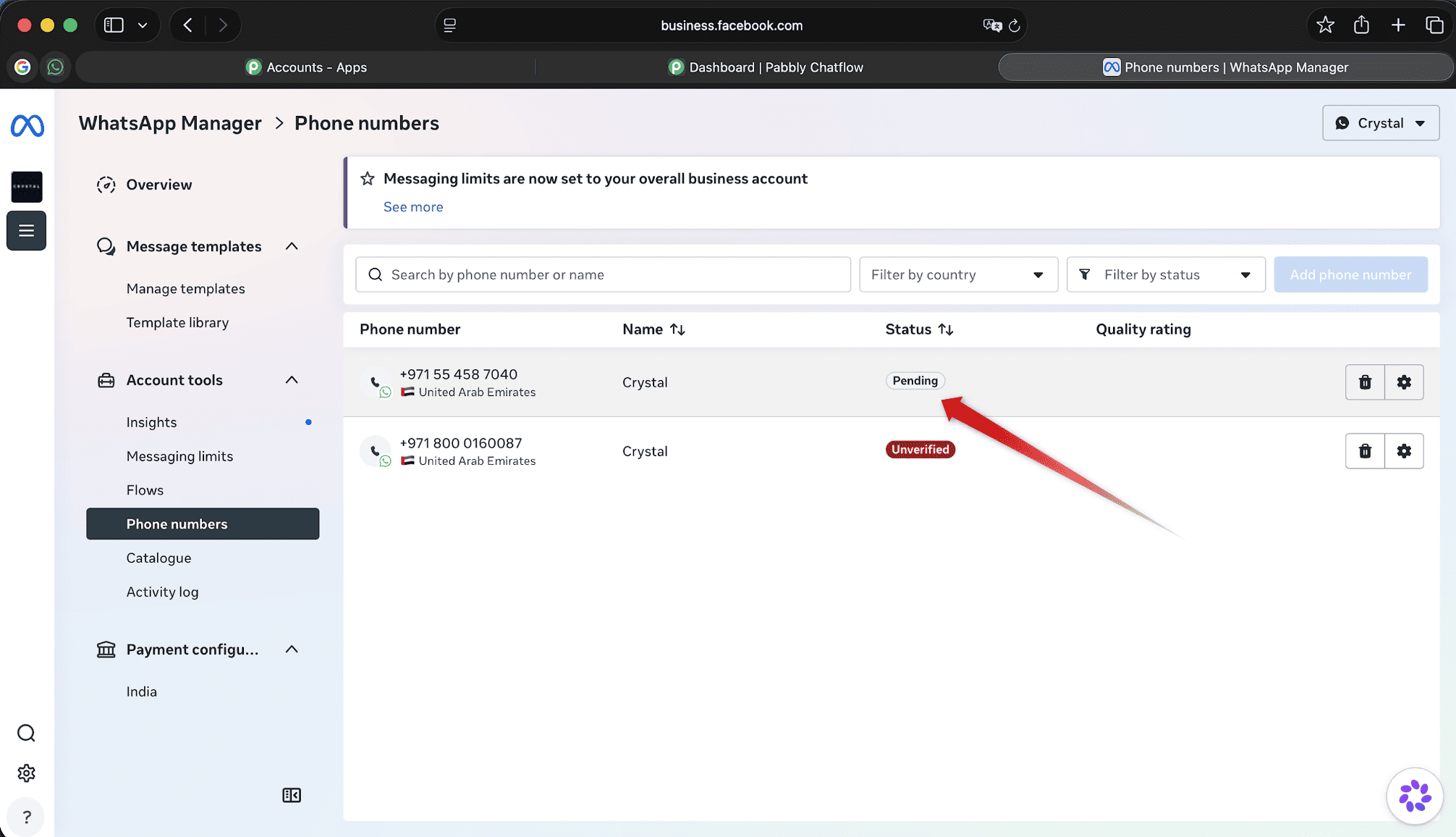
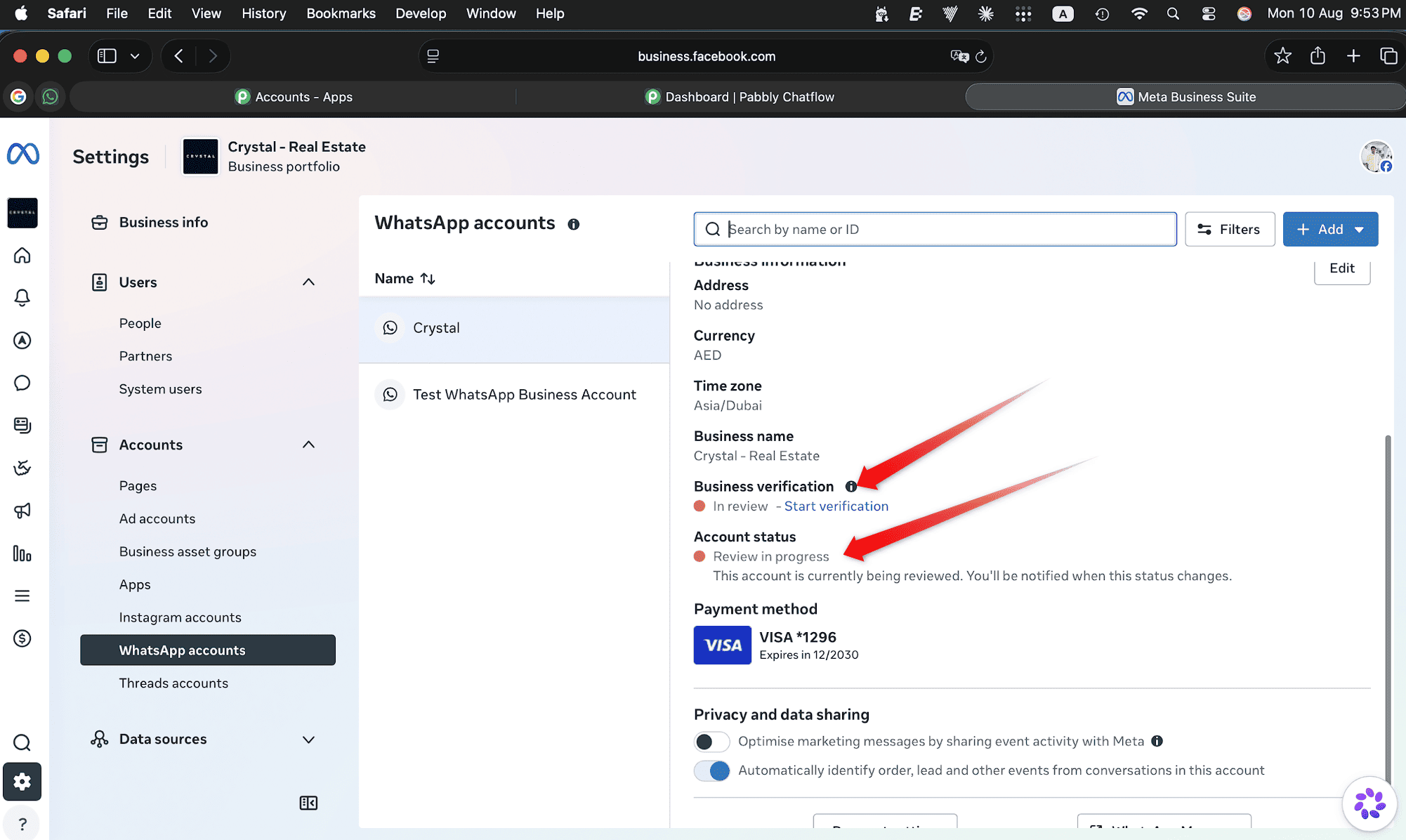
2. Your Business verification and Account status is also not showing as Verified and Active.
3. Check whether Two-Step Verification (2FA) is enabled for the number in Meta Business Suite (WhatsApp Manager > Phone Numbers > your WABA > Two-Step Verification tab). If it's enabled, disable it before trying again. If needed, temporarily change the PIN to 111111 to revoke the current BSP access.
After completing the above on Meta's side, go back to your Pabbly Chatflow account, use the Sync option for the number first, and then click Register.
Also note: if this is a very new number or one with little activity, Meta may show 'not eligible / more activity required,' and this can take anywhere from 24-72 hours up to 10-14 days. This process is fully controlled by Meta and cannot be expedited.
Thanks & Regards,
Adeel Akhtar
🌐 Pabbly.com