WhatsApp number: +34 611148613
SUMMARY
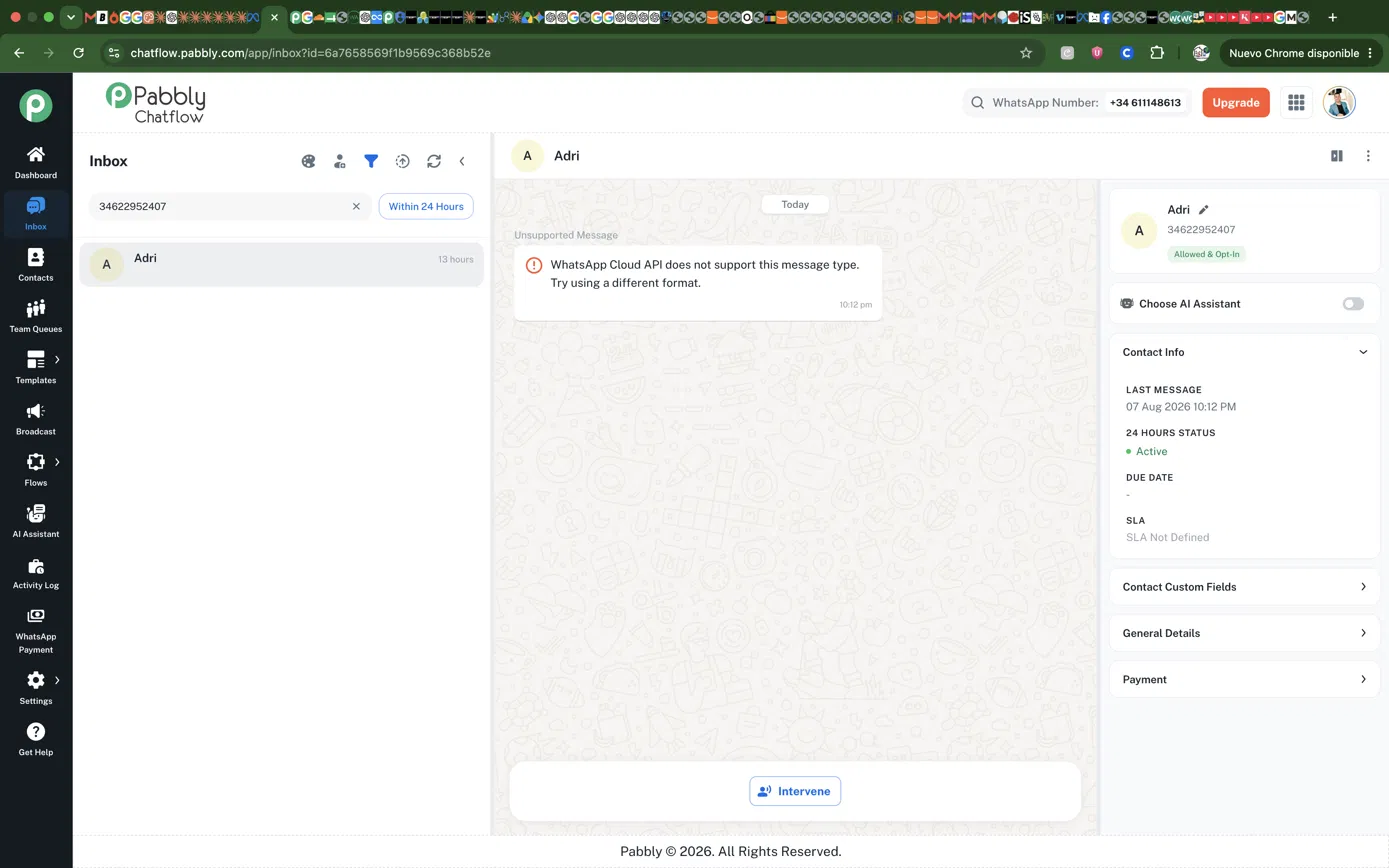
Roughly 6 out of every 80-100 leads arriving from our Meta click-to-WhatsApp ads (~7%) are lost. Their first message appears in the Chatflow inbox as:
"WhatsApp Cloud API does not support this message type. Try using a different format."
The contact is created correctly — phone number, profile name, Allowed & Opt-In, 24-hour window Active — but the message body is not available, so no flow is triggered and no webhook reaches our automation. The lead is silently lost.
CRITICAL EVIDENCE
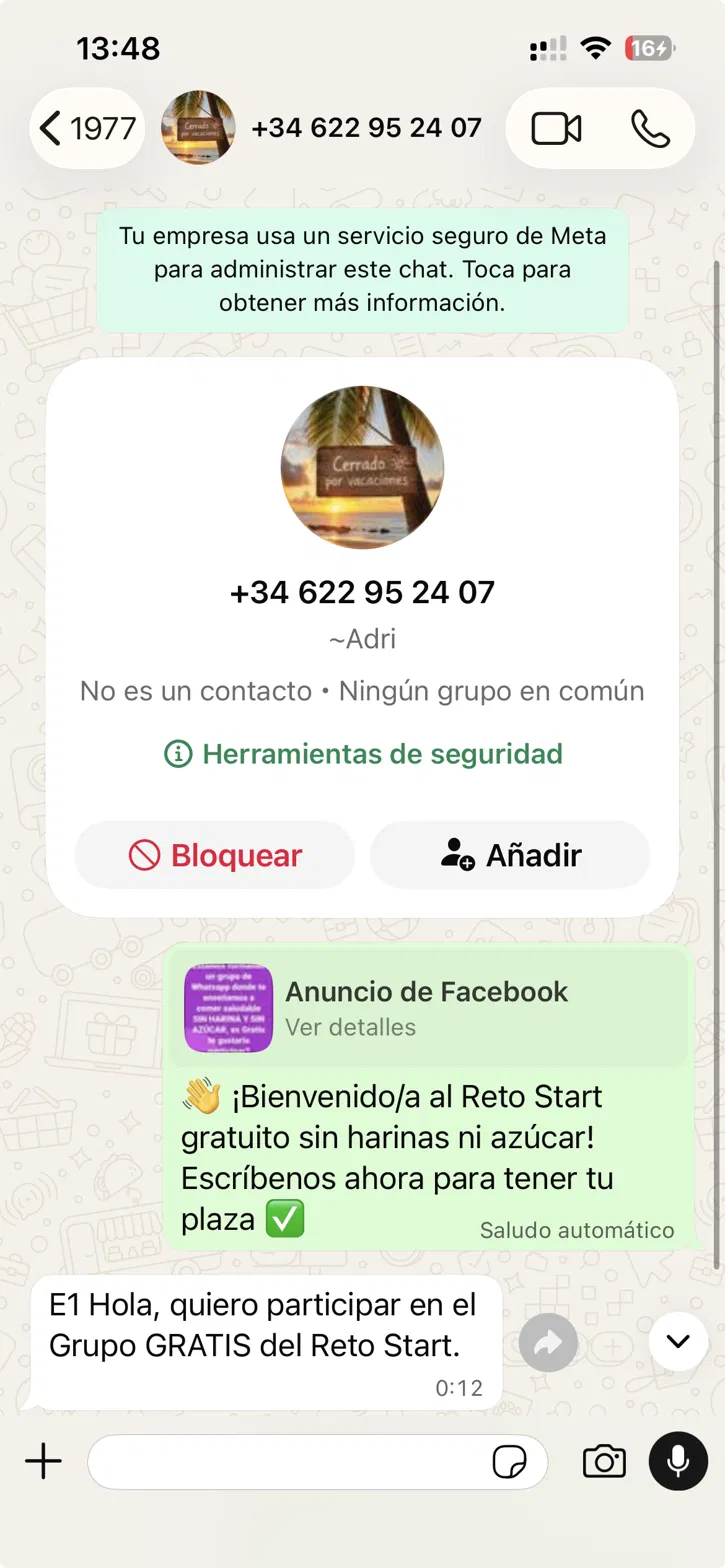
Our number runs in coexistence mode: it is registered simultaneously in the WhatsApp Business app and in Cloud API via Chatflow. We can therefore see the exact same message in the app.
In the app, the message displays as completely normal plain text: "E1 Hola, quiero participar en el Grupo GRATIS del Reto Start." Meta clearly received and delivered it without any problem. Screenshots of both views (Chatflow inbox and WhatsApp app, same contact 34622952407, same message) are attached.
This means the message is NOT genuinely unsupported by Meta. Please confirm whether that string is a placeholder generated by Chatflow when its parser fails, or literal text returned by Meta.
WHAT WE HAVE ALREADY RULED OUT
We sampled 14 leads from the same campaigns (6 failed, 8 worked):
- Ad creative / placement: the SAME Facebook ad produced both failures and successes (3 failed / 6 worked). Not creative-specific.
- Campaign token: failures span E1, E2 and A1; successes span E1, E2 and E3.
- Market: failures in both Spain (+34) and Mexico (+52).
- Placement: same Facebook feed placement both fails and works. One Instagram case also failed.
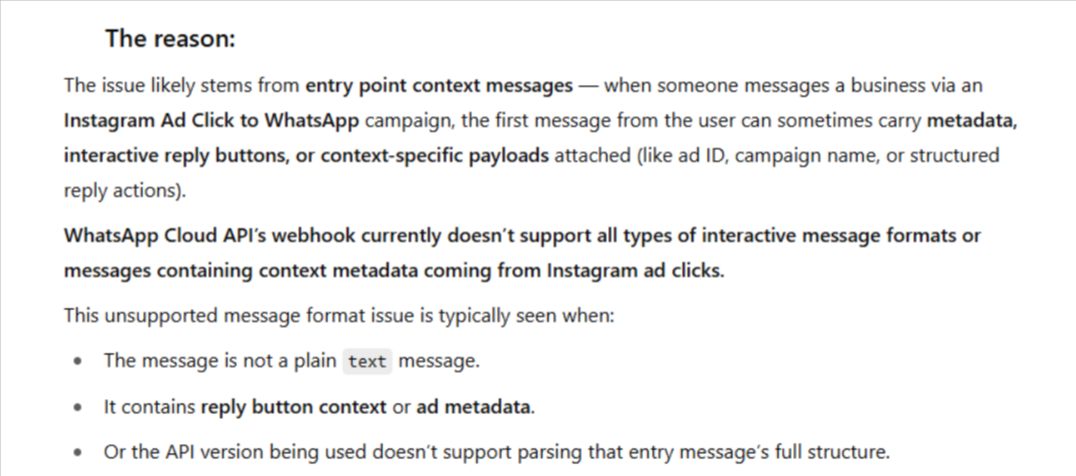
Most importantly: when we manually message one of these failed contacts and they reply, that SECOND message triggers our flow normally. Identical text, identical sender. The only structural difference is that the first message carries the CTWA referral object and the second does not.
This points to a parsing failure on the first inbound message of a CTWA lead, specifically in coexistence mode.
FAILURE TIMESTAMPS (local time, Spain)
00:xx, 02:xx, 05:xx, 05:xx, 06:xx, 12:xx — five of six in the 00:00-06:00 window. Could you cross-reference this against your deployment or maintenance schedule? We can supply exact timestamps and message IDs on request.
AFFECTED CONTACTS
34622952407, 34681395484, 34699146508, 34691179583, 34610608759, 522382730369
QUESTIONS
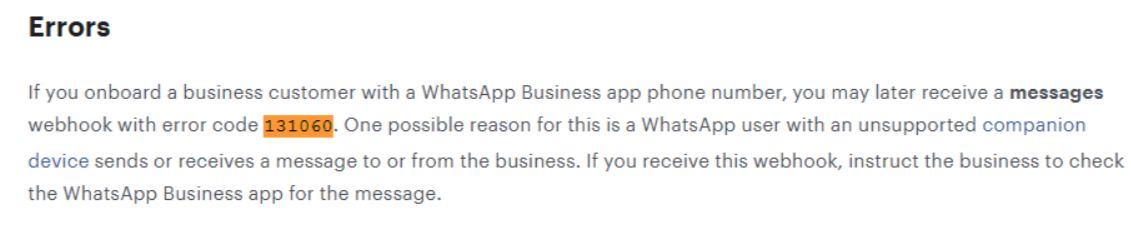
1. Please provide the raw webhook payload Chatflow received for these six contacts. Specifically: what "type" did Meta send, was the referral object present and complete, and did it arrive as a standard messages event or as a coexistence synchronisation event?
2. Is "WhatsApp Cloud API does not support this message type" a Chatflow-generated placeholder, or literal text from Meta?
3. Does Chatflow correctly parse the referral object on click-to-WhatsApp lead messages for numbers running in coexistence mode? This is the specific combination where we see the failure.
CONSTRAINT ON ANY PROPOSED SOLUTION
We need to keep coexistence. Removing the number from the WhatsApp Business app is not an acceptable workaround for us — please treat coexistence as a fixed requirement rather than a variable.
These are paid acquisition leads at the entry point of our funnel, so each one lost has a direct cost. A definitive answer, including "this is a known limitation", is more useful to us than a partial workaround.
Thank you.