aniruddha2907
Member
- Grant Account Access for Support
-
- I authorize the Pabbly Support Team to access my account for troubleshooting purposes.
- WhatsApp Number
- 9767907496
- Email Address
- [email protected]
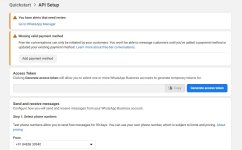
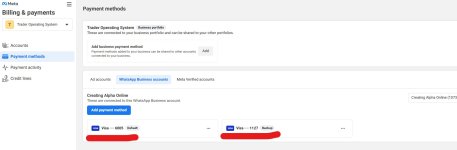
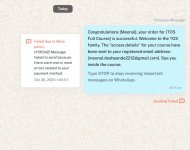
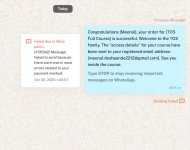
I added the WhatsApp number to Pabbly chatflow. It shows the integration is successful, but only allows me to send free messages. When I try to send marketing messages via templates, it gives the error shown in the screenshot attached. I checkd in Facebook, it asked me to add the payment method, which I have already added and to be on the safer side, added an altrernate payment method too. But it is still not working, still getting the error in Facebook to add a payment method. Screenshot attached for the same too. Please guide how to proceed further.