Slack Thread Message Not Working via Pabbly API
Status: Open · Asked by Ojasv Quickship on · 0 views
Dear Pabbly Support Team,
We are integrating our custom Slack app QS-Buddy with Pabbly Connect using the Slack Web API.
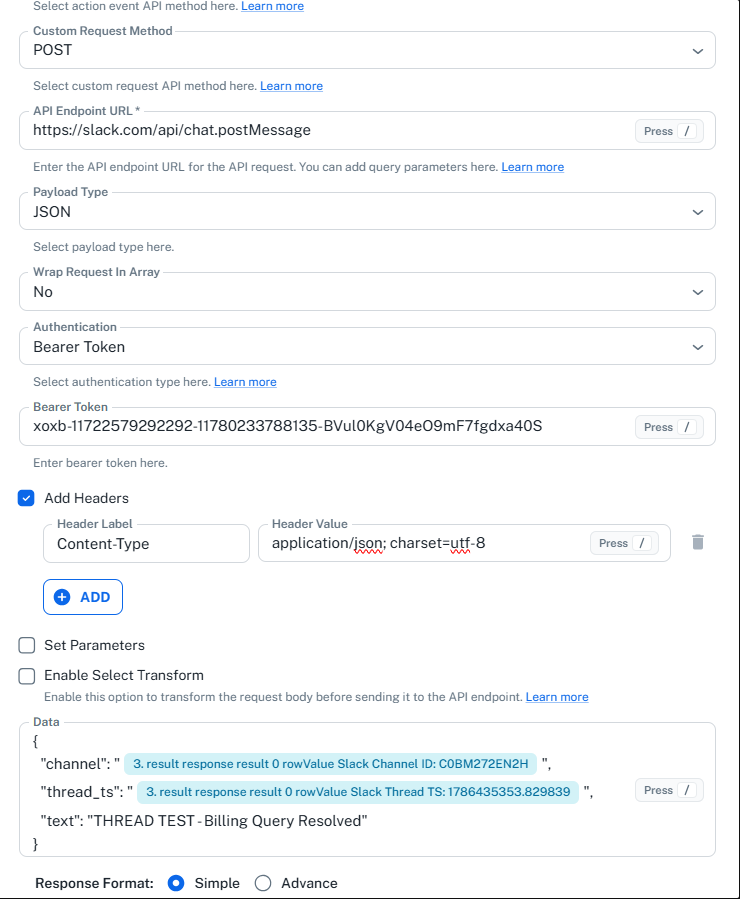
The API request to:
https://slack.com/api/chat.postMessage
is working successfully for normal channel messages and returns:
ok = true
However, when we pass the parent message timestamp using the parameter:
thread_ts
the message is still posted as a new top-level message instead of appearing as a reply in the existing Slack thread.
We have already verified the following:
1. Correct Slack Channel ID is being passed.- 2. Correct parent message
tsis being used asthread_ts. - 3. The timestamp is stored as plain text in Google Sheets.
- 4. QS-Buddy has the required Slack permissions and is already added to the private channel.
- 5. API response is successful with
ok = true. - 6. The response does not show
message.thread_ts, which suggests thethread_tsvalue may not be reaching Slack correctly. - 7. We also see a
missing_charsetwarning, although the API call itself succeeds.
We have tried both:
- 1. Standard API request with parameters
- 2. Custom Request with JSON payload
but the Slack thread reply is still not working.
Please advise the correct Pabbly configuration to send a Slack chat.postMessage request with thread_ts so the message is posted inside the existing thread.
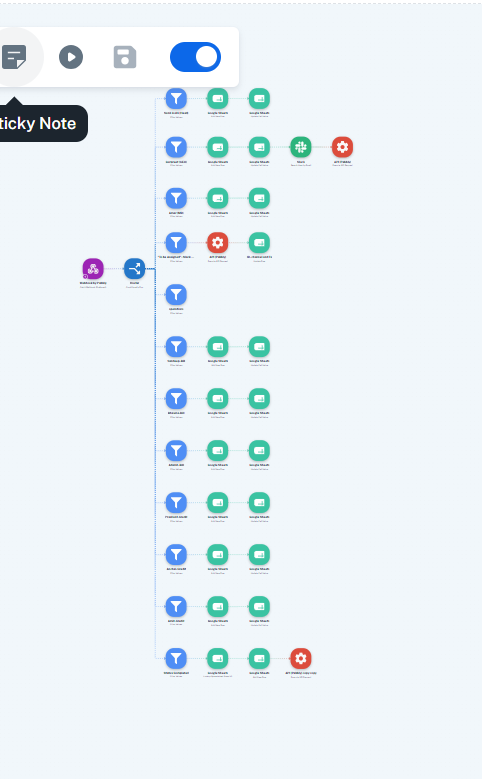
I will attach screenshots of the request, API response, Slack message link, and task history for reference.
Thanks & Regards,
Ojasv
QuickShip Global Express