Spaces not working in lookup table

Status
Not open for further replies.
P

Pabblymember11

Guest
Hey @Peter Pel

Could you please explain to us that how and where you are passing the space in the wishlist with the help of Lookup Table?
 

Peter Pel

Member
Hey @Peter Pel

Could you please explain to us that how and where you are passing the space in the wishlist with the help of Lookup Table?


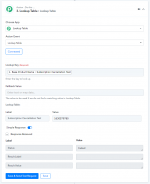
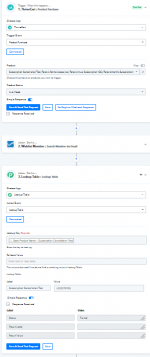
The product purchase happens in Thrivecart after which it should search member via email in Wishlist Member. I am then using the Lookup table to search the Membership Level. If I type the Membership Level without space, it's successful but if I type it with space as it is in Wishlist Member, the response I get fails. How do I fix this?
 

Attachments

  • pabbly lookup table.PNG
    pabbly lookup table.PNG
    30.7 KB · Views: 169
  • pabbly lookup table 2.PNG
    pabbly lookup table 2.PNG
    22.2 KB · Views: 180
P

Pabblymember11

Guest
Hey @Peter Pel

Thanks for your kind patience. We are currently looking into it and will notify you with an update soon.
 
P

Pabblymember11

Guest
Hey @Peter Pel

We have made some changes to the Action step of the Look-Up Table and now it is working accordingly.

Please try again at your end and let us know if it is working for you.

Thanks!
 
Status
Not open for further replies.
Top