

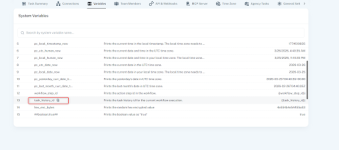
What is {{task_history_id}} Variable?
The task_history_id variable provides a unique identifier for each workflow execution. Every time a workflow runs, a new Task History ID is automatically generated, allowing you to track and control that specific execution.
Using {{task_history_id}}, you can dynamically access this ID within your workflow and use it across different actions or integrations.
What Does It Do?
When you use {{task_history_id}} inside a workflow:- It dynamically gets replaced with the actual Task History ID at runtime
- It allows you to capture and store the execution ID
- It helps you track, reference, and control that specific workflow run
How It Works
- A workflow is triggered
- The system generates a unique Task History ID
- You use {{task_history_id}} in any step
- During execution, it is replaced with the real ID
- The value can then be stored or used in other actions
Example
If a workflow execution has this ID:IjU3NjYiNTZjMDYpMTA0MoA1MjY0NTMzNTUxM2Ei_pc
Using:
{{task_history_id}}
will output:
IjU3NjYiNTZjMDYpMTA0MoA1MjY0NTMzNTUxM2Ei_pc
When the workflow runs, the system automatically replaces {{task_history_id}} with the actual Task History ID of that execution. This value can then be stored or passed to other actions.
Why is it Useful?
This variable is important when you need to work with individual workflow executions, especially in cases where workflows run over time.It helps you:
- Identify a specific workflow run
- Store execution details
- Control or stop a running workflow
- Build user-controlled automations
Real-World Use Case
Scenario: Stop an Ongoing Workflow
You have a workflow that sends messages or emails over time.Now, a user wants to stop it.
How {{task_history_id}} Helps
- When the workflow starts:
- Store user data (email/phone)
- Store {{task_history_id}}
- When user requests to stop:
- Search using their email/phone
- Get the stored Task History ID
- Use that ID to stop the workflow
Where Can You Use It?
You can use {{task_history_id}} in:- Data storage apps (Google Sheets, databases, etc.)
- API requests
- Workflow control actions (Pabbly Connect Manager)
Important Notes
- Generated automatically for every workflow execution
- Always unique per execution
- Must be stored externally if you want to use it later
- Cannot be reused across different executions
Summary
{{task_history_id}} is used to identify and manage a specific workflow execution.It allows you to:
- Track workflows
- Store execution references
- Control or stop workflows dynamically
Attachments
Last edited:

