

Hi there I'm having problems understanding how to set up a workflow. I currently have this workflow set up in Zapier, so just assuming that I can recreate the same workflow here as it's pretty simple.
1. When a student completes an assignment in Thinkific a draft email is sent to my Gmail.
So far I have done the following:
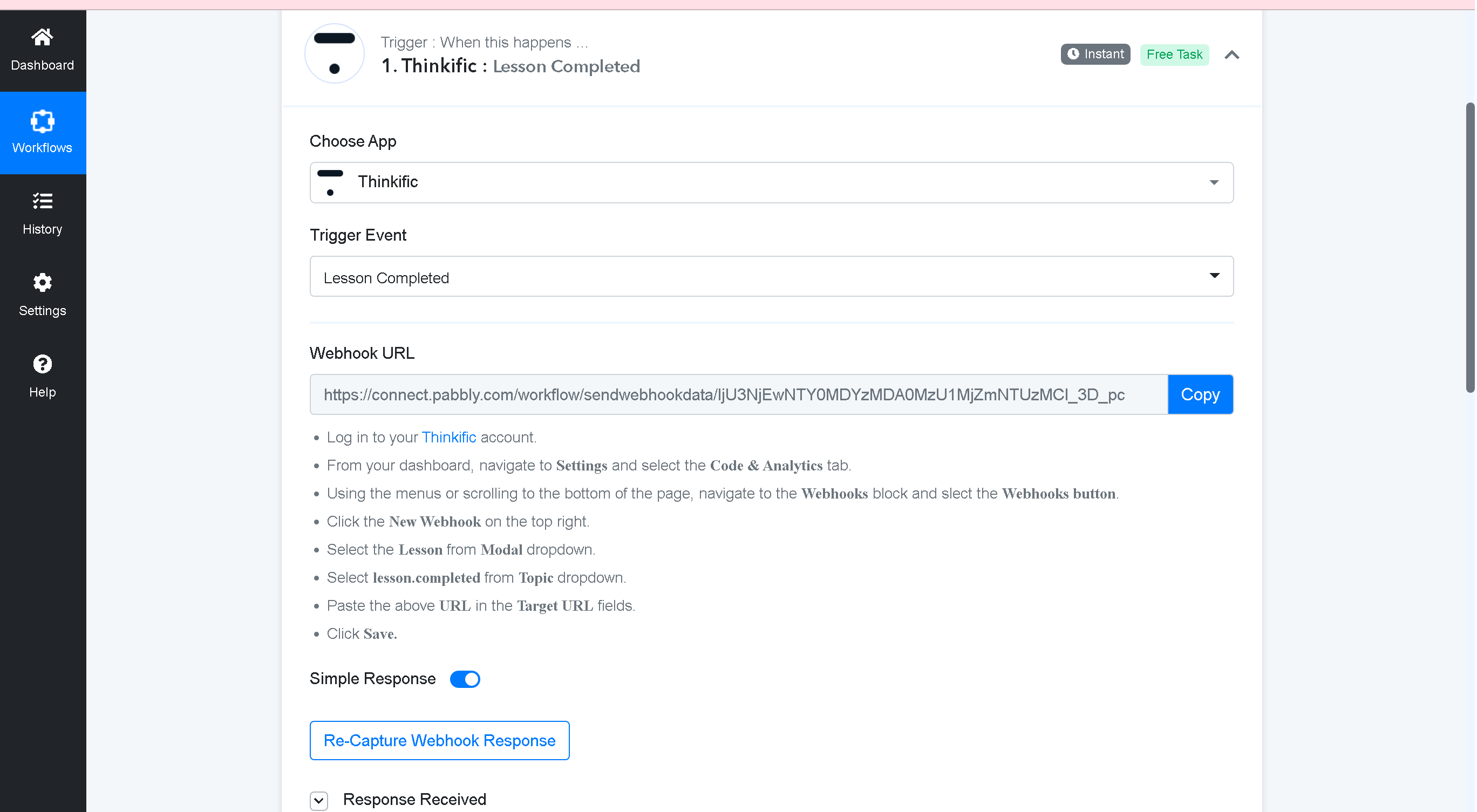
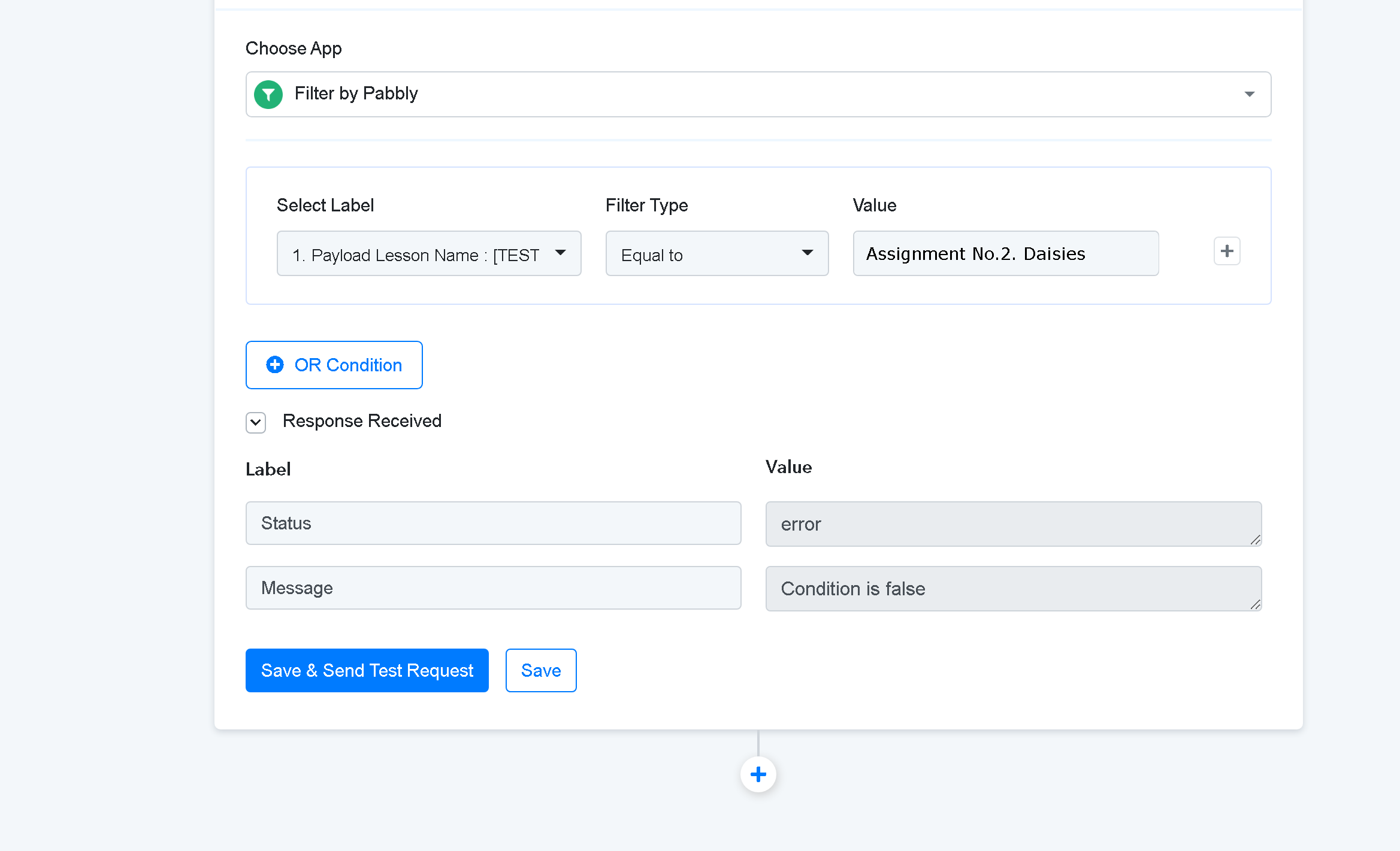
NEXT: I have added a filter. To say if the lesson name is = to. But testing just says that's an error? Can you please let me know what I am doing wrong? I thought that maybe Pabbly doesn't work on 'assignments' like Zapier and only works on 'lessons' - but I tried a lesson as well and that sends an error message too.
thanks in advance
Carol
1. When a student completes an assignment in Thinkific a draft email is sent to my Gmail.
So far I have done the following:
NEXT: I have added a filter. To say if the lesson name is = to. But testing just says that's an error? Can you please let me know what I am doing wrong? I thought that maybe Pabbly doesn't work on 'assignments' like Zapier and only works on 'lessons' - but I tried a lesson as well and that sends an error message too.
thanks in advance
Carol


