Time Formatter Fails on First try (re-execute works fine)

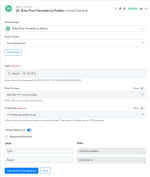
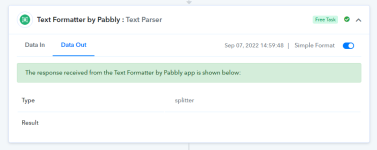
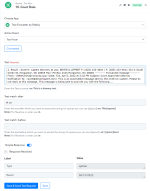
I have a workflow where a date is extracted from an email, then formatted for use in creating a google calendar event. Lately, the workflow has been failing when it runs, but it works when I re-execute. What seems to be happening is the text extraction that first pulls the date out of the email is returning a blank result. Then when it gets to the actions of formatting the date and using it for the calendar event, there is no data to format. Attached are screenshots of my workflow.

A sample task that failed is here:
Task ID -
IjU3NjYwNTY5MDYzNDA0MzM1MjY1NTUzNjUxMzM1MTY1NTQzMiI_3D_pc​


Attachments

  • 1.png
    1.png
    53.1 KB · Views: 166
  • 2.png
    2.png
    41.4 KB · Views: 165
  • 3.png
    3.png
    20.6 KB · Views: 176
P

Pabblymember11

Guest
Hey @matthewchisholm

If you retrace the history section of your workflow, you will found that you didn't get any date from your email content and because of that your Text parser action step didn't get any date and because of that your 19th step didn't get the date and with respective of that the "Google Calendar : Create Detailed Event" action step didn't work.

Action step - 10 where the date should be extracted.

2022-09-08_13h03_30.png
 
Top