Unable to change recipient email address in Gmail action – Need Pabbly Support
Status: Answered · Asked by Sunita Kale on · 0 views
Hello Sunita,
Thank you for reaching out!
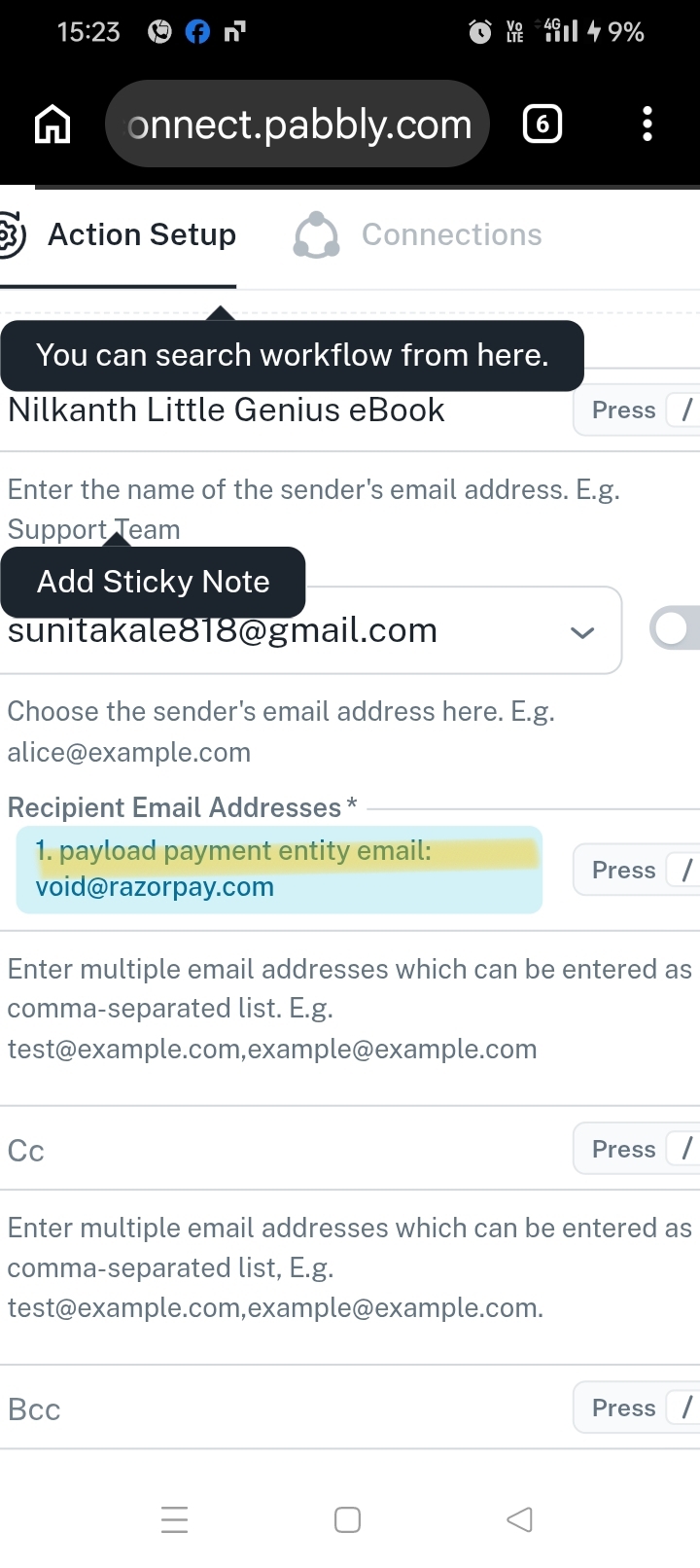
We have reviewed your workflow and found that there's no such configuration error. The Razorpay webhook response is being received successfully in the trigger step and is also mapped to the Gmail action.
Regarding your concern about updating or deleting the recipient email address, you can simply click the mapped field to modify or remove the existing mapping.
Please note that if your requirement is to send emails dynamically to each customer, you need to map the customer's email address received through the Razorpay webhook response.
Alternatively, you can configure the Razorpay trigger directly in your workflow based on your requirements. To make the setup easier, we recommend following our step-by-step video tutorial, which demonstrates how to capture successful Razorpay payments and automatically send thank-you emails to customers:
Video Tutorial: https://www.youtube.com/watch?v=TURjyx1WOC4
Please follow the tutorial and test the workflow again. If you face any difficulties or have further questions, feel free to share them with us, and we will be happy to assist.
Thanks & Regards,
Shekh Dilshekh
Customer Support Specialist