• Instructions to Ask a Question

    For any assistance, please click the "Ask a Question" button and select the Pabbly product for which you require support.

    We offer seven comprehensive applications designed to help you efficiently manage and grow your business:

    Our support team endeavors to respond within 24 business hours (Monday to Friday, 10:00 AM to 6:00 PM IST). We appreciate your understanding and patience.

  • Due to Holi celebrations, our team will have limited availability. While we’ll continue to monitor threads, responses may be slightly delayed. Normal operations will resume on Thursday, 5th March 2026.

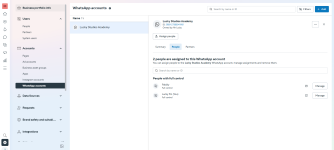
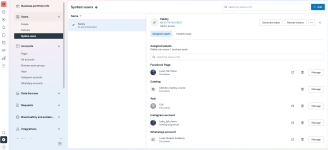
Unable to see Template Name , while Configuring WhatsApp Cloud API

Hi Team,
I am using Permanent Token and also have approved template. I tried re-establishing the connection. But still I don't see the Templates.
Please Help!!!

1742214761509.png
 
Gave All permissions as required. Re-Established with New Token but . Tried ( Beta ) as Well . Still its the Same.
 

Attachments

  • Screenshot 2025-03-17 103501.png
    Screenshot 2025-03-17 103501.png
    156.6 KB · Views: 116
  • Screenshot 2025-03-17 103449.png
    Screenshot 2025-03-17 103449.png
    171.7 KB · Views: 91

Preeti Paryani

Well-known member
Staff member
Hello @Lucky Studios,

Please follow the below attached tutorial to set up the connection with Whatsapp Cloud API using a permanent token and make sure to record the process of setting up the connection. If the issue persists please share the screen recording with us along with the workflow URL so we can better look into the issue and assist you further.


Preeti Paryani

Well-known member
Staff member
Hello @Lucky Studios,

Upon reviewing the video you shared, we noticed that it does not fully align with the process outlined in the tutorial above. Please go through the entire tutorial and set up the connection accordingly. If the issue persists, kindly share a screen recording of the complete process so we can investigate further.

Let us know how it goes.
 
Top