

- Your Workflow URL
- https://connect.pabbly.com/workflow/mapping/IjU3NjcwNTZjMDYzMDA0M2M1MjZiNTUzZDUxM2Ei_pc
- Consent to Access & Modify
- I authorize Pabbly Support to log in to my account and make changes to the specified workflow for troubleshooting.
My campaign is on hold , can you please help on priority ?
Workflow : URL given
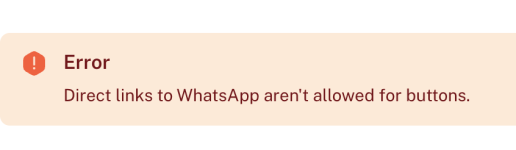
Am unable to understand the Error in mapping , Its an whatsapp template with Image and button,
and the URL link is whatsapp template is shorten URL from bitly , because whatsapp template URL do not allow direct whatslink for button , but inside template i have pasted the orignal url of whatsapp group
Workflow : URL given
Am unable to understand the Error in mapping , Its an whatsapp template with Image and button,
and the URL link is whatsapp template is shorten URL from bitly , because whatsapp template URL do not allow direct whatslink for button , but inside template i have pasted the orignal url of whatsapp group
Attachments
Last edited:


