• Instructions to Ask a Question

    For any assistance, please click the "Ask a Question" button and select the Pabbly product for which you require support.

    We offer seven comprehensive applications designed to help you efficiently manage and grow your business:

    Our support team endeavors to respond within 24 business hours (Monday to Friday, 10:00 AM to 6:00 PM IST). We appreciate your understanding and patience.

  • Due to Holi celebrations, our team will have limited availability. While we’ll continue to monitor threads, responses may be slightly delayed.

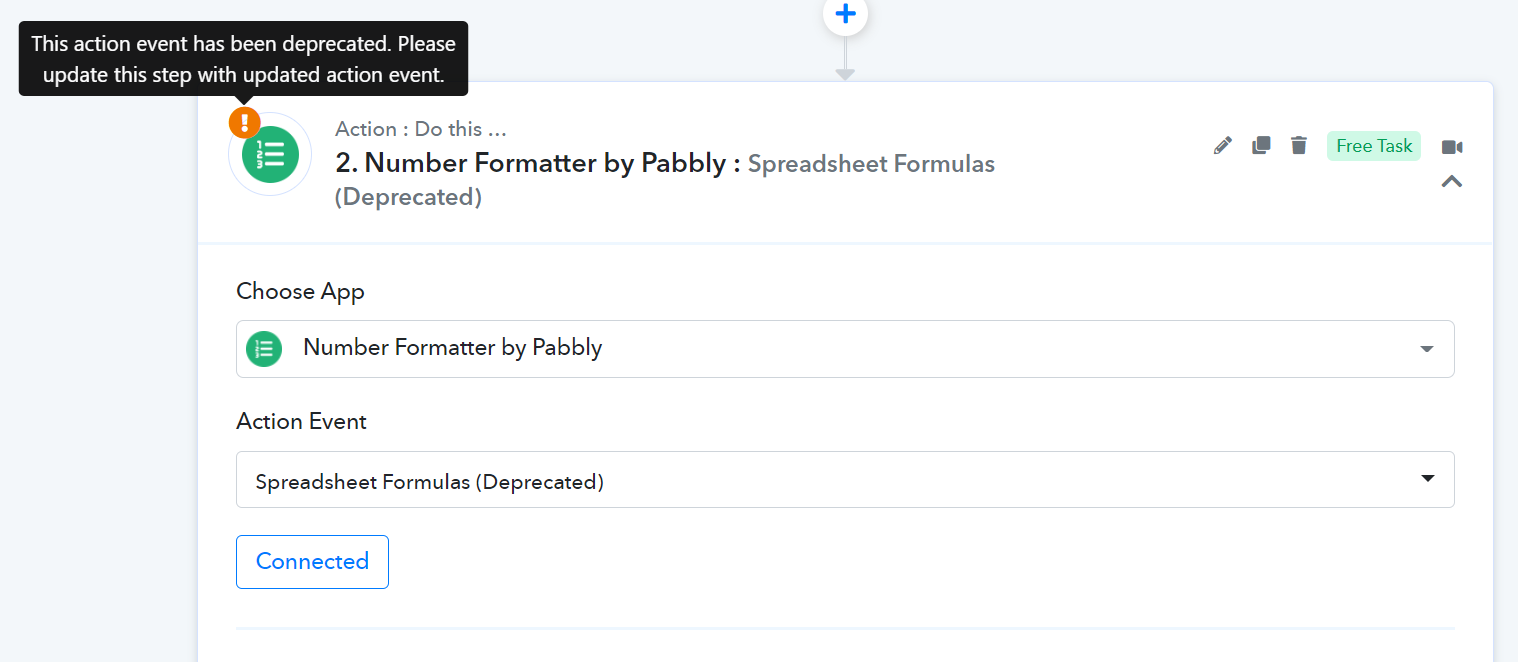
what is deprecated status for spreadsheet formulas

I am getting this warning sign saying this step is deprecated? whats the problem here, and what needs to be done?
1651478264877.png
 

Pabbly

Administrator
Staff member
Deprecated means a better version of the module has been launched, and we recommend using the new version.

Like in your case you're seeing the "Spreadsheet Formula" as deprecated. That means we have launched a newer version of the "Spreadsheet Formula" as shown below, which you are requested to use.


1651479618891.png


Note that if you don't update it and continue using the deprecated module, it will still work as it should be.
 
Deprecated means a better version of the module has been launched, and we recommend using the new version.

Like in your case you're seeing the "Spreadsheet Formula" as deprecated. That means we have launched a newer version of the "Spreadsheet Formula" as shown below, which you are requested to use.


View attachment 10409

Note that if you don't update it and continue using the deprecated module, it will still work as it should be.
ok so we need not take action on this right, as our work is going fine
 
Top

