Zoho crm to whataspp

amitbahl

Member
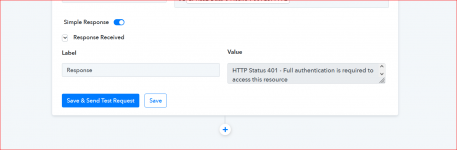
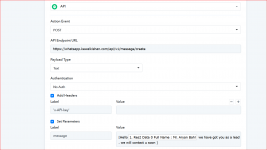
I am a new user and i am trying to connect zoho crm lead to whatsapp . I have my own whatsapp API . Please check the workflow attached as i am not able to get response finally and hence not able to send whatsapp . Please let me know where i am doing mistake . For security concern i am not writing Api key in the screenshot.
Please help.
 

Attachments

  • whatsapp Pabbly2.PNG
    whatsapp Pabbly2.PNG
    23.1 KB · Views: 139
  • whatsapp Pabbly.PNG
    whatsapp Pabbly.PNG
    41 KB · Views: 143

amitbahl

Member
Thanks Dear ....i can see the response is coming on pabbly but how can i know that the lead is getting whatsapp mesaage. I made a new lead with my phone number to check but its been 30min that i havent recd any message . Moreover i saw that no task has been consumed in workflow Please help.
 
P

Pabbly13

Guest
Hey @amitbahl !

Can you do two test submission in your Zoho CRM account and check if its work for you.

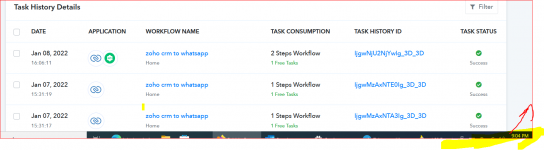
Do check the workflow history section to check whether you're able to see workflow execution properly -

1641646844767.png
 
Last edited by a moderator:

amitbahl

Member
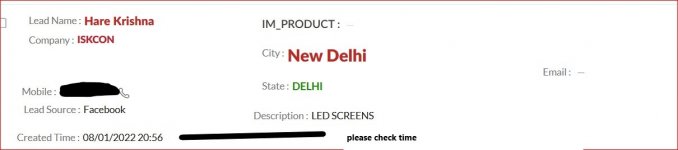
i did but before that leads are coming from indiamart into zoho crm and its a continous process . Though i have shown u in the attachment that what time i created test lead and also the time of history section of pabbly connection. I cant see any task performed or consumed. Please check .
 

Attachments

  • whatsapp Pabbly.PNG
    whatsapp Pabbly.PNG
    75.9 KB · Views: 134
  • test samples_LI (2).jpg
    test samples_LI (2).jpg
    881.2 KB · Views: 173
P

Pabblymember11

Guest
Hey @amitbahl

Since it seems like due to some changes in your Zoho CRM, you need to re-authenticate the Zoho CRM's trigger and kindly re-capture the webhook response. And then try again by giving test submissions.

Regards!


2022-01-10_11h17_02.png
 
Top