• Instructions to Ask a Question

    For any assistance, please click the "Ask a Question" button and select the Pabbly product for which you require support.

    We offer seven comprehensive applications designed to help you efficiently manage and grow your business:

    Our support team endeavors to respond within 24 business hours (Monday to Friday, 10:00 AM to 6:00 PM IST). We appreciate your understanding and patience.

    🖤 BLACK FRIDAY DEALS ARE NOW LIVE! 🖤

    🔥 Enjoy an exclusive 10% discount on our LTD Plan — first-time ever offer!

    🚀 Unlock the Pabbly Plus Unlimited Yearly Plan and get unlimited access to every Pabbly application at a truly unbeatable Black Friday price.

    👉 Grab the Black Friday Offer

Unable to map field from hubspot to infinity

PTA

Member
Your Workflow URL
https://connect.pabbly.com/workflow/mapping/IjU3NjcwNTZkMDYzNjA0MzU1MjZlNTUzNjUxMzIi_pc
Consent to Access & Modify
I authorize Pabbly Support to log in to my account and make changes to the specified workflow for troubleshooting.
My workflow is to map newly created contact in hubspot to infinity>P and L board >student Details folder.
I have HubSpot and Infinity connected fine. But from infinity (action) i cannot see the fields to select, that is in hubspot for mapping them to infinity selected folder/fields. After testing it it does create a blank entry in infinity .
 

Preeti Paryani

Well-known member
Staff member
Hello @PTA,

Thanks for sharing the workflow details.

Could you please confirm which specific fields from Infinity you are unable to view in the action step? The fields for mapping will appear only if those fields actually exist in the selected Infinity folder (i.e., the item creation form). If a field is not present in Infinity, it will not show up in Pabbly Connect for mapping.

Please share a screenshot of the Infinity folder showing the fields you expect to map. This will help us verify the missing fields and assist you accordingly.
 

PTA

Member
My workflow is to map newly created contact in hubspot to infinity>P and L board >student Details folder.
I have HubSpot and Infinity connected fine. But from infinity (action) i cannot see the fields to select, that is in hubspot for mapping them to infinity selected folder/fields. After testing it it does create a blank entry in infinity .
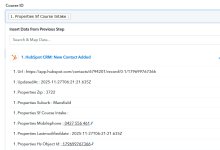
HI Preeti, sorry for late reply. While awaiting for your response, i tinkled a little bit with a second workflow where i toggled (Map button active) for the Workspace, Board and Parent Folder. from then on the data came in. In regards to finding the fields from HubSpot within the action trigger, it was a bit confusing as the fields were not showing up as expected, i had to make a choice from the dropdown menu, which was showing only one account retrieved from (trigger)previous HubSpot response. Confusing because i was expecting to see Hubspot fields only and was uncertain whether to select from the response showing up. At the end of the day i selected from the response lists accordingly and new contact is now coming from Hubspot to infinity.

On another note, i have another request regarding another workflow which now needs to update existing contact in HubSpot to Infinity and have some questions on it, Should i raised another post request for that?
Thank you.
 

Attachments

  • dropdown mapping.jpg
    dropdown mapping.jpg
    78 KB · Views: 7
  • Mapping Enabled.jpg
    Mapping Enabled.jpg
    53.6 KB · Views: 7
Last edited:

Preeti Paryani

Well-known member
Staff member
Hello @PTA,

Thanks for the update!

You can ask the query here. Just share the workflow URL as well, so we can look into it.
On another note, i have another request regarding another workflow which now needs to update existing contact in HubSpot to Infinity and have some questions on it, Should i raised another post request for that?
Thank you.
 

PTA

Member
Hello @PTA,

Thanks for the update!

You can ask the query here. Just share the workflow URL as well, so we can look into it.
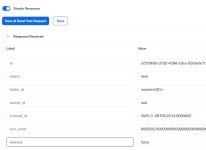
Now that contact details from HubSpot is coming in, i wanted to create another workflow so that any changes in HS for existing contacts ( which are now in Infinity) are replicated to infinity. I tried and came up with successful initial response test, but several modification were made in HS contacts to get real results but they did not come across. What is bothering me is that in the action trigger there is a field called "item" . This was not present when we created the workflow to create contact on previous request. On this workflow (to update contact) , it's here and mandatory. I am unable to distinguish what is is related to as it all numbers and letters, even when toggling the mapping button. I can see there is a list of other similar type of characters when trying to select that field. I am guessing one one them may solve my contact update sulution. Your expert advise please.
Workflow: https://connect.pabbly.com/v2/app/workflow/mapping/IjU3NjcwNTZkMDYzNjA0Mzc1MjZiNTUzMjUxM2Ei_pc
 

Attachments

  • Response.jpg
    Response.jpg
    72.2 KB · Views: 6
  • UpdateItem.jpg
    UpdateItem.jpg
    79.5 KB · Views: 6

Preeti Paryani

Well-known member
Staff member
Hello @PTA,

To update an existing contact in Infinity, you will indeed need to provide the Item ID, which is why the Item field is now showing as mandatory in the update action.

Since HubSpot does not send the Infinity Item ID directly, you would first need to locate the corresponding item in Infinity. For this, please use the Infinity: Search Item action in your workflow. Pass the relevant details coming from the HubSpot trigger (such as email or any unique identifier). This action will return the specific Item ID from Infinity.

Once you receive the Item ID, enable Map on the Item field and map the returned ID there. After this setup, any future contact updates from HubSpot will correctly update the matching record inside Infinity.

1764318640844.png
 

PTA

Member
Hi, i tried to understand and went over this section again. Still confused. Is that ITEM related to only one contact?
This is what i have noticed and may be wrong.

My main task is to have infinity to update any contacts changes processed in HS.
 

PTA

Member
Hi Preeti, i can see a test field was created in infinity and guessing it may be from your side. Hope i am correct. Also noticed workflow changes made, which looks interesting. Thanks for looking into these, really appreciate. I shall be away from computer on and off and will definitely keep you updated after more testing. That really helps, as i was getting discouraged , and now motivated again. Thanks again . attached is contact sharon that was created from intial HS as new contact, this was populated to infinity from existing new contact created workflow. As a test for testing updated contact from HS i added the number 1 to check if my workflow would work. It did not, but after your changes on my workflow , it worked.
 

Attachments

  • Update ChangesTestjpg.jpg
    Update ChangesTestjpg.jpg
    9.9 KB · Views: 4

PTA

Member
Now that i am looking at the workflow and reading your previous response , i see what you meant by " infinity: search item". I was trying to figure out where to do that on the action trigger . Now it makes a lot of sense.
 

Attachments

  • Work Flow .jpg
    Work Flow .jpg
    52.7 KB · Views: 5

ArshilAhmad

Well-known member
Staff member
We have added a ‘Search Item’ action step to your workflow, which will return the Item ID associated with the email address of the item added to your Infinity account. We have also mapped the Item ID from this step to the ‘Update Item’ action step on your behalf.


Please note that this workflow will work only if the contact updated in HubSpot already exists as an item in your Infinity account. If the item does not exist, or if the updated field in HubSpot is the contact’s email address, then the item will not be updated in Infinity. This is because the item is being searched by email address, and if an item with the same email address is not found in your Infinity account, it cannot be updated
1764360844931.png


PS: To set up the ‘Search Item’ action step, we added an item with the email address ‘[email protected]’ to your Infinity account. You can delete that item.

================================================================

We can modify your workflow so that when a contact updated in HubSpot CRM does not exist in your Infinity account, a new item will be created, and if it does exist, the item will be updated. If you would like us to make these changes to your workflow, please let us know and we will do it on your behalf.


Thanks & Regards,
Arshil Ahmad
Customer Support Associate
🌐 Pabbly.com
👉Rate your support
 

PTA

Member
Hi Arshil, great work.
My ideal scenario is to have any contacts in HS whose fields are modified are replicated to Infinity.
(first name, lastname ,address etc).
Create them in infinity if they are not when their details are changed in HS.

Also is there a possibility of doing the opposite ( from Infinity to HS), this will make my day.
 

ArshilAhmad

Well-known member
Staff member
Hi Arshil, great work.
My ideal scenario is to have any contacts in HS whose fields are modified are replicated to Infinity.
(first name, lastname ,address etc).
Create them in infinity if they are not when their details are changed in HS.
We have added a Router to your workflow, which will allow you to create or update items in Infinity from HubSpot.
1764364089127.png

Also is there a possibility of doing the opposite ( from Infinity to HS), this will make my day.
I’m afraid this particular use case is not possible or recommended, as it will create a loop. Infinity will update the contact in HubSpot, and HubSpot will update the item in Infinity.

Thanks & Regards,
Arshil Ahmad
Customer Support Associate
🌐 Pabbly.com
👉Rate your support
 

PTA

Member
Thanks, Ashil. let's leave it here for the moment. Will do some tests and come back with feedback.
Also does the synch happens every 10 mins, as changes made earlier has not come through yet.
 
Last edited:

Preeti Paryani

Well-known member
Staff member
Hey @PTA,

It seem you haven't mapped the ID from the Search Item action in the Update Item action, we have mapped it on your behalf. You can re-execute the failed tasks and this time they should go through.

1764392881996.png


1764392982390.png
 
Top