500 Internal error encountered
Status: Closed · Asked by LIFT Marketing on · 0 views
Hi there,
Thank you for reaching out and for sharing the task history IDs and the additional details regarding the location/name configuration.
A 500 Internal Server Error generally indicates that the request could not be processed successfully by the destination application, in this case, Google Business Profile. This can sometimes occur due to the data being sent or a temporary issue while processing the request.
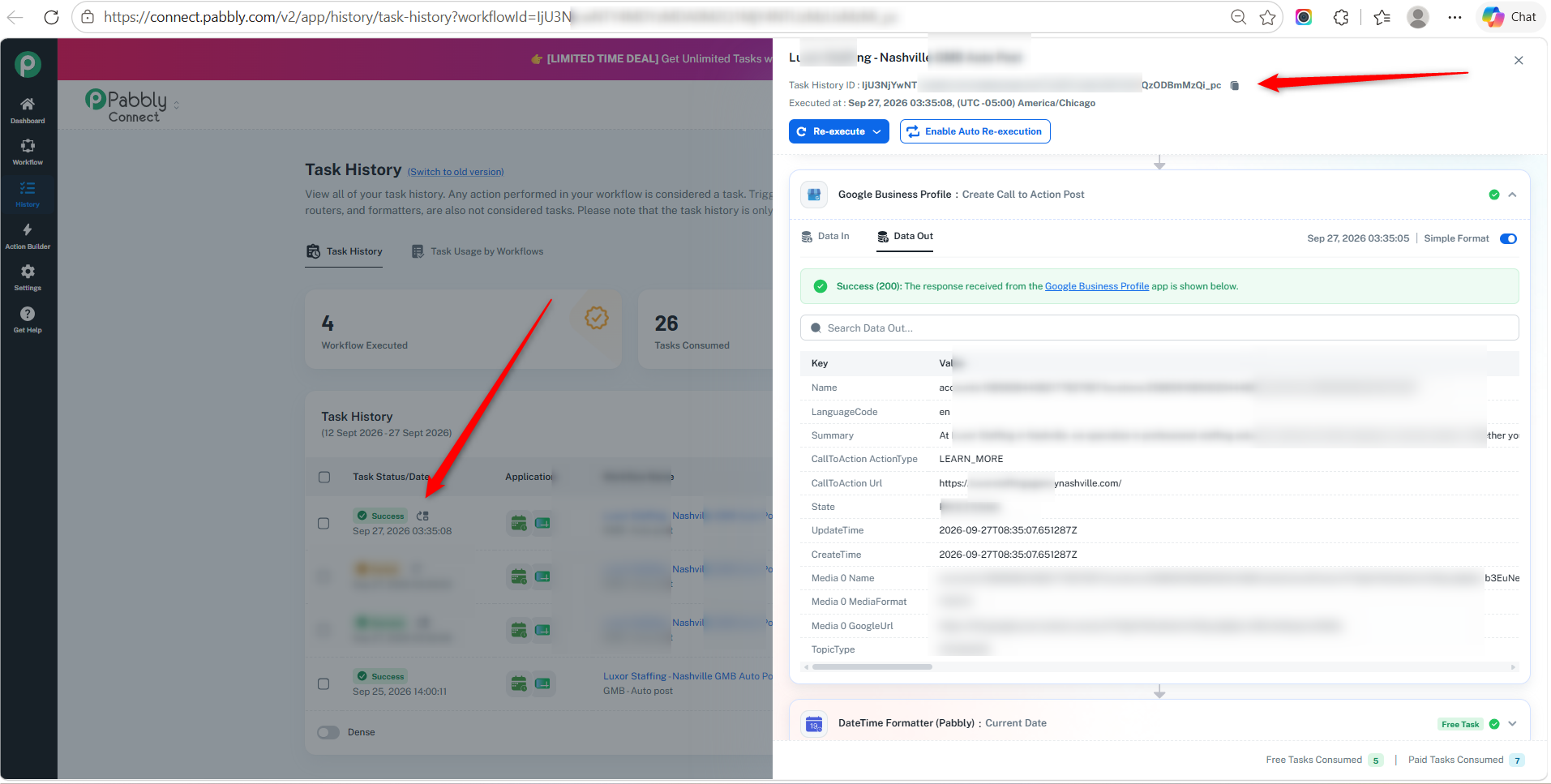
However, we checked the task history IjU3NjYw*******************************ODBmMzQi_pc and re-executed the entire workflow. The workflow executed successfully, and the Google Business Profile – Create – Create Call to Action Post action also completed successfully.
We request you to please try re-executing the failed task histories and check if the issue persists.
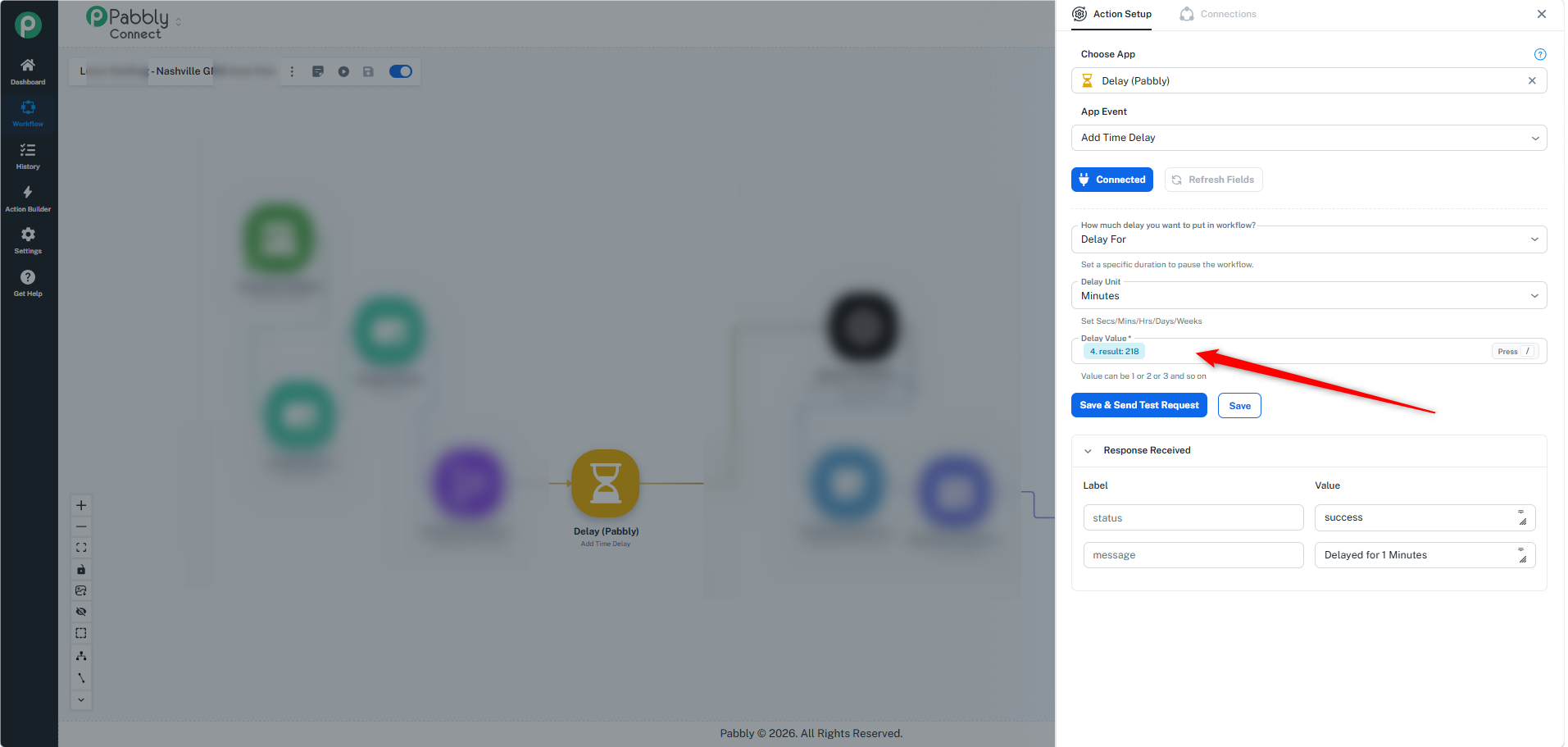
We also noticed that you have added a Delay step with the delay value being dynamically mapped. Since multiple posts are being processed, you may consider using a fixed delay of 1–2 minutes instead. This may help provide sufficient time between requests and avoid temporary processing issues.
Please try this and let us know if you continue to encounter the 500 error. If the issue persists, please share the latest task history ID so we can investigate it further.
Thanks & Regards,
Soumya Tripathi
Customer Support Lead
🌐 Pabbly.com
Hi,
Thanks for your reply. Here's a new error IjU3NjYwNTZmMDYzMjA0MzQ1MjZkNTUzNzUxM2E1MTY2NTQzMzBmMzgi_pc - for a different property that came in 5m ago. The delay in execution of the tasks is 0-240m, so basically all automations start at the same time, but the delay is a random number of 0 to 240m if that helps.
Thank you!
Hi,
Thank you for sharing the new error details.
We checked the failed task and found that the error is related to an unsupported image type/format being passed in the workflow. Please ensure that the image being sent is in a supported format.
For your reference, we’ve attached a screenshot showing the supported image format guidelines. You can also check the format being passed from your workflow and compare it with the required format.
Guideline doc:- https://support.google.com/business/answer/6103862?sjid=10466368764300648131-AP#photo-guidelines
Once the image format is corrected, please try the workflow again.

Argh, got it - will update to JPG and try again - thanks so much for your support.
Hi,
You’re most welcome!
Please try it with the JPG format, and if you face any further issues, feel free to reach out to us. We’ll be happy to help.
Hi,
If your query has been resolved and everything is working fine now, we’ll proceed with closing this thread.
If you need any further assistance in the future, you can reach out to us at support@pabbly.com. We’ll be happy to help.