I want to schedule social media posts to run at certain times of the week.
My 1st action should be to retrieve data from a either a Google document or to retrieve data from the client's fields in my crm (Leadconnector V2) that OpenAI can then use in the 2nd action to write the post.
So the workflow id as follows:
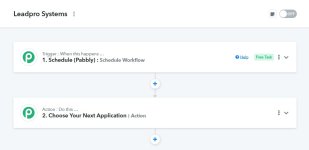
Trigger: Schedule Workflow (by Pabbly) -> Action 1: Retrieve crucial client data saved in CRM or Google Docs that can be used as context for the social media post -> Action 2: OpenAI to write the social media post based on fields / data retrieved from the client field in the crm or Google docs -> Action 3: Post to social media channel.
How do I do Action 1? (Getting the data that already exists)
My 1st action should be to retrieve data from a either a Google document or to retrieve data from the client's fields in my crm (Leadconnector V2) that OpenAI can then use in the 2nd action to write the post.
So the workflow id as follows:
Trigger: Schedule Workflow (by Pabbly) -> Action 1: Retrieve crucial client data saved in CRM or Google Docs that can be used as context for the social media post -> Action 2: OpenAI to write the social media post based on fields / data retrieved from the client field in the crm or Google docs -> Action 3: Post to social media channel.
How do I do Action 1? (Getting the data that already exists)