Convert /n (or symbols?) in Enter

ichilddev

Member
Your Workflow URL
https://connect.pabbly.com/workflow/share/CUEDMVIFAGNfFVA6VjMAJw8bUVUCWwJhUktWRFJdAXkHXVM4DUwBaw5CV3UFRgVkXhdXPVUKB2cIHAUBVwEJegAZUn5VVlAqVRhSKQxJDzwJVwMrUjM#
Consent to Access & Modify
I authorize Pabbly Support to log in to my account and make changes to the specified workflow for troubleshooting.
Dear Support

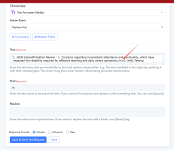
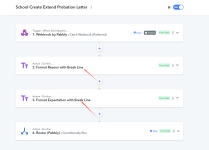
We have embedded /n into our JSON and would like to convert into [Enter] i.e <br> .
Right now we have the Pabbly Text Formatter - Replace All

Kindly advise the correct way of doing this.

Work Flow: School Create Extend Probation Letter

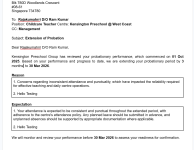
See Final Effect in attached.
 

Attachments

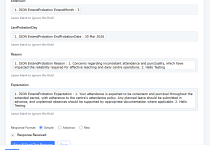
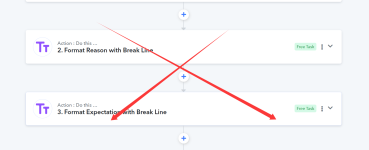
  • Steps that need to format into Break Line.png
    Steps that need to format into Break Line.png
    152.2 KB · Views: 21
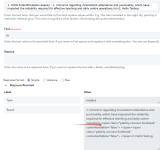
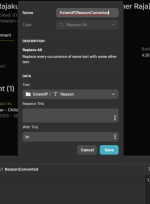
  • Replace.png
    Replace.png
    142 KB · Views: 20
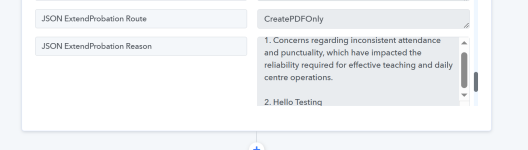
  • Final Effect.png
    Final Effect.png
    134.5 KB · Views: 21
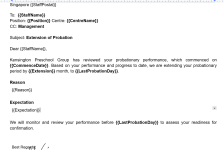
  • Error.png
    Error.png
    162.7 KB · Views: 24

Preeti Paryani

Well-known member
Staff member
Hi @ichilddev,

Upon checking your workflow, we can see that you are currently replacing /n with a custom <span> line-break element.

Please confirm whether this is working correctly on your end, or if the issue still persists.

If you are sending the content to Google Docs/Word, we recommend replacing \n (backslash + n) directly with the standard HTML break tag:

Find: \n
Replace with: <br>

Using <br> is more compatible when rendering content in Google Docs/Word integrations.

Kindly test this once and let us know the result.

1771927905253.png
 

ichilddev

Member
Once i have used \n (backslash + n), Pabbly Webhook actually dissect accordingly. Now we don't need to use the Text Format.
 

Attachments

  • Directly to Create Doc.png
    Directly to Create Doc.png
    137 KB · Views: 16
  • No Need Anymore.png
    No Need Anymore.png
    86.8 KB · Views: 18
  • Pabbly Webook Dissect.png
    Pabbly Webook Dissect.png
    47.5 KB · Views: 17
  • Glide Compute Column.png
    Glide Compute Column.png
    69.5 KB · Views: 13

Preeti Paryani

Well-known member
Staff member
Hi @ichilddev,

Thank you for the update.

As per your latest message, since using \n is now being properly dissected by the Pabbly Webhook and you are able to pass the data directly to the Create Document step without using the Text Formatter, it appears the issue has been resolved.

Please confirm once whether everything is now working as expected on your end. If anything is still not rendering correctly in Google Docs, we’ll be happy to assist further.
 

ichilddev

Member
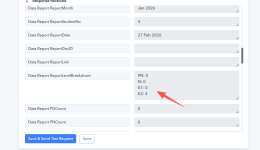
We have an issue when we received the unfiltered by Webbook.

Workflow: HC Create Monthly Report

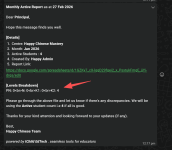
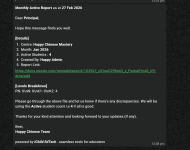
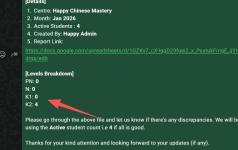
Desired Outcome:
[Levels Breakdown]
PN: 0
N: 0
K1: 0
K2: 4
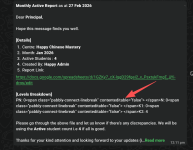
See Outcome

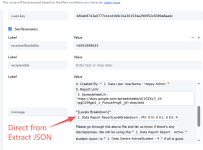
1. We have used Extract JSON from Webhook
2. We used the Direct from JSON Extractor . See Direct from JSON & outcome.
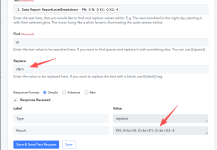
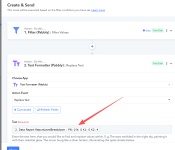
3. We also use Text Format - Replace All <br> . See Using br codes & br outcome.
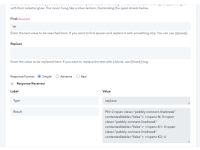
4. We also use Text Format - Replace All <enter> . See Using Enter Codes & Using Enter Outcome

You can use the Create and Send route -> ForTest for testing. Insert your whatsapp mobile if required.
 

Attachments

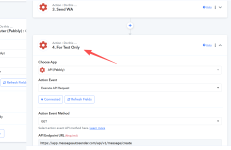
  • ForTest Task.png
    ForTest Task.png
    84.2 KB · Views: 10
  • Using Enter Outcome.png
    Using Enter Outcome.png
    163 KB · Views: 10
  • Using Enter Code.png
    Using Enter Code.png
    100.3 KB · Views: 10
  • Using br outcome.png
    Using br outcome.png
    155.6 KB · Views: 10
  • Using br codes.png
    Using br codes.png
    96.4 KB · Views: 11
  • Direct from JSOn Outcome - Error.png
    Direct from JSOn Outcome - Error.png
    185.5 KB · Views: 10
  • Direct from JSOn.png
    Direct from JSOn.png
    121.5 KB · Views: 11
  • Outcome.png
    Outcome.png
    99.5 KB · Views: 11
  • Extract JSON String.png
    Extract JSON String.png
    77.2 KB · Views: 10

Preeti Paryani

Well-known member
Staff member
Hey @ichilddev,

Thank you for sharing the detailed information along with the screenshots.

To test this further, we tried checking the Create and Send route, but we were unable to find the required action/configuration needed for testing.

Could you please re-addthe action step so that we can properly test the issue from our end?

Once we have this, we will investigate further and assist you accordingly.
 

ichilddev

Member
I need to convert this to

PN: 0
N: 0
K1: 0
K2: 4

And then put this into Send WA to send out to whatsapp

What do you mean by action/configuration?
 

Attachments

  • Convert this.png
    Convert this.png
    106.2 KB · Views: 7
Last edited:

Preeti Paryani

Well-known member
Staff member
Hey @ichilddev,

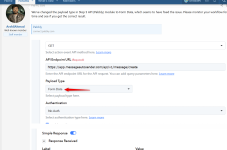
To help you resolve this faster, we need to see how the response for the specific field is coming from the trigger in the Task History. We tried capturing a similar response from our end, but it could not be captured exactly as it is sent from your source application.

Could you please trigger the workflow once by including the specific key Report → ReportLevelBreakdown in your JSON structure? This will allow us to review how the data is received in the Task History and assist you more accurately.

Note: We previously tried making some changes, but they did not work as expected, so we reverted them. Once you trigger the workflow with the same response from your builder, please let us know.
 

ichilddev

Member

Attachments

  • Same Endpoint.png
    Same Endpoint.png
    221.8 KB · Views: 5
Top