Customer VAT number missing from invoice - exact placeholder required

Status: Open · Asked by JP Roux on · 0 views

JP Roux — Question ·

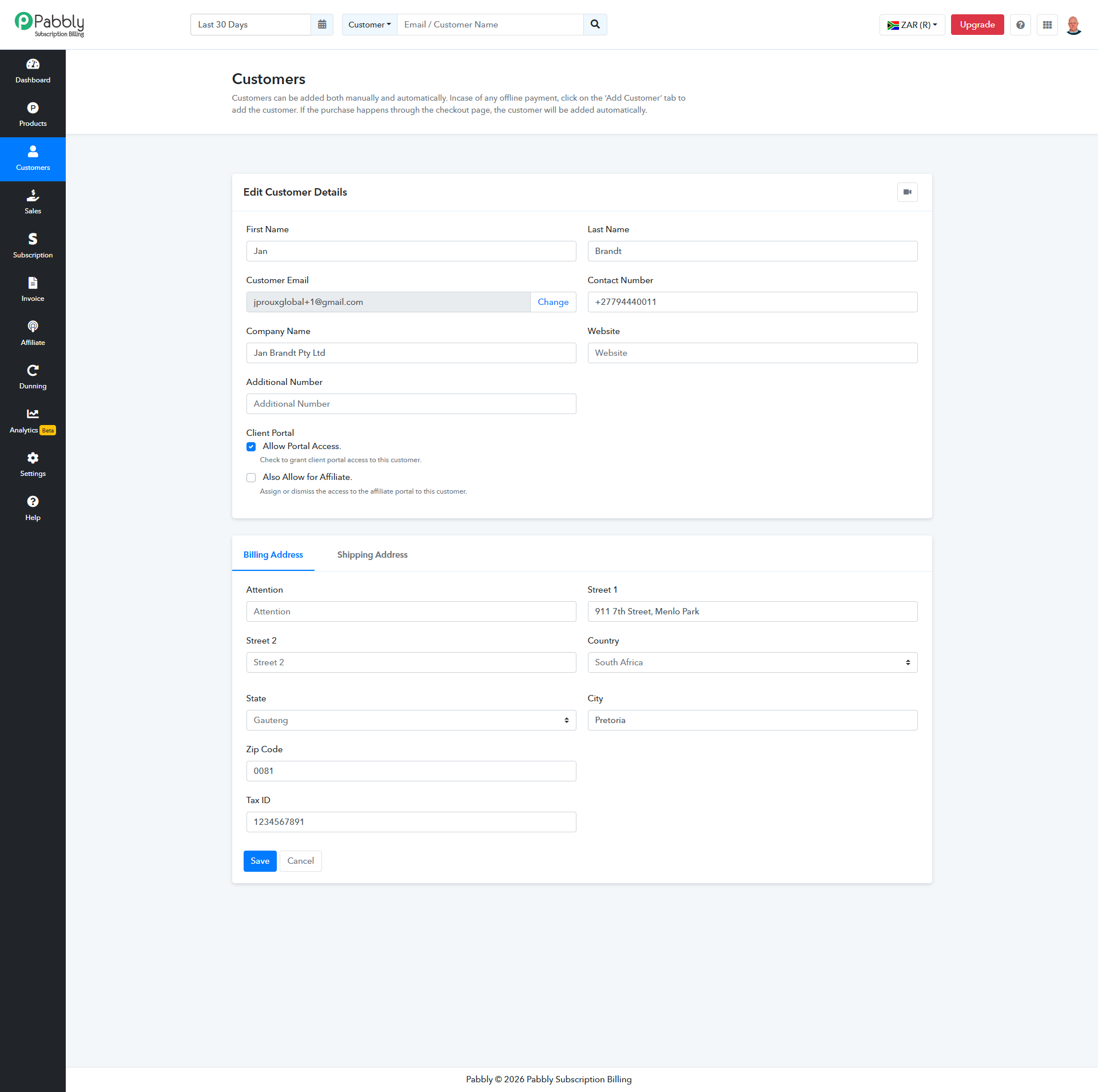
Our checkout captures the customer’s VAT number using the native Tax ID field. The test value 1234567891 appears in the subscription details but is missing from invoice JLO-INV-1.


References:


• Invoice ID: 6ab5177001da614a8997ef26
• Subscription ID: 6ab5177001da614a8997ef25


Please confirm how to automatically display the customer’s Tax ID on invoices, including the exact supported placeholder and step-by-step instructions for inserting it into our shared invoice template.


This concerns the customer’s VAT number, not our supplier VAT number, which is already displayed.


Thank you.
Pabbly Customer Tax ID.png
Customer with Tax ID.png
Pabbly Support — Reply ·

Hello,

Thanks for reaching out.

The customer's Tax ID only appears on invoices and order forms for products that have tax explicitly enabled in their tax settings. Since the value shows in the subscription details but not on invoice JLO-INV-1, the most likely cause is that tax is not enabled on the specific product/plan tied to that invoice. Please check the following:

1. Go to the product's tax configuration in Pabbly Subscription Billing and confirm that tax is enabled for that specific product/plan. The Tax ID field is only applied and displayed for products where tax has been configured.
2. If your checkout page bundles multiple products, the Tax ID will only apply to the products that have tax enabled, not the entire order. Confirm which product on the checkout link has tax turned on.
3. Test the checkout flow yourself and review the resulting invoice; the Tax ID should be visible on invoices for tax-enabled products.

If tax is already enabled correctly on the product but the Tax ID still isn't appearing, please share the checkout link along with the customer's email and we'll review the specific configuration.

Thanks & Regards,

Adeel Akhtar
🌐 Pabbly.com

JP Roux — Reply ·

Tax is already enabled through an active rule covering All Products and All Plans at 15%.

Invoice JLO-INV-1 correctly shows R4.35 plus R0.65 VAT, totalling R5.00. The customer’s Tax ID, 1234567891, is also saved in their customer record.

The issue is specifically that this recorded Tax ID is missing from the invoice - not that VAT is missing.

Please investigate invoice ID 6ab5177001da614a8997ef26 and confirm the exact setting or supported invoice placeholder required. Please clarify, if applicable, why an All Products / All Plans tax rule would not qualify.

See screenshots in this thread.

Pabbly Support — Reply ·

Hello there,

Thank you for your confirmation.

I am forwarding your concern to the Technical Team for further investigation. We will get back to you as soon as we hear from the Team. It may take up to 48 hours to get back to you.

Thanks & Regards,

Adeel Akhtar
🌐 Pabbly.com

JP Roux — Reply ·

Your Payment of R5.00 is Overdue.pdf (123.4 KB)

To clarify: we have not added a confirmed, supported customer Tax ID placeholder to our invoice template because we don’t know which placeholder to use.

The customer’s native Tax ID is captured and appears in the overdue email for JLO-ORD-3 (attached proof). VAT is already applied to the plan: invoice JLO-INV-1 shows R4.35 subtotal + R0.65 VAT = R5.00.

Please provide:

  1. The exact supported placeholder for the customer’s native Tax ID.

  2. The precise menu path and steps to insert it into our shared invoice template.

  3. If no placeholder is supported, the supported way to display it on invoices.

Subscription ID: 6ab5177001da614a8997ef25

Pabbly Support — Reply ·

Hello there,

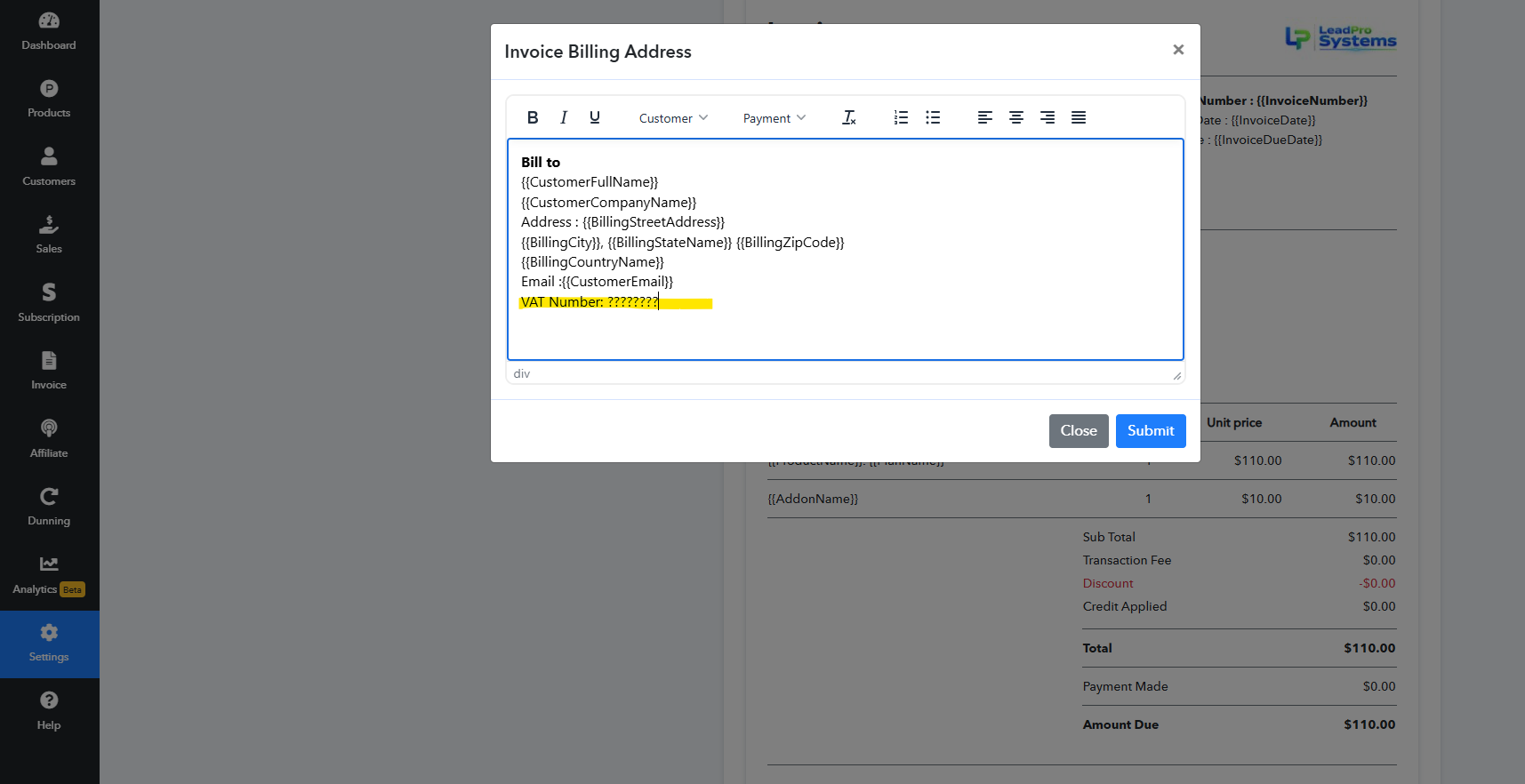
We added the Tax ID placeholder to the Invoice data, which was already available in the Customer Dropdown. It is now showing the Tax ID that the customer enters on the Checkout page. Kindly test at your end now. It will show the customer-entered Tax ID on the Invoice.

image.png

Thanks & Regards,

Adeel Akhtar
🌐 Pabbly.com

Pabbly Support — Reply ·

Hello there,

I hope you’re doing well. I just wanted to follow up regarding my last message.

Thanks & Regards,

Adeel Akhtar
🌐 Pabbly.com

Back to all forum threads · Log in to reply