Invoice timestamps appear in UTC despite account timezone being UTC+2 — JLO-INV-1
Status: Open · Asked by JP Roux on · 0 views
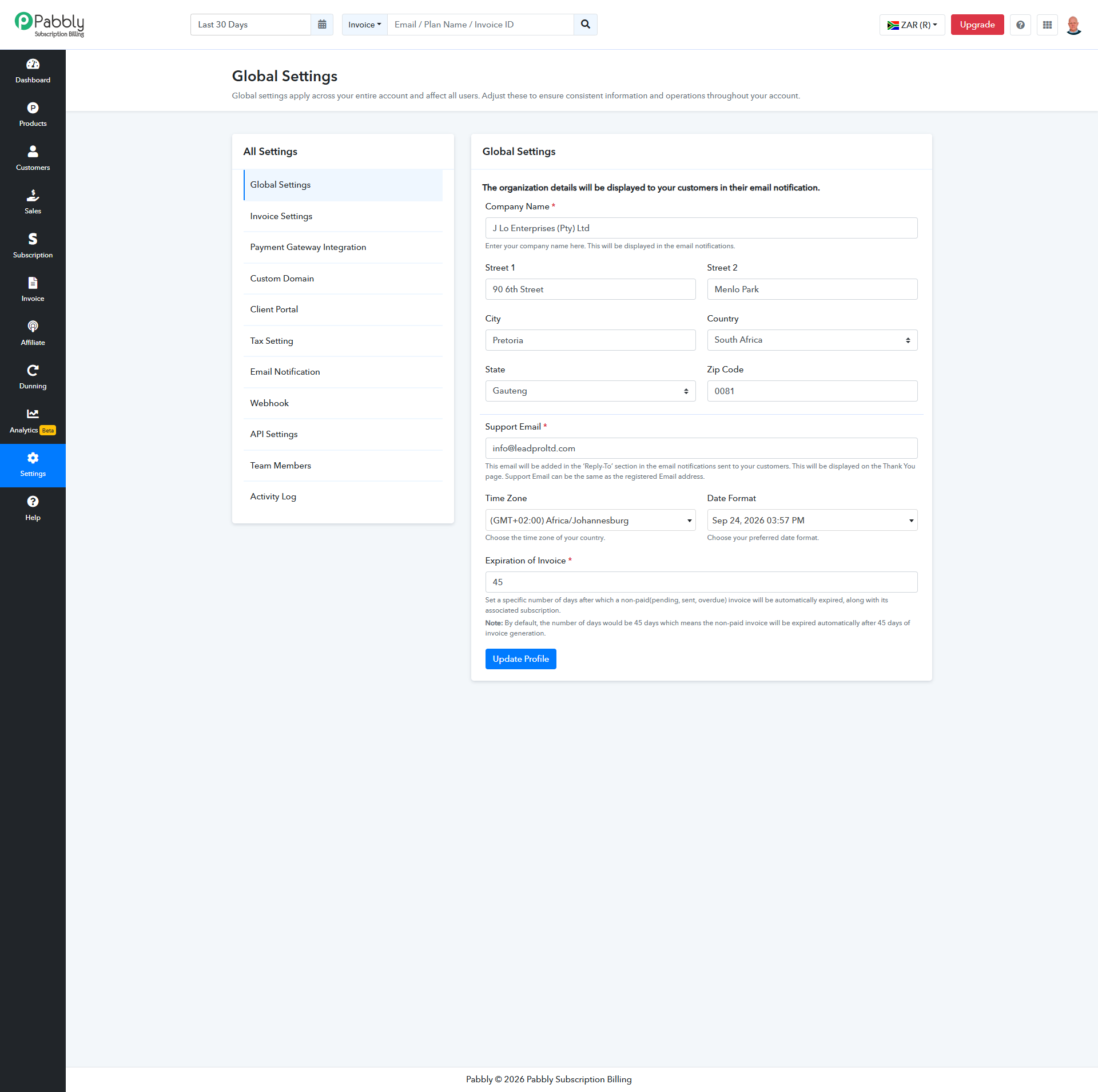
My Pabbly Subscription Billing account’s Global Settings timezone is correctly configured for South Africa (UTC+2).
However, the generated invoice appears to display UTC timestamps instead.
For the same successful R5.00 ZAR payment on 24 September 2026:
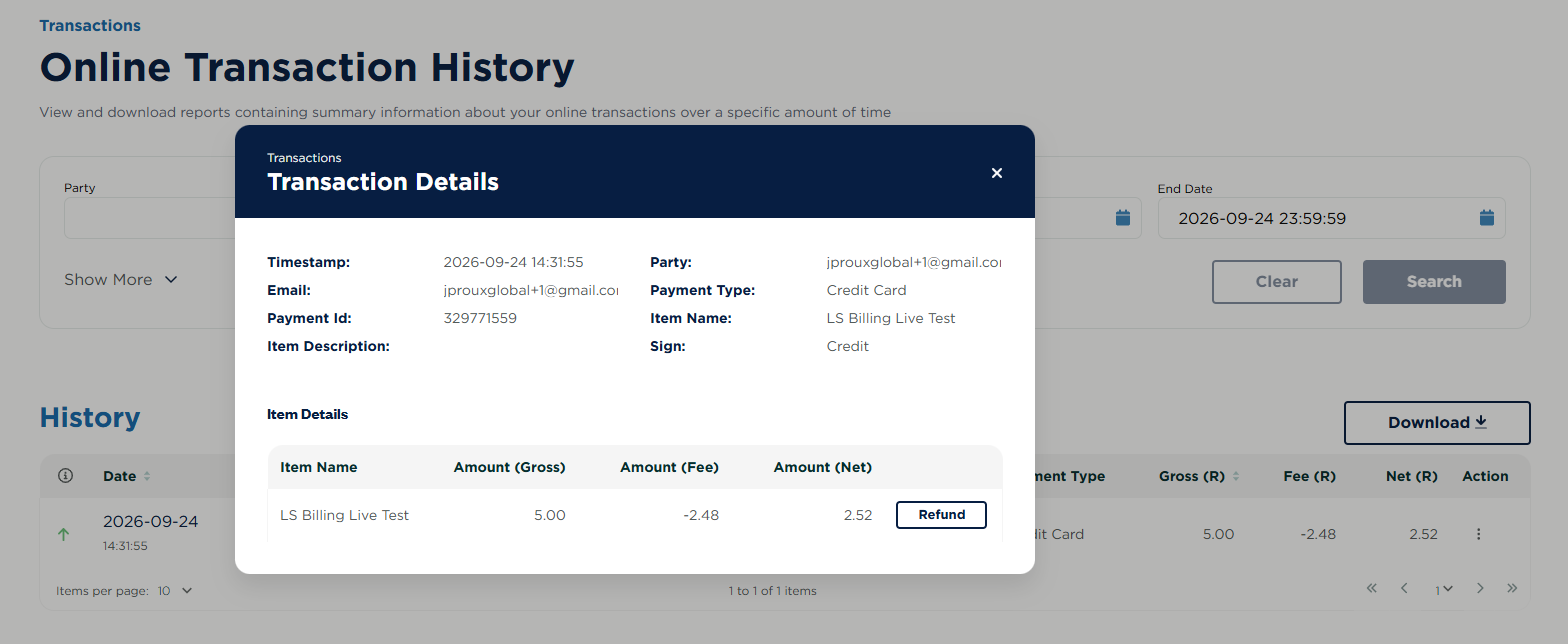
• Payfast records the payment at 14:31:55 South African time.
• Pabbly invoice JLO-INV-1 displays the invoice/payment time as 12:31 PM — two hours earlier.
Please investigate using these Pabbly references:
• Invoice number: JLO-INV-1
• Invoice ID: 6ab5177001da614a8997ef26
• Subscription ID: 6ab5177001da614a8997ef25
• Payment transaction ID: 6ab5177001da614a8997ef27
• Customer: Jan Brandt
• Customer email: [email hidden]
• Product: LS Billing Live Test
• Plan: LS Billing Live Test - Initial + Weekly
• Amount paid: R5.00 ZAR
Please confirm:
- 1. Should invoice dates and payment timestamps follow the timezone selected in Global Settings?
- 2. Why does this invoice show a two-hour difference despite the correct setting?
- 3. How can we ensure future invoices and notifications consistently display South African time?
- 4. Can the timestamp display on this existing invoice be corrected without changing its invoice number or payment record?
Attached are the Global Settings timezone screenshot, the invoice PDF, and the Payfast transaction screenshot for comparison.
Thank you.