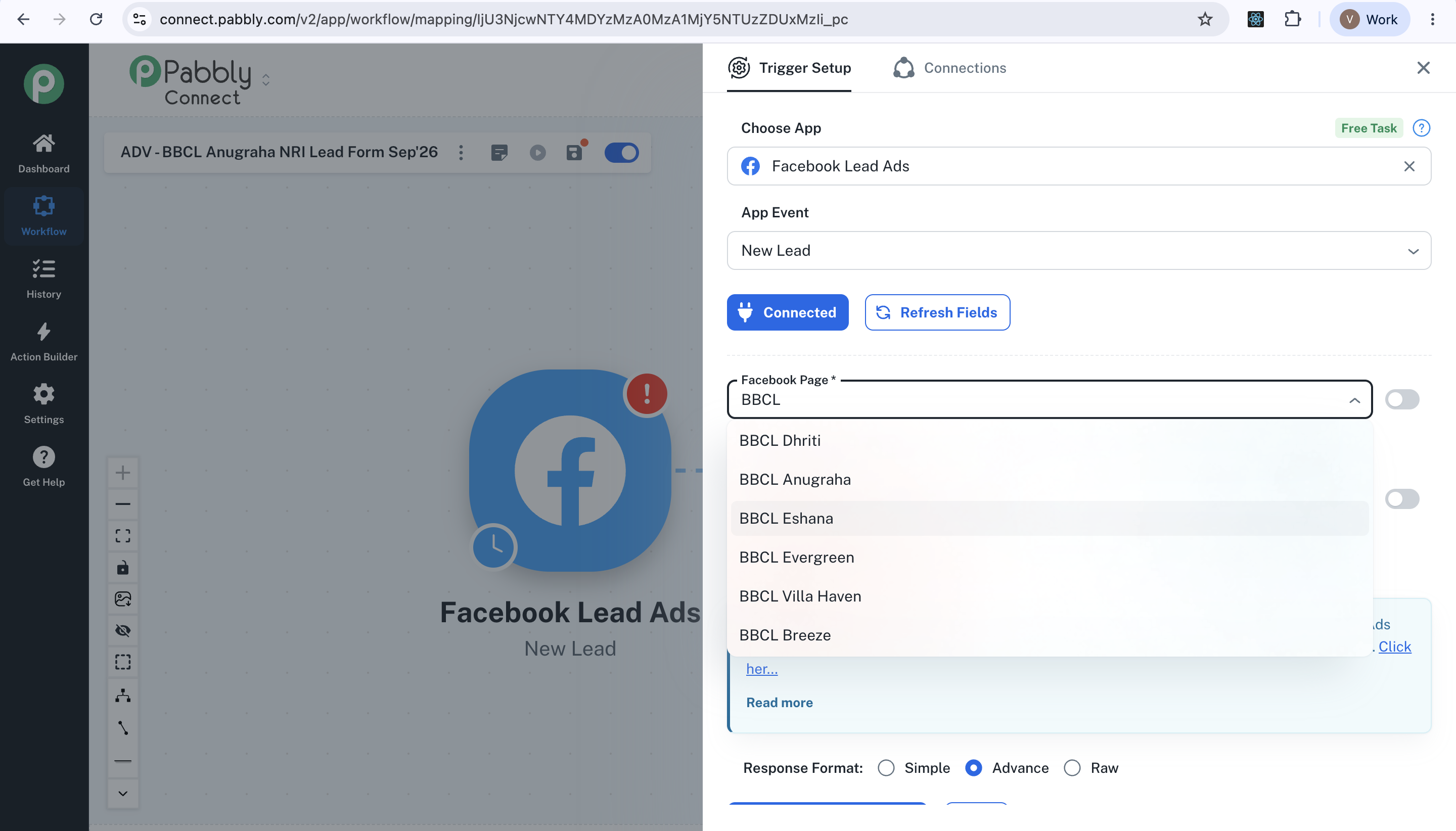
Facebook page not shown to create a workflow
Status: Closed · Asked by Vetrevel S B on · 0 views

Hello,
Thanks for reaching out, and sorry for the trouble this is causing.
When a Facebook Page does not appear in the Page dropdown while setting up a Facebook Lead Ads workflow, it is usually due to one of the following. Please try these steps:
1. Verify page permissions: Make sure the Facebook account you connected with has admin/editor access to the Page you are trying to select. Without proper page-level permissions, the page will not appear.
2. Re-authorize the connection: In your workflow, create a new Facebook Lead Ads connection (re-authorize the Facebook login). Expired tokens on older connections are a common cause of an empty pages dropdown.
3. Update existing connections: Once the new connection works, update your saved Facebook connections by re-authenticating them.
4. If your Facebook account has access to more than 100 pages, the dropdown only shows the first 100. In that case, toggle ON the Map switch on the Page field, clear it, and paste your Facebook Page ID manually (find it via your Page's About > Page Transparency or the URL).
A step-by-step video walkthrough is available here: https://www.youtube.com/watch?v=HDauRE3BtxI
If the page still does not appear after re-authorizing, please share a screen recording of the connection process so we can investigate further.
Thanks & Regards,
Adeel Akhtar
🌐 Pabbly.com
Hello there,
I hope you’re doing well. I just wanted to follow up regarding my last message.
Thanks & Regards,
Adeel Akhtar
🌐 Pabbly.com
Hello there,
I hope this message finds you well. I’m following up on my previous message. Further, this is our last follow-up. This Forum thread will be closed automatically as we have not received a reply. You can start a new thread or email us at support@pabbly.com to raise your concern.
Thanks & Regards,
Adeel Akhtar
🌐 Pabbly.com