Gmail new email trigger doesn't seem to work every time
Status: Closed Β· Asked by Paul van Gestel on Β· 0 views

Hello Paul,
Thank you for reaching out and for sharing the workflow details.
We understand that the Gmail β New Email trigger is working intermittently, even though the connection has been updated.
We checked the workflow from our end and found that it was executed 5 times on August 19, 2026.
To investigate this further, could you please confirm how many emails you expected the workflow to process?
Also, if there are any specific emails that you believe should have triggered the workflow but did not, please forward those emails to us. If possible, kindly share a screenshot showing the relevant email details as well.
This will help us compare the email activity with the workflow executions and investigate the issue further.
We look forward to your response.
Hello Naman,
As a mettor of fact the trigger should work on all incoming emails, but it doesn't trigger at all with the exception of the 5 emails. There was another workflow running which was also triggered by a new email, but I deactivated this and I made a new connection with gmail so I would think that that shouldn't be a problem.
Hello Paul,
Since the workflow is expected to trigger for all incoming emails, and you have already deactivated the previous workflow and created a new Gmail connection, we recommend refreshing the Gmail trigger configuration to ensure the current workflow is properly registered for incoming email events.
Please follow these steps:
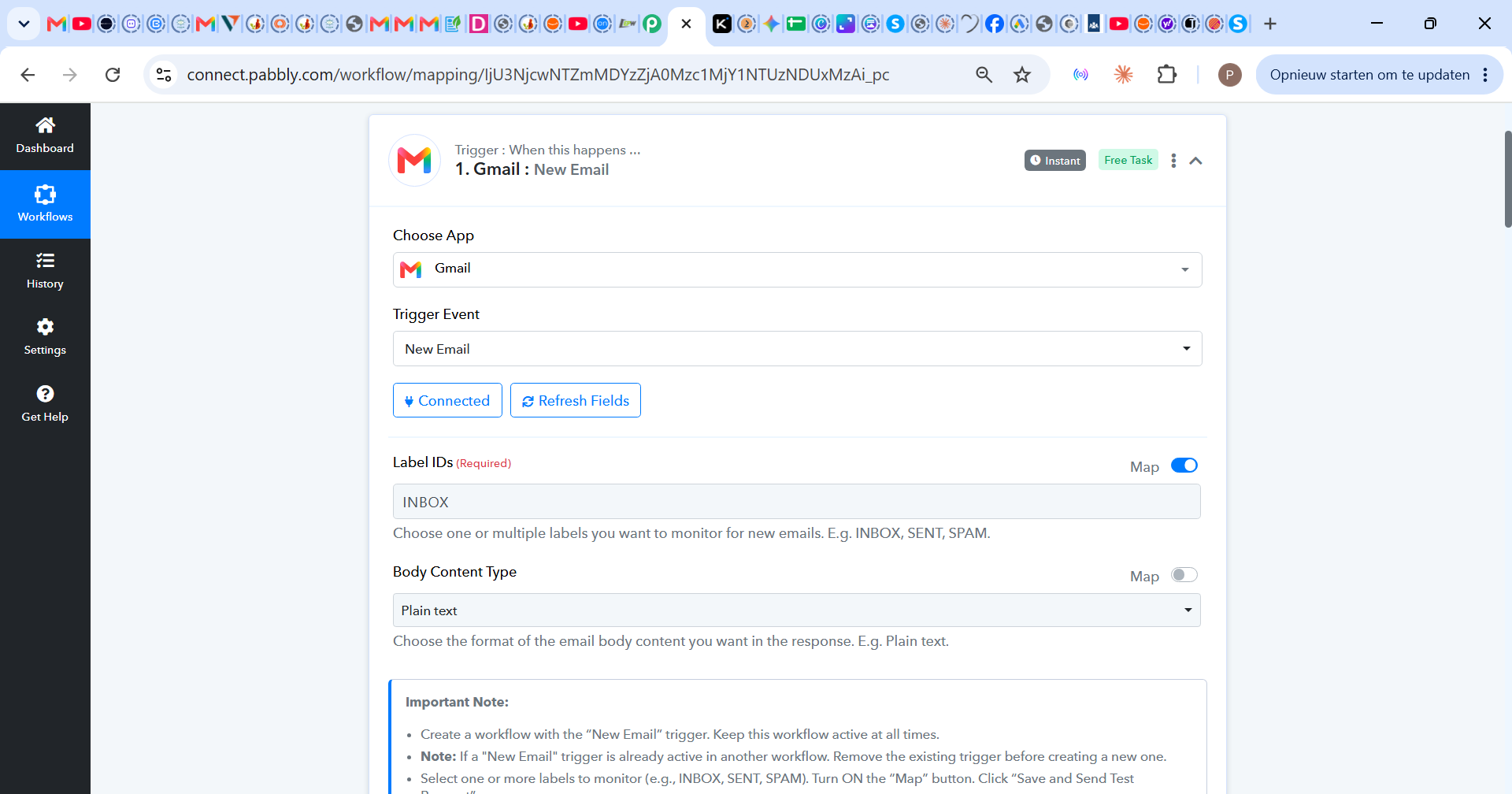
Open the Gmail β New Email trigger in your workflow.
Click Connected, and re-authorize the existing Gmail connection or create a new one.
Make sure the Label IDs field is set to
INBOX.Click Save & Send Test Request to refresh the trigger configuration.
Ensure the workflow is ON.
Send a new test email to the connected Gmail account and check whether the workflow is triggered.
If the trigger still misses incoming emails after completing these steps, please let us know and share the details of the emails that were not picked up. We can then investigate the trigger configuration further from our end.
Hi Naman,
when I try to save and send test requets I instantly get this response

Hello Paul,
Thank you for your patience while we investigated this.
We have made the necessary changes to your workflow and refreshed the Gmail trigger configuration from our end. We also tested the trigger, and it is now responding successfully. Please send a new test email to the connected Gmail account and check whether the workflow is triggered as expected.
For your future reference, please note that you can only maintain one active Gmail trigger workflow per Pabbly Connect account. Having multiple workflows or connections for the same Gmail account can cause conflicts and result in missed trigger registrations.
If you need to process emails through multiple workflows, you can use either of these approaches:
Router: Keep the Gmail trigger in one workflow and use a Router with different filter conditions to handle multiple use cases within that workflow.
Data Forwarder: Keep the Gmail trigger in one workflow and use a Data Forwarder to send the captured data to other workflows through a Webhook trigger. This allows you to keep the processing logic separated across workflows.
For now, please test the current workflow with a fresh incoming email. If it triggers correctly, no further changes should be required.
If it still does not trigger, please share the details of the test email with us so we can investigate the specific execution further.
Hi Naman,
It seems to work now. Thank you for your help. Can I ask what changes you made?
Hello Paul,
We found that you created different connections with the same Gmail account and used it within different workflows, and whenever you clicked the save and send test request button for those workflows, a webhook was installed in Gmail; hence, when you try to do this with any other workflow, it causes such issues.
To resolve this, we've used the action to Remove New Email Trigger for both of your workflows with which you were facing issues, and once we created it, we again set up the Gmail trigger for the same workflow you've shared with us, and it started working fine.