GMB Review reply not working.
Status: Open · Asked by SourceIO Technologies on · 0 views
Hello,
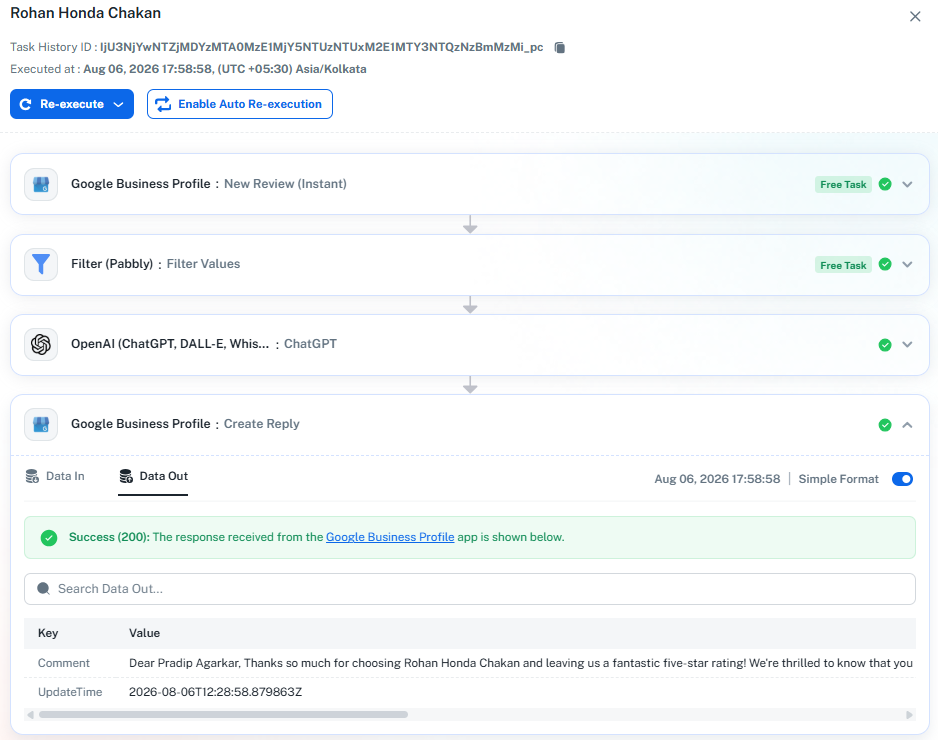
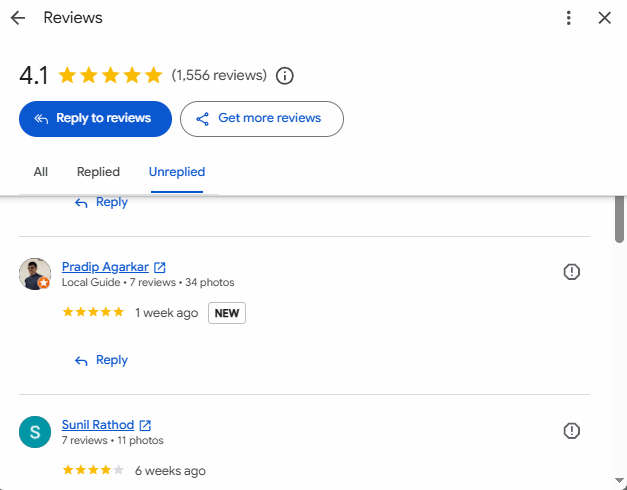
Thank you for reaching out and for sharing the screenshots.
When a workflow completes and shows a successful execution but the reply does not appear on the Google Business Profile review, it is usually due to one of the following:
1. If the Create Reply action returns a success (200) but the reply does not show up, please check the Review Name field in that action step. If it is set to a statically selected value from the dropdown, every execution posts to that same fixed review instead of the newly received one. To fix this, map the Review Name field dynamically from the trigger step (Step 1) response so it uses the review ID/name coming in from the incoming review event. Please review all your Create Reply actions to ensure each maps the Review Name from the trigger, then save and test.
2. If the workflow is executing successfully and replies are being sent, the delay may be on Google's end. Google may temporarily hold review replies for moderation (spam/quality checks, new or recently edited profiles, unusual posting activity, etc.), and publication can take up to 3 days.
Could you please confirm whether the Review Name in your Create Reply action is mapped dynamically or selected statically from the dropdown? Also, in a successful execution's Data Out, does the review ID/account match the review you expect to reply to?
If replies still do not appear after switching to dynamic mapping and Google's moderation period, please share the affected workflow URL(s) and a few specific review examples so we can investigate further.