Google Slides - Create Template Step - Stopped Working
Status: Open · Asked by LUDIFU.com - Let Us Do It For U on · 0 views
I tried to create a new step but this time, when I chose "create a template" - the list of slides in my account did not show.
Task URL: https://connect.pabbly.com/task/history?filter_status=applied&filter_by_workflow_id=IjU3NjAwNTY0MDYzNTA0MzU1MjZmNTUzNyI_3D_pc
IjU3NjYwNTZjMDYzMTA0M2M1MjZkNTUzNTUxMzI1MTY0NTQzNjBmMzMi_pc
Executed at
Aug 08, 2026 14:06:18, (UTC+05:30) Asia/Kolkata
This is the main
Hi,
Thank you for reaching out!
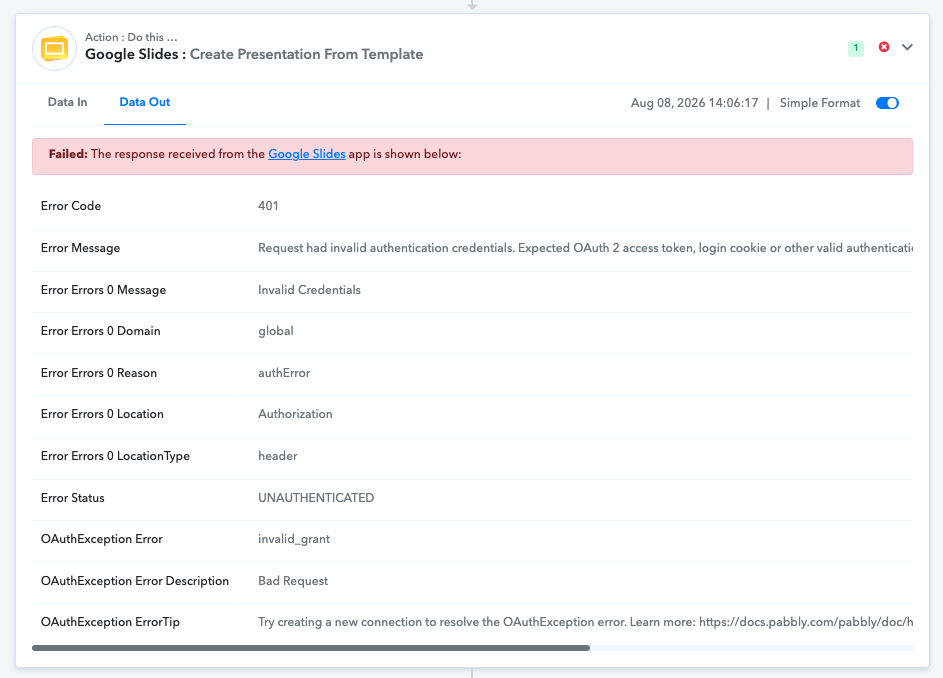
The 401 / UNAUTHENTICATED (invalid_grant / Bad Request) error indicates that the OAuth authorization token between Google Slides and Pabbly Connect has expired or been revoked. Because the connection is currently invalid, the step is unable to fetch the list of slides from your account.
To resolve this issue, please follow these steps:
Open your workflow in Pabbly Connect and go to the Google Slides step.
Click on Connect (or edit the existing connection).
Select "Add New Connection" and click "Connect with Google Slides".
Complete the OAuth authorization popup using the Google account where your slides are hosted.
Once re-authenticated, save the step and re-select your template slide from the dropdown list.
After creating the new connection, test the step to confirm it successfully fetches your slides. Please let us know if you run into any issues during re-authorization!
Thanks & Regards,
Hrishabh
Customer Support Associate
🌐 Pabbly.com
👉 Rate your support