
• ⚠️ Important: This forum is being discontinued.

    We've moved community discussion to a new platform — better search, faster replies, and tighter integration with the Pabbly apps you already use.

    • Sunset date: 23 July 2026 (this forum will go offline after that)
    • Until then: Login remains available for 30 days
    • Continue the conversation: https://sales.pabbly.com/forum

Replied Last user message variable in Pabbly chatflow

roneysider

Member
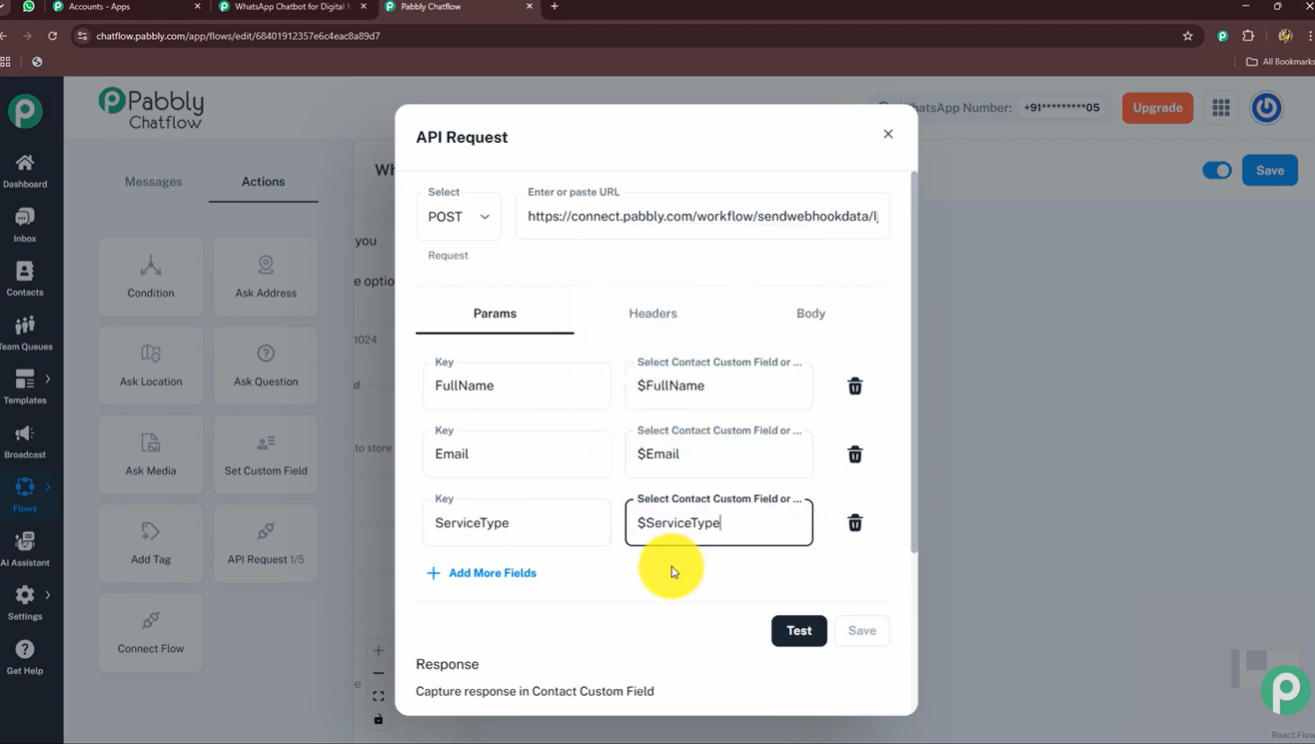
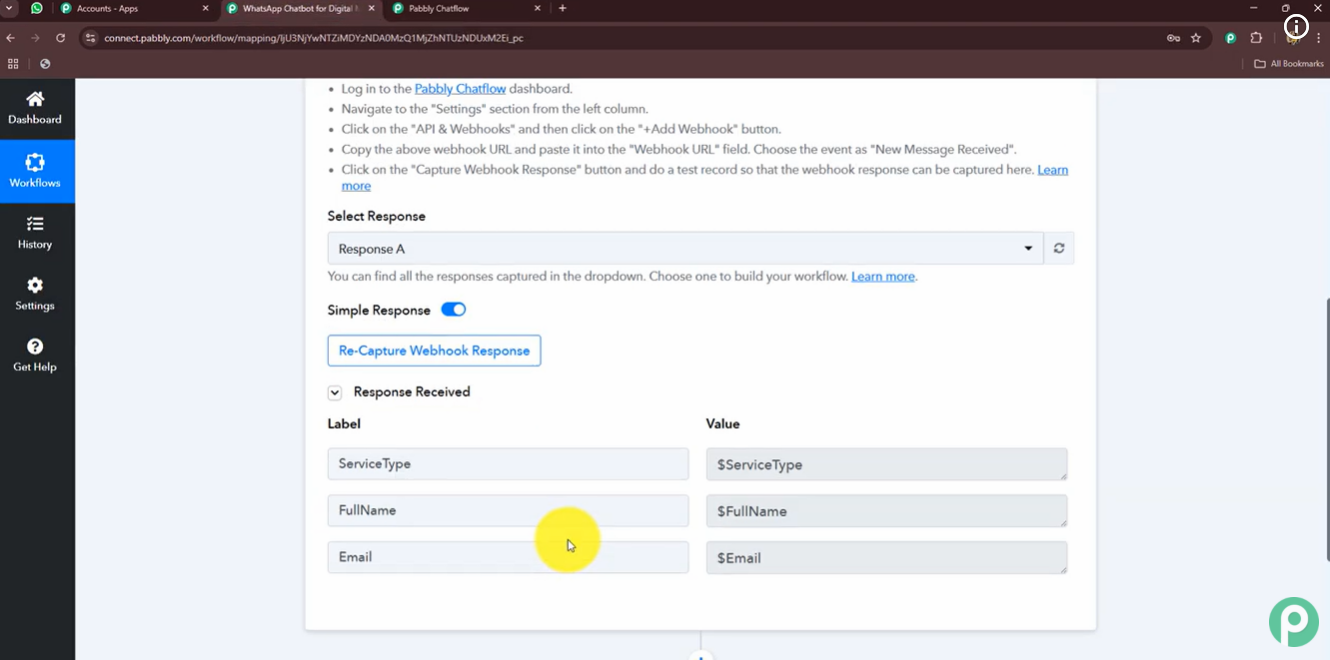
Hi @ArshilAhmad, this is the way that I am doing right now. However, we come back to my original question. How to send user messsagem received in the Chatflow to Connect, without using a custom field? These prints form the video you shared shows exactly my point, in this example only custom fields are being received in Pabbly Connect. How to send the user messagens as well?

1778375546396.png

1778375603442.png

When you set up the Pabbly Chatflow: New Message Received trigger step in your Pabbly Connect workflow in the manner stated above, it will capture each and every message you receive. It is not possible to receive only specific messages.

Now, for your use case, if you want the conversation to begin in Pabbly Chatflow, you can do that and then send the data to Pabbly Connect in the manner shown in the video shared below.

You can then create a separate flow that gets triggered based on certain keywords or template responses, so the conversation can continue in Pabbly Chatflow.

Thanks & Regards,
Arshil Ahmad
Customer Support Associate
🌐 Pabbly.com
 

Preeti Paryani

Well-known member
Staff member
Hi @roneysider,

If you are trying to send the data from Pabbly Chatflow to Pabbly Connect using the API node within Flows, then currently it would not be possible to send the customer message that was received in the chat directly to Connect.

The reason is that, as of now, there is no option available to save/store the incoming customer message within the flow and then transfer it to Pabbly Connect. Due to this limitation, only the mapped custom fields can be sent through the API node, whereas the actual customer message through which the flow was triggered cannot be passed to Connect currently.
 

roneysider

Member
Hi @roneysider,

If you are trying to send the data from Public Chatflow to Pabbly Connect using the API node within Flows, then currently it would not be possible to send the customer message that was received in the chat directly to Connect.

The reason is that, as of now, there is no option available to save/store the incoming customer message within the flow and then transfer it to Pabbly Connect. Due to this limitation, only the mapped custom fields can be sent through the API node, whereas the actual customer message through which the flow was triggered cannot be passed to Connect currently.
Thank you for the clarification. I hope it can be implemented in the future.
 
Top