Need Help Adding Tax Information to Comfoliv Account
Status: Answered · Asked by Anjali koli on · 0 views
Dear Pabbly Support Team,
I would like to add my business tax information (GST details) to our Comfoliv account on Pabbly.
However, I am unable to find the option to add or update tax information in the account settings.
Could you please guide me on where and how I can add my GST details so they are reflected correctly on future invoices?
If this needs to be updated from your end, please let me know the required details.
Looking forward to your assistance.
Best regards,
Sidharth Parmar
Founder
ClimbNRise Digital Marketing Pvt. Ltd.
Hi Anjali,
You can add your GST details to your Pabbly account by navigating to the billing settings and updating your business tax information. Please refer to the attached screenshot for guidance on where to navigate and update your GST details.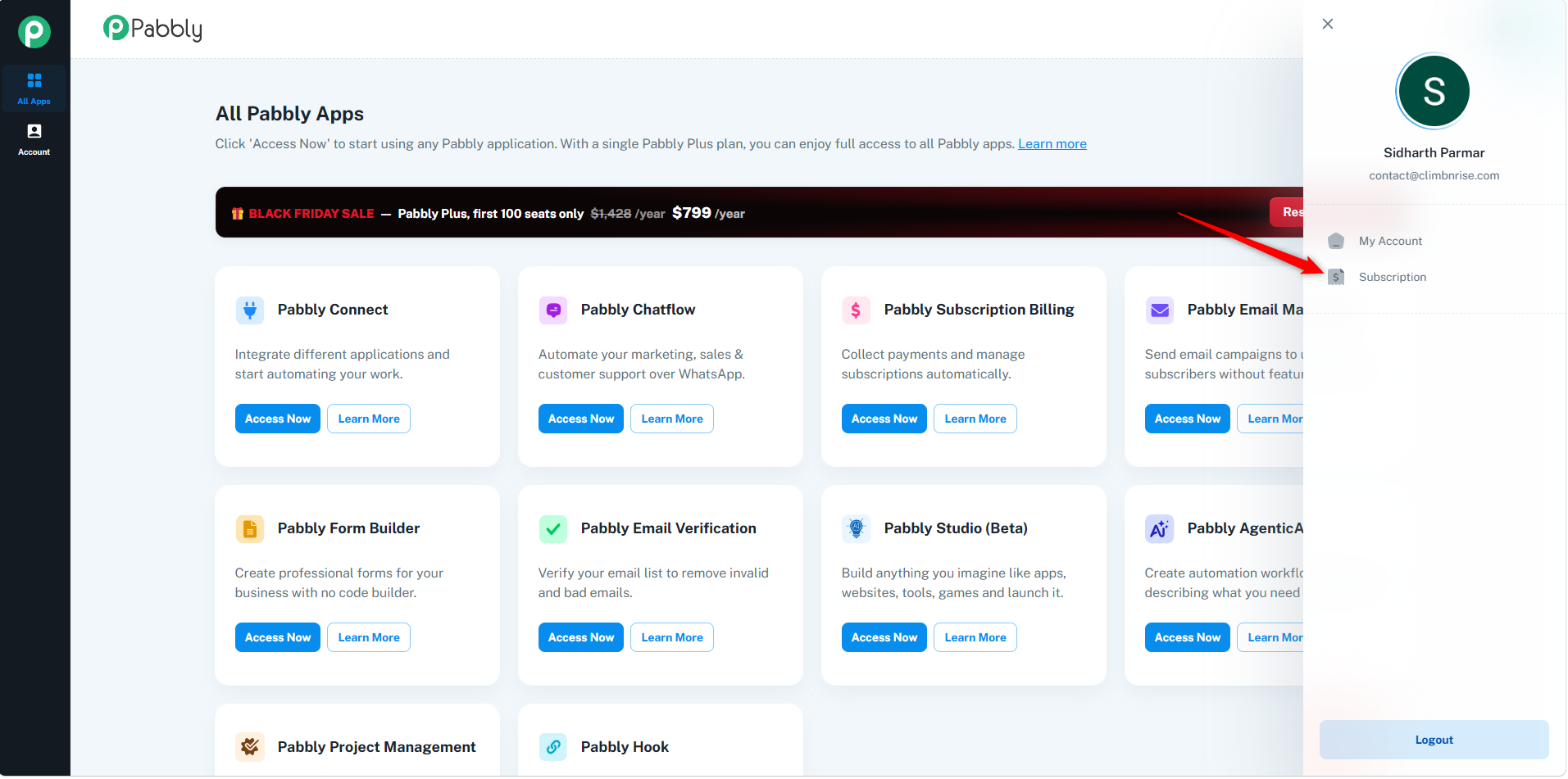
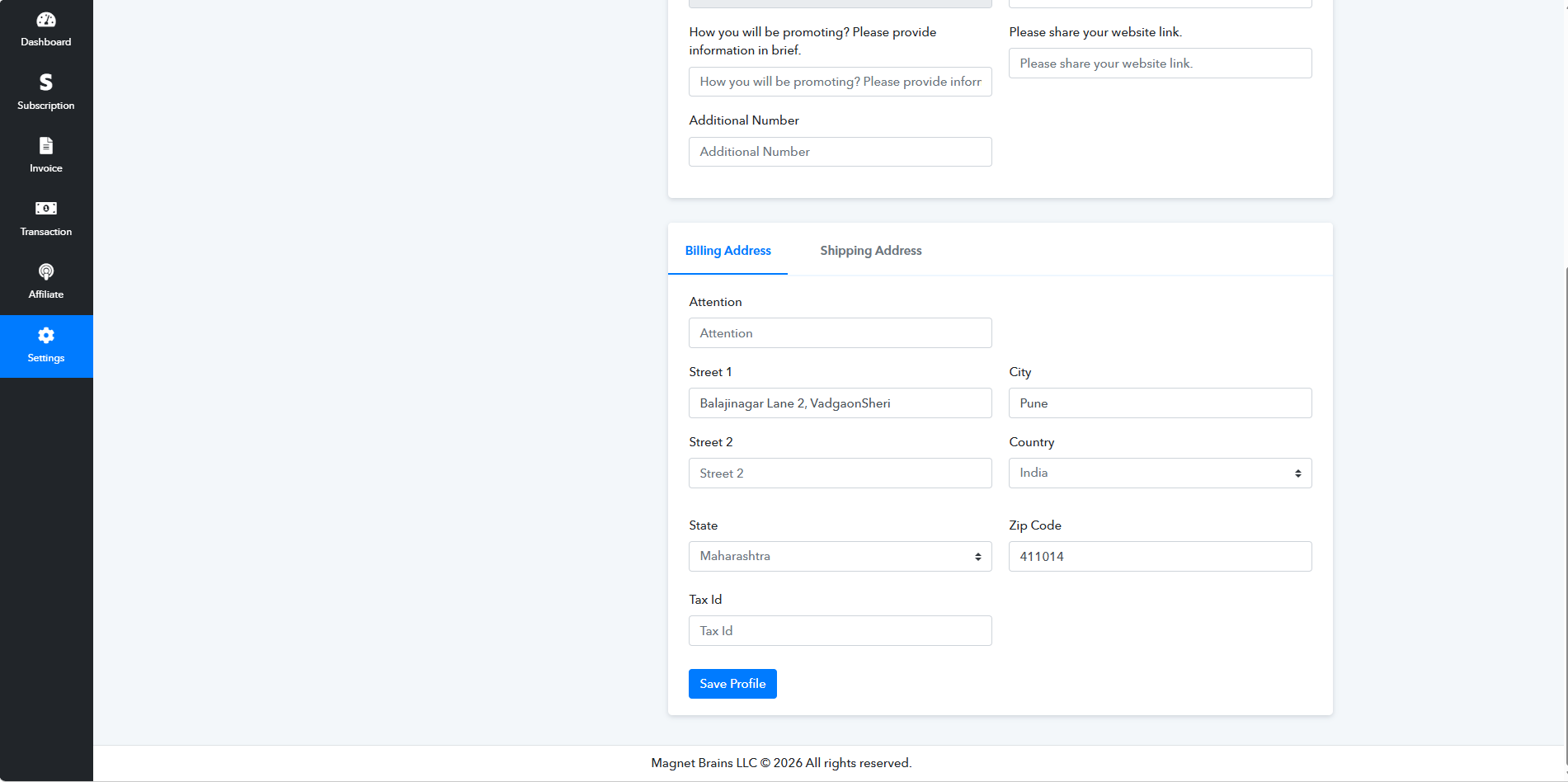
Please note that these changes will not be reflected in your existing recurring subscriptions or their future invoices. The updated GST details will only apply to new plan purchases.
If you want your GST details to appear on future invoices, you can cancel your existing subscription before its next billing cycle and purchase a new plan after updating your GST information. The GST details will then be reflected in the invoices generated for the new subscription.
Please let us know if you need any further assistance
Aditya Chourey
Customer Support Associate
🌐 Pabbly.com
👉 Rate your support
Black Friday Early Access