Printful action, Product Name dropdown doesn't match my store
Status: Closed · Asked by Gianaclis Caldwell on · 0 views
Hello Gianaclis,
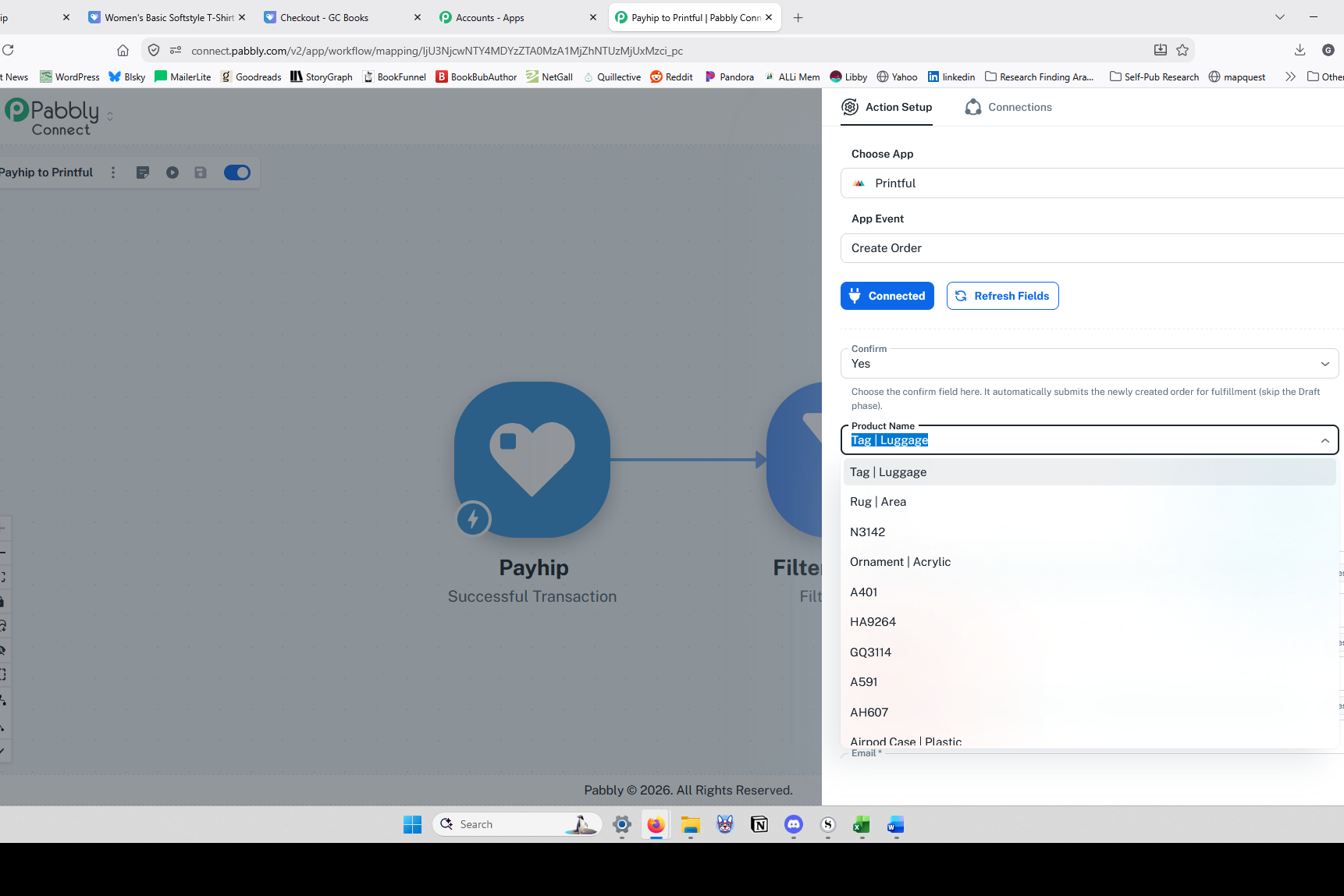
Thanks for reaching out and for the detailed description. The reason the Product Name dropdown isn't showing your products (and why the test order went through for an item you don't sell, like the luggage tag) is that the Product Name and Variant fields are using raw/manual text mappings that don't match Printful's expected structure.
Here's how to fix it:
1. In the Printful step, click the Connected button and reconnect your Printful account so the fresh dropdown lists load.
2. For the Product Name field, turn OFF the mapping toggle (if it's enabled) and select your product directly from the dropdown menu instead of typing or mapping text.
3. For the Variant field, select your variant directly from the Variant dropdown menu rather than using manual text.
Once both Product Name and Variant are selected directly from their dropdowns, click Save & Send Test Request to test the step again.
If the dropdowns still appear empty after reconnecting, please let us know and we'll take a closer look. You're welcome to share your workflow name/ID so we can review it directly.
Hello Gianaclis,
I hope you’re doing well. I just wanted to follow up regarding our last message.

Hello Gianaclis,
I hope this message finds you well. I’m following up on my previous message. Further, this is our last follow-up. This Forum thread will be closed automatically as we have not received a reply. You can start a new thread or email us at support@pabbly.com to raise your concern.