Tags Not Added To New Contact
Status: Closed · Asked by Dave Smith on · 0 views
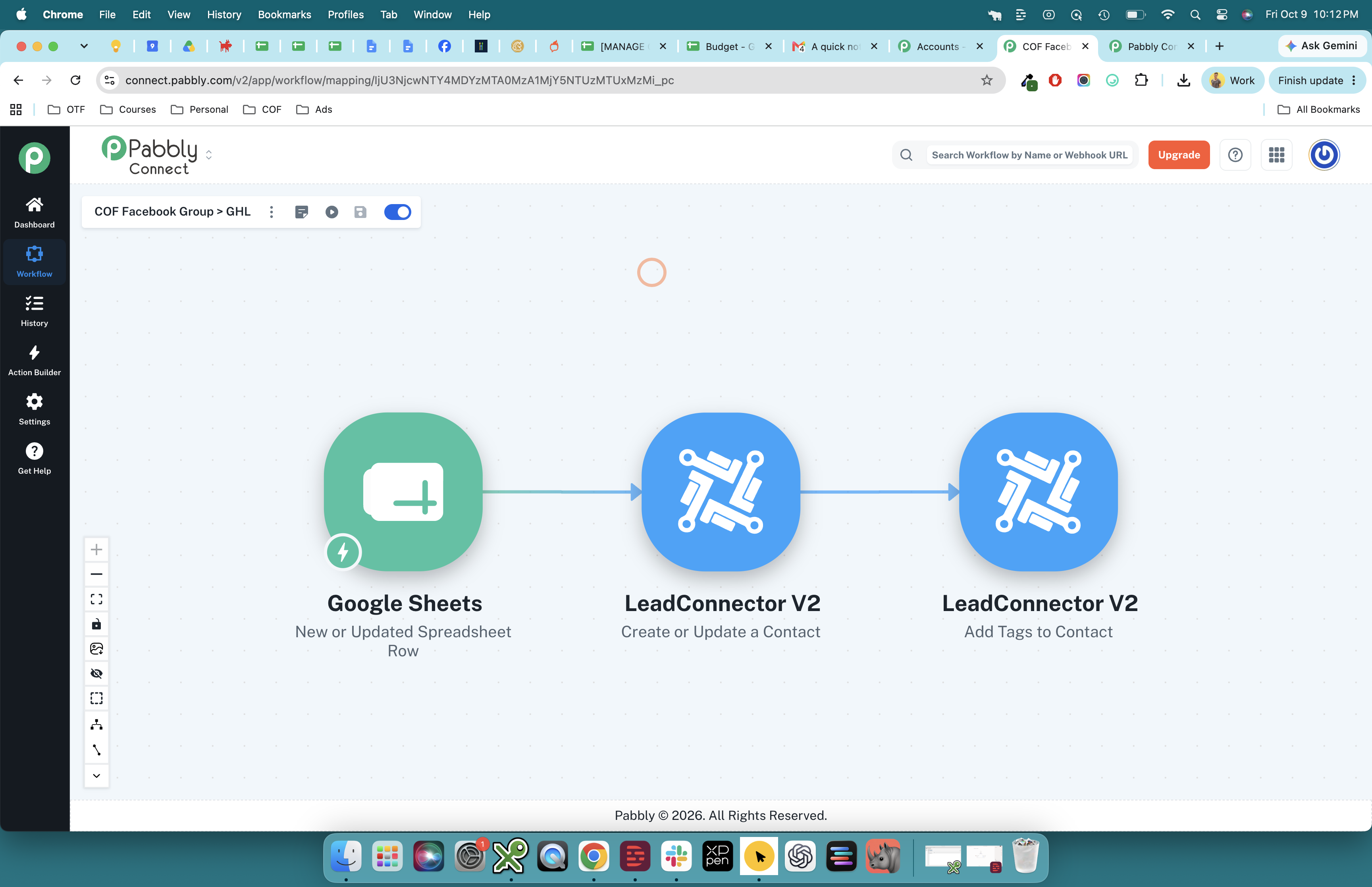
{
    "error": "Contact with id [email hidden] not found",
    "status": 400
}
Hello Dave,
Thank you for sharing the screenshots and error details.
Upon reviewing your workflow, we found that the Contact ID field in Step 3 (Add Tags to Contact) was mapped to the contact’s email address instead of the actual Contact ID.
As shown in the first screenshot, the field’s help text clearly specifies that it requires a Contact ID.
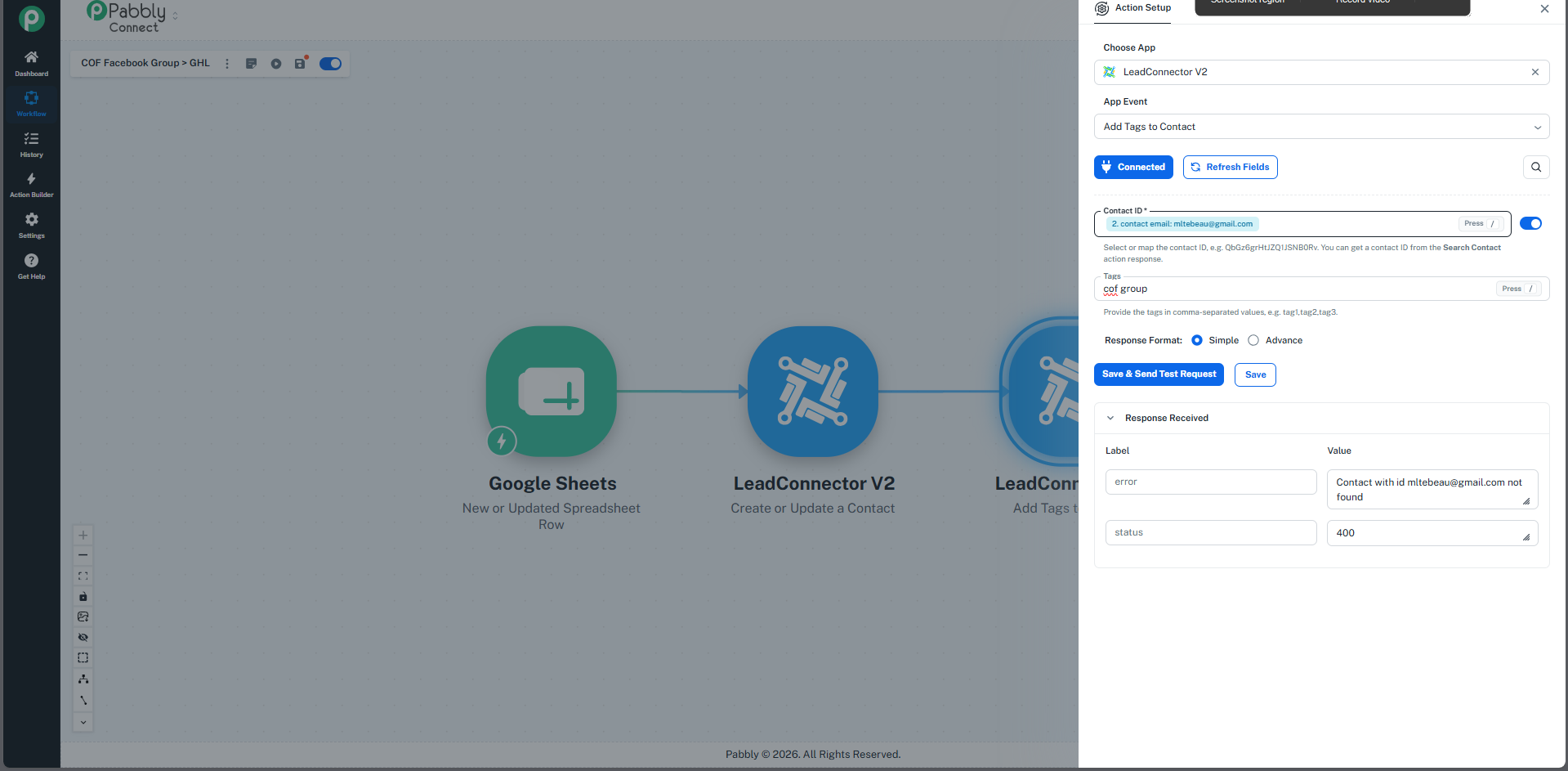
In the second screenshot, the field is correctly mapped to the Contact ID returned by Step 2 (Create or Update a Contact).
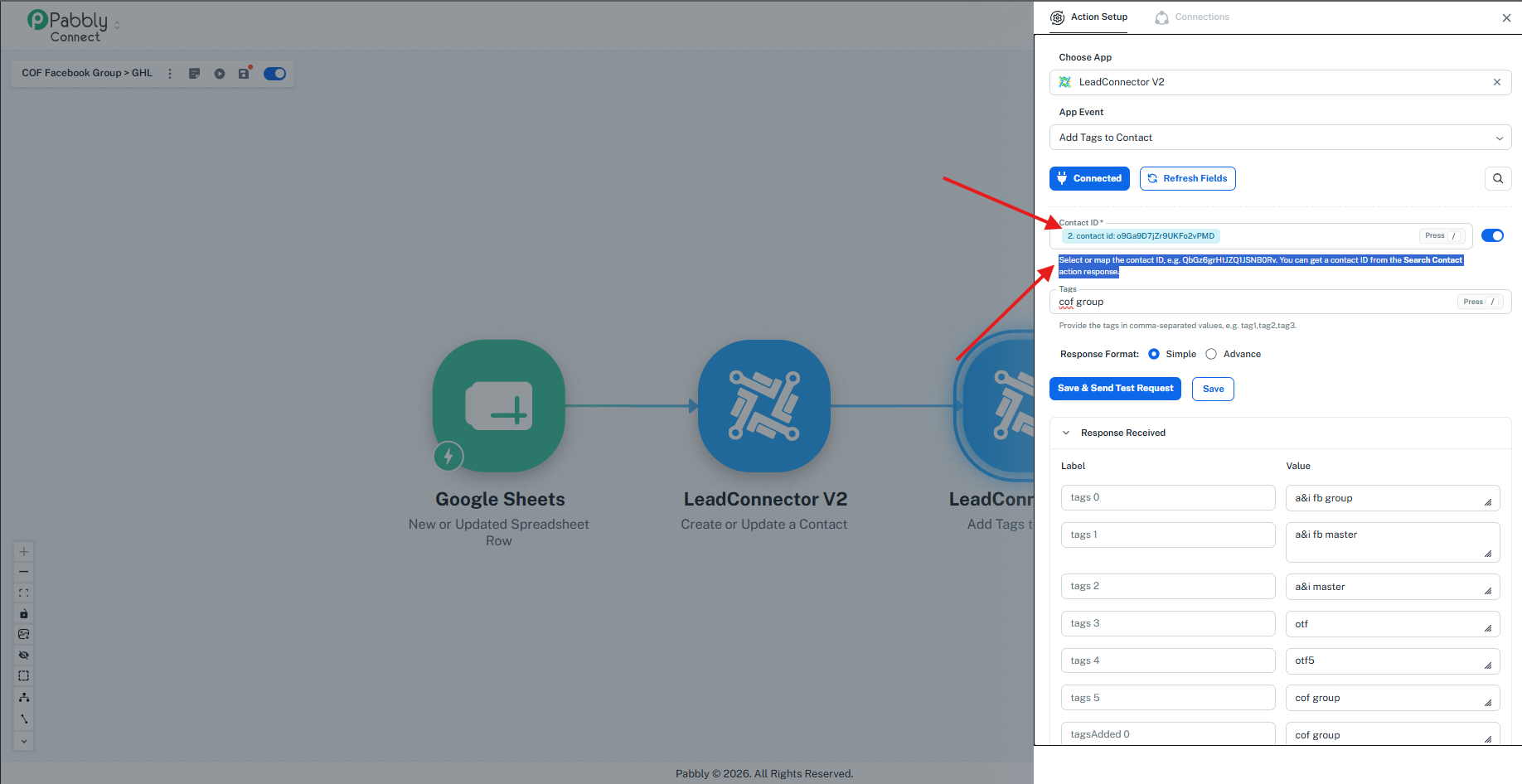 After correcting this mapping, the action is proceeding successfully.
Please ensure that the Contact ID returned by Step 2 is mapped to the Contact ID field whenever you configure this action.
Oh, thank you so much!
Hello,
You're welcome! Glad to hear that fixed it for you.
If you have a moment, we’d really appreciate it if you could share your experience on Trustpilot:
https://www.trustpilot.com/review/www.pabbly.com
Feel free to reach out if you need help with anything else!