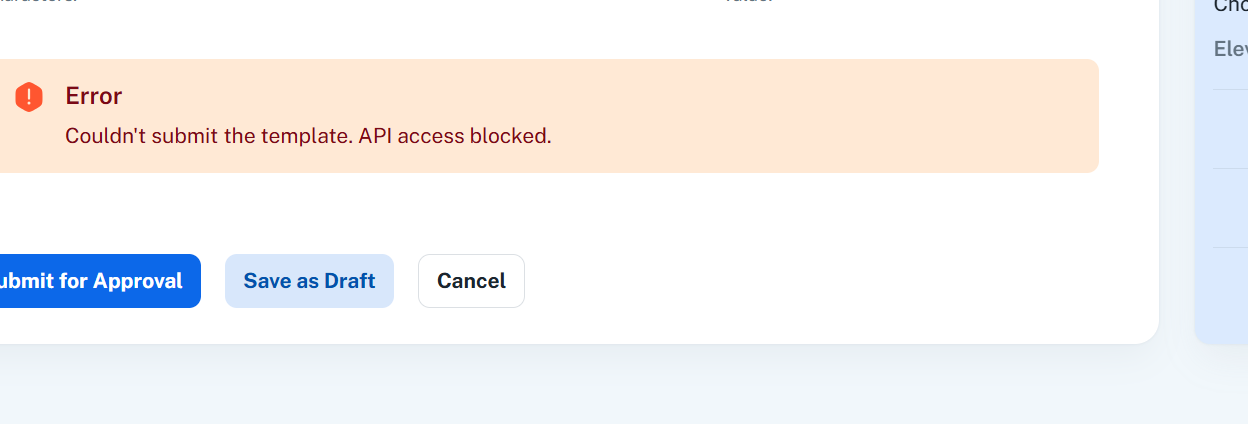
template not submitting
Status: Closed · Asked by OnEasy Consultants on · 0 views
Hello,
Thanks for reaching out and for the detailed information.
When Pabbly no longer appears under Connected apps, Removed apps, or Partners in your Meta Business Settings, it usually means the connection has lost its required permissions, which can cause errors like "API access blocked" during template submission. The recommended fix is to reconnect the number rather than deleting it:
1. Go to 'Add WhatsApp Number' in your Pabbly Chatflow dashboard.
2. Click 'WhatsApp Connect'.
3. Proceed through the Facebook embedded signup flow, clicking 'Next' on each screen and granting ALL permissions, do not uncheck any permission toggle.
4. Once reconnected, run 'Sync' again.
5. At the registration step, choose the option matching your number type: if it is a WhatsApp Business App number, click 'Subscribe'; if it is a fresh/Cloud API number, click 'Register'.
Please avoid deleting the existing number first, reconnecting while keeping it in place is the cleaner path and should not disturb your pending display name review, as that is handled on Meta's side.
Note that your display name review and any business verification steps are controlled entirely by Meta, so reconnecting in Pabbly will not override or reset that pending review.
If the issue persists after reconnecting and granting full permissions, please share your Pabbly-registered email along with a full screenshot of the error at support@pabbly.com so we can investigate the specific failure.


this is what I'm facing when I trying to connect through whatsapp connect
Update: it's not only template submission. Syncing templates in Chatflow now also fails ("Couldn't sync the templates. Something went wrong on our end"), and submitting fails with "API access blocked". My template doctors_eb is Active in Meta WhatsApp Manager. This looks like a broken or expired API connection for +91 79810 32273. Please reset or re-authorize the connection from your side, or tell me the exact steps to reconnect without affecting my pending display name review. I can't send campaigns until this is fixed.
Please help me fixing this
Hi,
Thank you for sharing the screenshot and the additional details. We understand that both template syncing and template submission are failing, even though the template doctors_eb is Active in Meta WhatsApp Manager.
The screenshot indicates that Meta is blocking the onboarding process because the WhatsApp number is already linked to a Business AI agent. Meta is asking you to disconnect the agent before proceeding with the number verification.
Please follow these steps:
Open the WhatsApp Business app on your phone.
Go to Business tools → Your Business AI → AI replies.
Select the option to disconnect the Business AI agent from your number.
Once disconnected, try reconnecting the number through Pabbly Chatflow using the WhatsApp Connect option and grant all requested permissions during the Meta signup process.
Please do not delete your existing WhatsApp number from Pabbly Chatflow or make any changes to your pending display name review at this stage.
Once you have disconnected the Business AI agent and retried the connection, please share the outcome with us. If the issue persists, kindly send us a screenshot of the new error so we can investigate further.
Hi,
Just following up to check whether you were able to disconnect the Business AI agent and reconnect your WhatsApp number through Pabbly Chatflow.
Please let us know if the issue is resolved or if you’re still facing any errors.
Hi,
We’re following up on our previous message regarding your query. As we haven’t received a response, this will be our last follow-up, and the thread will be closed automatically.
If you still need assistance, you can email us again at support@pabbly.com to raise your concern.
We would also greatly appreciate it if you could share your feedback on your support experience using the following link: https://bit.ly/3V2Pjia