Terminate service and get a full refund
Status: Open · Asked by Richard Wade on · 0 views
Hi Richard,
Thank you for reaching out, and I sincerely apologize for the frustration caused by these delays.
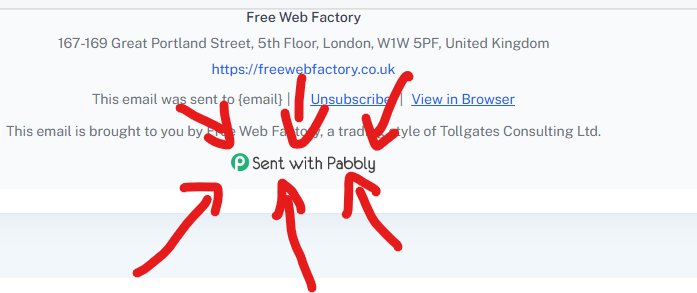
Regarding the "Sent with Pabbly" footer branding, the setting has already been updated to remove it from your account. However, to apply these changes to your emails, please create a new campaign or duplicate your existing campaign, as previously sent or active drafts retain the older template layout.
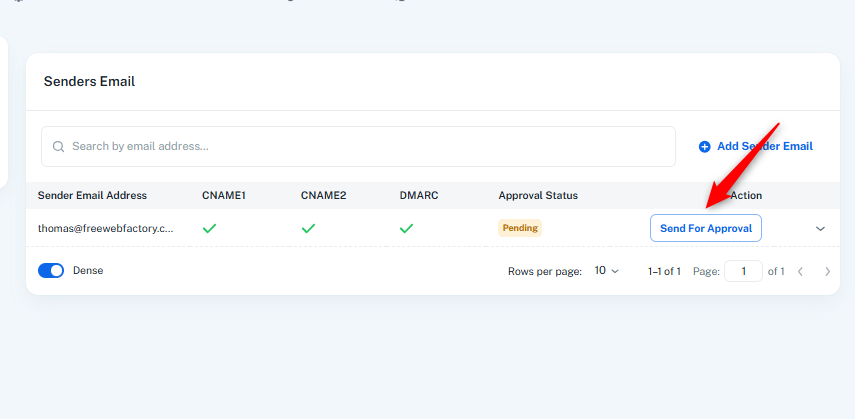
Regarding your SMTP Approval, the status is currently showing as Pending because the request needs to be submitted for review. Please go to your Delivery Server settings, click the Send For Approval button next to your sender email address, and submit it. Once submitted, our team will review and approve it promptly.
Please let us know if you find any other difficulties.
Thanks & Regards,
Hrishabh
Customer Support Associate
🌐 Pabbly.com
👉 Rate your support